Share article:


6 Best M3U8 Downloaders in 2026: Tested & Reviewed

Updated: 2026-08-12
Related to: M3U8 Downloader
1,537 Views
Summary: Finding a stable, reliable M3U8 downloader can be challenging as HLS videos are typically delivered via segmented playlists rather than direct video files. After testing multiple tools, Moyea M3U8 Downloader delivers the best overall performance. If you want to conveniently download M3U8 videos, TV episodes, and playlists while retaining HD quality, subtitles, and multiple audio tracks, this tool will be an ideal choice.
1. Quick Picks: Best M3U8 Downloaders in 2026
Here’s a quick overview of the tools that stood out during my testing.
| Best For | Tools | Why |
|---|---|---|
| Best overall M3U8 downloader | Moyea M3U8 Downloader | Reliable playlist downloading, simple workflow, excellent compatibility |
| Best free open-source solution | FFmpeg | Powerful open-source multimedia tool with extensive stream processing capabilities |
| Best for streaming video downloads | KeepStreams for M3U8 | Suitable for users looking for a simple streaming download solution |
| Best browser-based M3U8 downloader | CocoCut | Lightweight extension for detecting and downloading online media streams |
| Best user-friendly M3U8 downloader | CleverGet M3U8 Downloader | Simple interface with automatic video detection features |
| Best lightweight live stream downloader | Live Stream Downloader | Convenient browser-based tool for handling live streams |
2. What Makes the Best M3U8 Downloader?
Not every M3U8 downloader performs equally well. During my testing, I found that some tools downloaded playlists quickly but struggled with encrypted streams, while others offered powerful features at the cost of a much steeper learning curve.
To make the comparison as practical as possible, I evaluated every downloader using the following criteria.
| Items | Details |
|---|---|
| Download Stability | The most important requirement is whether the software can reliably detect and download M3U8 playlists without failed segments or interrupted downloads. |
| Playlist & Batch Download Support | Many M3U8 videos consist of dozens or even hundreds of media segments. A good downloader should automatically process the entire playlist and, ideally, support downloading multiple videos in one batch. |
| Original Video Quality | I preferred tools that preserved the original resolution and video quality whenever possible. |
| Ease of Use | Some M3U8 downloaders require command-line knowledge or manual URL extraction. Others provide a graphical interface that lets you download videos with just a few clicks. |
| Platform Compatibility | I also looked at operating system support, including Windows, macOS, Linux, and browser-based solutions, to see which tools are accessible to the widest range of users. |
| Overall Value | Free tools may require more technical knowledge, while paid software often offers a smoother workflow, better customer support, and additional convenience features. |
3. 6 Best M3U8 Downloaders in 2026
3.1 Moyea M3U8 Downloader
Among the six downloaders in this review, Moyea M3U8 Downloader gave me the smoothest overall experience. It combines automatic M3U8 playlist detection, batch downloading, original-quality saving, and a beginner-friendly interface into one complete package. Instead of manually copying playlist URLs or configuring FFmpeg commands, I entered the video page, and the software handled the rest.
For users who regularly download streaming videos for offline use, this is the downloader I recommend keeping installed long-term.
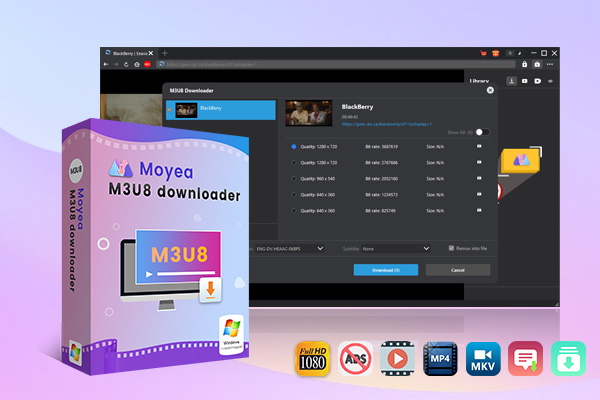
- Downloads DRM-Protected M3U8 Videos in Up to 1080P.
- Supports batch downloading M3U8 videos.
- Downloads from HLS Streaming Websites to MP4/MKV.
- Retains Multilingual Subtitles and Audio Tracks.
Secure Download
Trustpilot Rating 4.7
3.1.1 Key Features
Moyea focuses on simplifying the entire M3U8 downloading process while still providing the flexibility expected from dedicated desktop software.
| Features | Details |
|---|---|
| Automatic M3U8 Detection | Detects M3U8 video streams automatically from supported webpages. |
| Download M3U8 Videos in Original Quality | Downloads available video streams with the original playback quality. |
| Batch Playlist Download | Supports downloading multiple videos or playlists in one session. |
| Built-in Browser | Includes an integrated browser that allows users to browse supported websites inside the software. |
| High Download Stability | Downloads segmented M3U8 streams reliably while automatically merging media segments into a complete playable video file. |
| Simple User Interface | Clean desktop interface designed for users who prefer a straightforward workflow. |
3.1.2 Pros & Cons
- Easy-to-use desktop interface
- Automatic M3U8 playlist detection
- Supports batch downloading
- Preserves original video quality
- Built-in browser simplifies the download process
- Stable performance during long playlist downloads
- Desktop software installation required
- Free trial includes feature limitations
3.1.3 My Experience
For my testing, I used Moyea M3U8 Downloader to download several types of streaming content, including standard video-on-demand pages and longer M3U8 playlists. The setup process was straightforward, and the built-in browser eliminated one of the biggest frustrations I usually encounter with M3U8 downloaders — finding the correct playlist URL.
Most of the time, the software detected the available video stream automatically after the page finished loading. After selecting the video, I just added it to the download list and let the program handle the remaining work. Compared with browser extensions that occasionally failed to detect streams or command-line tools that required additional parameters, the workflow felt much more polished.
Download stability was another pleasant surprise. Even when downloading larger videos composed of hundreds of transport stream segments, the software completed the download without broken files or playback issues. The exported videos played normally in VLC Media Player, and I didn’t encounter any synchronization problems between audio and video.
3.2 FFmpeg
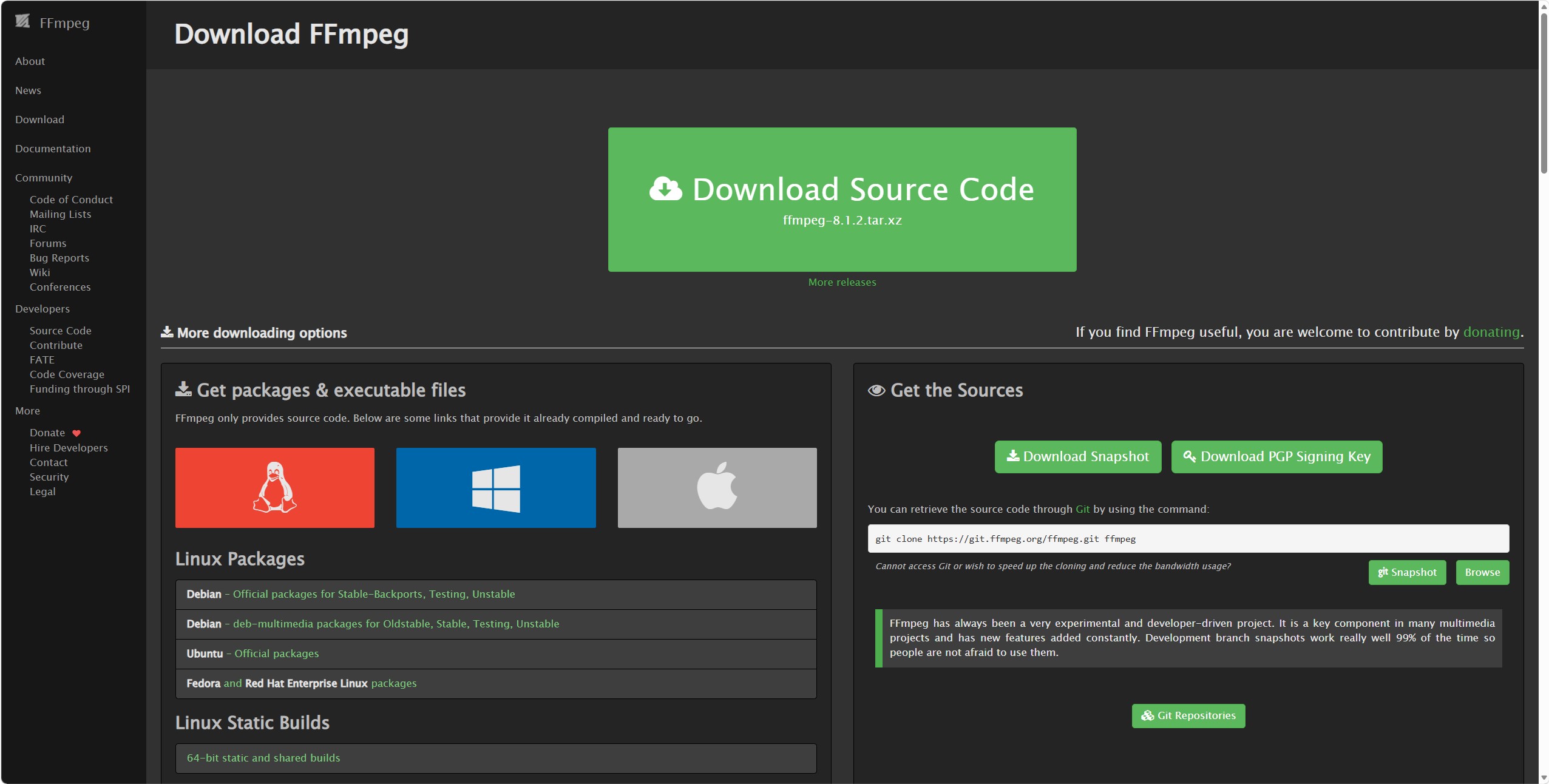
For users who don’t mind using the command line, FFmpeg remains one of the most powerful free tools for downloading M3U8 videos. Unlike dedicated desktop downloaders, FFmpeg isn’t designed specifically for streaming media—it is a comprehensive multimedia framework capable of recording, converting, streaming, and processing audio and video files.
Because it directly supports HTTP Live Streaming (HLS), FFmpeg can download M3U8 playlists and merge the media segments into a single playable video file with just one command. While it requires more technical knowledge than graphical software, it offers exceptional flexibility and is completely free to use.
3.2.1 Key Features
FFmpeg may not provide a graphical interface, but it offers unmatched flexibility for users familiar with command-line tools.
| Features | Details |
|---|---|
| Native M3U8 Playlist Support | Supports downloading HLS (.m3u8) playlists directly through command-line commands. |
| Automatic Media Segment Merging | Downloads playlist segments and combines them into a single playable video file. |
| Cross-Platform Compatibility | Available for Windows, macOS, Linux, and many other operating systems. |
| Powerful Video Processing | Supports transcoding, remuxing, compression, subtitle handling, and numerous audio/video formats. |
| Completely Free & Open Source | Distributed under open-source licenses with no subscription fees or feature restrictions. |
3.2.2 Pros & Cons
- Completely free and open source
- Extremely powerful multimedia processing capabilities
- Supports virtually all common audio and video formats
- Highly customizable through command-line options
- No graphical user interface
- Steeper learning curve for beginners
- Requires manually obtaining M3U8 playlist URLs
- Less convenient for frequent everyday downloads
3.2.3 My Experience
FFmpeg is undoubtedly one of the most capable tools in this roundup, but it also demanded the most effort. Before I could start downloading, I first had to locate the actual M3U8 playlist URL using browser developer tools or other network inspection methods. For experienced users, this isn’t a major obstacle, but beginners may find the process confusing.
Once I had the playlist URL, FFmpeg performed exactly as expected. Downloads were stable, the merged output played flawlessly, and the software gave me complete control over the final video file. It also proved useful when I needed to convert formats or perform additional processing after the download.
3.3 KeepStreams for M3U8
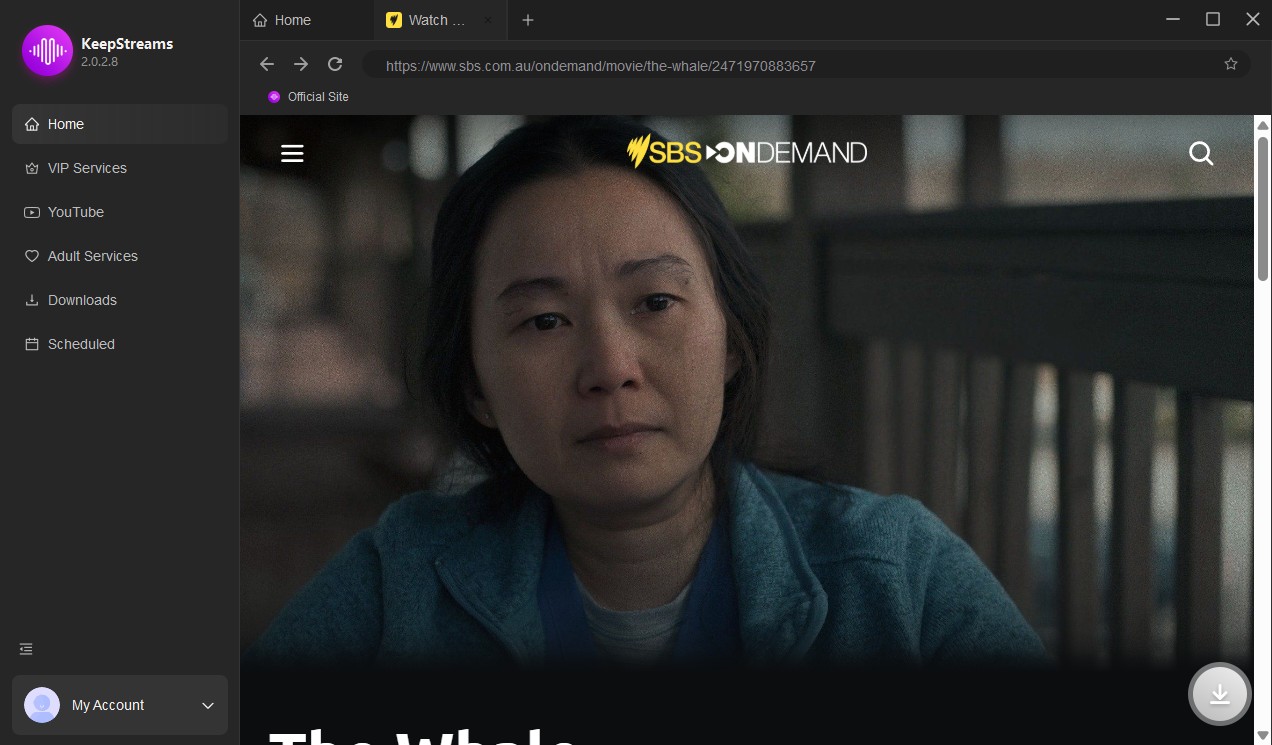
Unlike traditional M3U8 download tools that mainly focus on extracting public HLS playlists, KeepStreams for M3U8 is designed for users who need a more automated way to handle M3U8-based streaming videos.
However, KeepStreams is not a universal solution for every M3U8 stream. Its performance depends heavily on website compatibility and whether the targeted streaming service is supported.
3.3.1 Key Features
KeepStreams emphasizes convenience by automating much of the downloading process.
| Features | Details |
|---|---|
| Built-in Browser | Browse supported streaming websites directly inside the software without switching between applications. |
| Automatic Video Detection | Detects downloadable streaming videos automatically during playback on supported services. |
| Batch Download Support | Allows multiple videos or episodes to be downloaded together, depending on platform support. |
| Multiple Output Options | Saves downloaded videos for offline playback while preserving available audio and subtitle information. |
| Automatic Download Function | Provides scheduled automatic downloading for supported content. |
3.3.2 Pros & Cons
- Strong automation features
- Built-in browser reduces manual work
- Batch download capability
- Frequent software updates
- The subscription plans are quite expensive
- Website support depends on ongoing updates
- The free trial offers limited functions
- The download task sometimes failed
3.3.3 My Experience
KeepStreams eliminated that process by allowing me to browse supported websites directly inside the application and start downloads through a graphical interface.
The batch download feature and automatic feature were especially useful when handling multiple videos in advance. Instead of downloading each file separately, I could add several videos to the queue and let the software process them automatically.
For users who regularly download streaming videos and want a smoother, more automated experience, KeepStreams for M3U8 is a great choice.
3.4 CocoCut
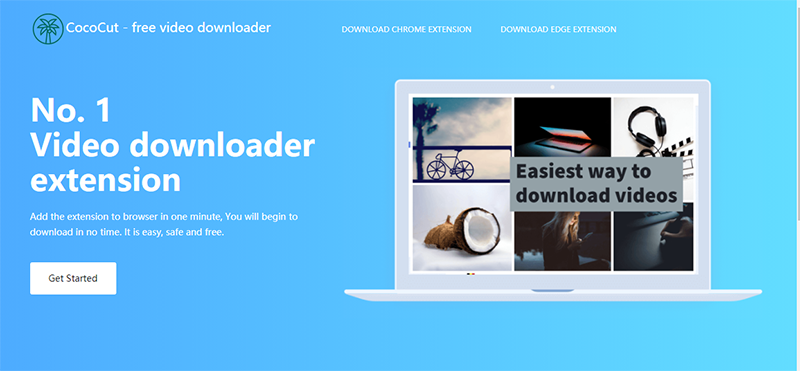
If you don’t want to install desktop software, CocoCut provides one of the easiest ways to download M3U8 videos directly from your browser. Available as a browser extension, it can detect media resources on many webpages and allows users to download supported videos without leaving the browser.
While it isn’t as powerful as dedicated desktop downloaders, CocoCut works well for lightweight downloading tasks and is particularly useful when you only need to save an occasional streaming video.
3.4.1 Key Features
CocoCut takes a different approach from traditional M3U8 downloaders by focusing on convenience rather than advanced customization.
| Features | Details |
|---|---|
| Browser Extension | Installs directly into supported Chromium-based browsers. |
| Simple Download Workflow | Download videos without copying playlist URLs manually. |
| Automatic Media Detection | Detects playable media resources available on many webpages. |
| Supports Common Streaming Formats | Detects various online media resources, including many M3U8 streams. |
3.4.2 Pros & Cons
- Very easy to install
- Convenient browser integration
- Lightweight and beginner-friendly
- Suitable for occasional downloads
- Fewer advanced features than desktop software
- Detection success varies by website
- Limited batch downloading capabilities
- Browser restrictions may affect compatibility
3.4.3 My Experience
CocoCut was by far the fastest tool to start using. Installation took only a minute, and I could begin testing immediately. On compatible websites, the extension detected available media automatically and made downloading surprisingly simple.
However, browser extensions naturally have more limitations than dedicated software. Some websites failed to expose downloadable streams, and the extension occasionally struggled with more complex streaming implementations. While it worked well for straightforward downloads, I found desktop solutions like Moyea M3U8 Downloader to be much more consistent across different websites.
3.5 CleverGet M3U8 Downloader
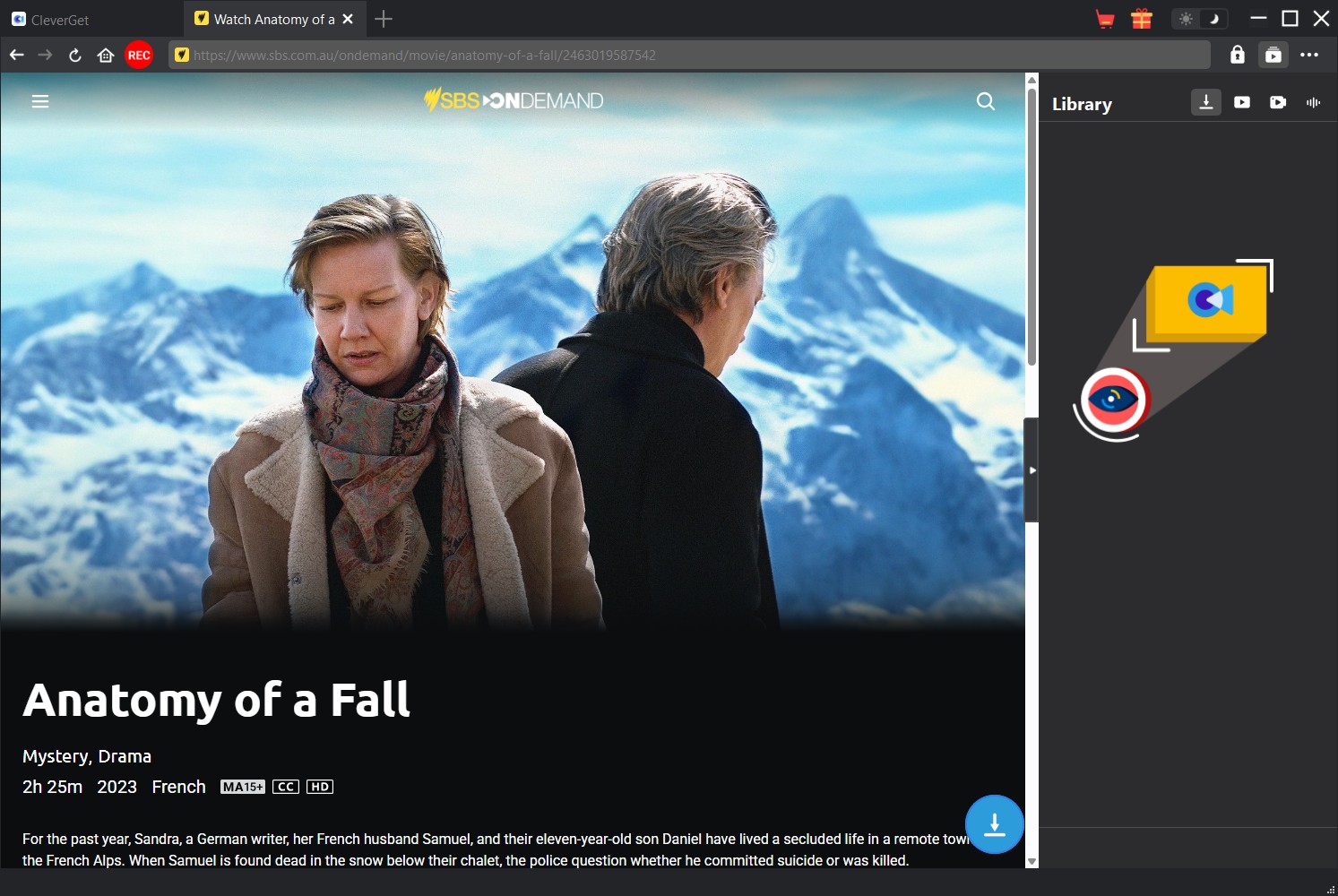
While Moyea M3U8 Downloader remains my top recommendation for most users because of its simplicity and balanced performance, CleverGet M3U8 Downloader is a strong second choice for users who have more advanced streaming download needs.
The software is designed to analyze, detect, and download M3U8 videos from various HLS streaming websites. It supports batch downloading, up to 1080P output, MP4/MKV formats, subtitle and audio track selection, GPU acceleration, and metadata preservation.
CleverGet focuses on improving the experience of downloading streaming-based M3U8 content rather than only handling basic playlist extraction.
3.5.1 Key Features
During my testing, I found CleverGet particularly useful when downloading longer streaming content, such as TV series or playlist-based videos.
| Features | Details |
|---|---|
| Built-in Browser | Browse supported websites directly inside the software. |
| Automatic M3U8 Stream Detection | Detects supported streaming videos automatically after playback begins. |
| Original Quality Downloads | Saves videos in the highest quality available from the source whenever supported. |
| Batch Download Support | Allows multiple videos to be added to the download queue for more efficient downloading. |
| User-Friendly Interface | Clean interface with a simple workflow suitable for both beginners and experienced users. |
3.5.2 Pros & Cons
- Strong Streaming Content Support
- Excellent for TV Shows and Batch Downloads
- Better Subtitle and Audio Management
- More Advanced Download Features
- The free trial offers limited functions
- Website Compatibility Depends on Streaming Changes
3.5.3 My Experience
When I tested CleverGet, the first thing I noticed was that it felt more like a complete streaming video management tool rather than a simple M3U8 downloader.
The built-in browser made the workflow convenient. Instead of manually extracting M3U8 URLs, I could open a supported website, play the target video, and allow CleverGet to analyze the stream automatically.
The feature that stood out most during testing was batch downloading. For users who frequently save TV series or multiple related videos, CleverGet saves considerable time because it can process multiple episodes together instead of requiring repeated manual operations.
I also appreciated the subtitle and audio selection options. When downloading multilingual content, being able to choose available tracks before starting the download provides much more control over the final file.
3.6 Live Stream Downloader
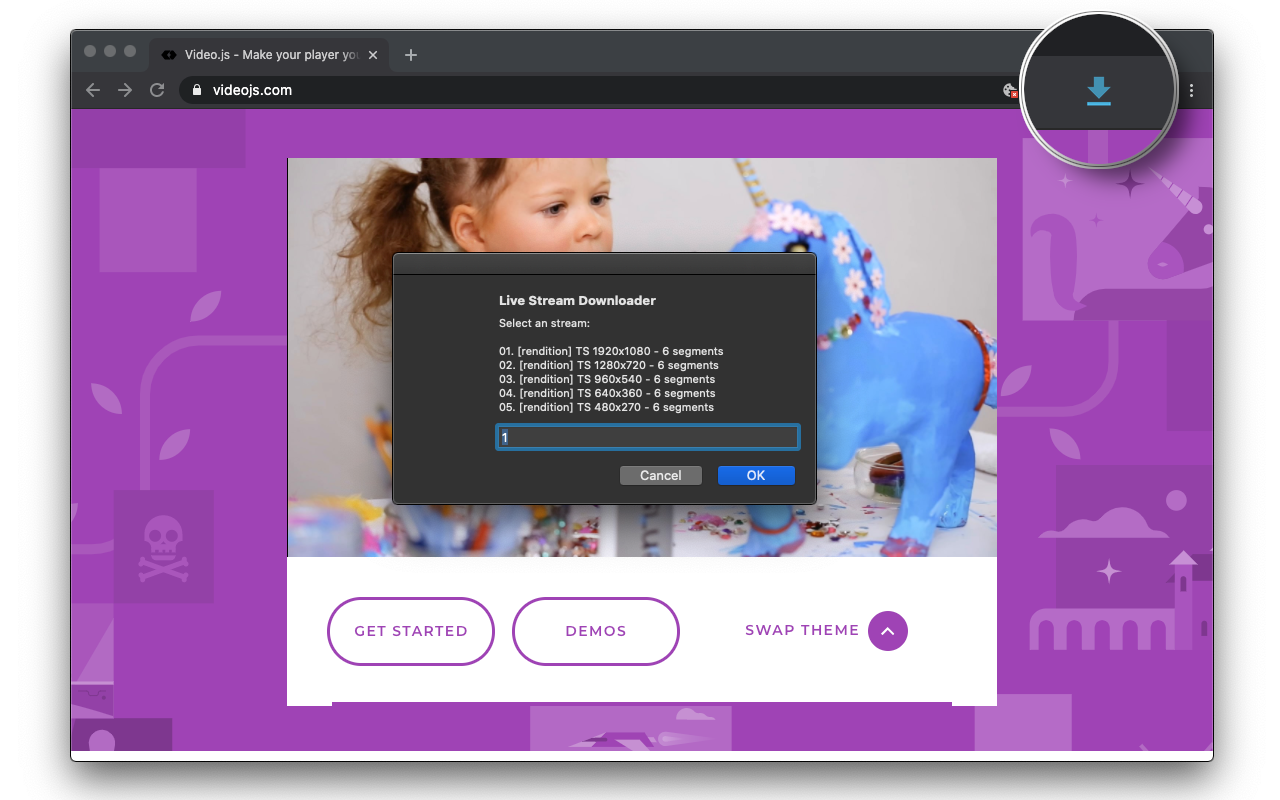
If you occasionally need to save online streaming videos without installing desktop software, Live Stream Downloader is one of the simplest browser-based solutions available.
As a browser extension, it automatically detects many HLS (M3U8) streams while you browse and provides quick download options directly from the browser toolbar.
3.6.1 Key Features
Live Stream Downloader focuses on quick, straightforward downloading rather than advanced media management.
| Features | Details |
|---|---|
| Browser Extension Integration | Works directly inside supported Chromium-based browsers. |
| Automatic Stream Detection | Detects many HLS (M3U8) streams while browsing compatible websites. |
| Simple Download Workflow | Download videos with only a few clicks after detection. |
| Lightweight Resource Usage | Consumes minimal system resources compared with full desktop applications. |
3.6.2 Pros & Cons
- Extremely lightweight
- Easy to install and use
- No desktop software required
- Quick access through the browser toolbar
- Limited functionality compared with desktop downloaders
- Stream detection varies across different websites
- Limited batch downloading options
- Browser permission restrictions may affect compatibility
3.6.3 My Experience
Live Stream Downloader was undoubtedly the quickest tool to set up. After installing the extension, I visited several streaming websites and allowed the extension to monitor available media resources. On compatible pages, it detected playable streams automatically and provided an immediate download option.
That said, browser extensions naturally come with limitations. Detection success varied between websites, and some more complex streaming implementations weren’t recognized.
Even so, for users who only need to save an occasional streaming video and prefer a lightweight browser solution, Live Stream Downloader remains a practical and convenient choice.
4. M3U8 Downloader Comparison Table
To make the differences easier to understand, I compared the tools based on the factors that mattered most during real-world use: ease of use, playlist handling, batch downloads, supported platforms, and overall flexibility.
| Features | Moyea M3U8 Downloader | FFmpeg | KeepStreams for M3U8 | CocoCut | CleverGet M3U8 Downloader | Live Stream Downloader |
|---|---|---|---|---|---|---|
| Platform | Win & Mac | Win & Mac | Win & Mac | Win & Mac | Win & Mac | Win & Mac |
| Playlist Support |  |
|
|
 |
|
|
| Automatic Detection | |
|
|
|
|
|
| Batch Download | |
|
|
|
|
|
| Original Quality | |
|
|
|
|
|
| Built-in Browser | |
|
|
|
|
|
| Beginner-Friendly | |
|
|
|
|
|
| Price | Trial | Free | Trial | Free | Trial | Free |
5. Common M3U8 Playback Problems & Fixes
Downloading M3U8 videos is only half of the process. During testing, I also encountered several playback problems that many users are likely to face, especially when working with segmented video streams.
5.1 The Downloaded M3U8 Video Cannot Be Played
Possible Causes:
- The download was incomplete
- Media segments failed to merge correctly
- The player does not support the video format
Solutions:
- Re-download the video
- Use VLC Media Player for testing
- Ensure all segments were successfully merged
5.2 M3U8 Video Has No Sound
Possible Causes:
- Audio segments failed to download
- Audio and video streams were stored separately
- Unsupported audio codec
Solutions:
- Download the video again
- Use a player with broader codec support
- Try remuxing the video using FFmpeg
5.3 Video Plays but Has No Subtitles
Possible Causes:
- Subtitles were stored as separate files
- Subtitle tracks were not downloaded
Solutions:
- Check whether subtitle files were downloaded separately
- Use players that support external subtitles
5.4 Downloaded Video Is Choppy or Keeps Buffering
Possible Causes:
- Incomplete downloads
- Corrupted media segments
- Insufficient computer resources
Solutions:
- Verify the download completed successfully
- Try another media player
- Re-download the video if playback remains unstable
5.5 MP4 File Size Is Too Large
Possible Causes:
- The original stream uses a high bitrate
- Lossless conversion preserved all source data
Solutions:
- Re-encode the video using H.264 or H.265
- Compress the file with a video converter
- Download a lower-resolution version if available
5.6 M3U8 Video Works on Computer but Not on TV or Mobile Device
Possible Causes:
- Device compatibility issues
- Unsupported codecs
Solutions:
- Convert the video to a standard MP4 file
- Use H.264 video and AAC audio for maximum compatibility
6. FAQs
-
Can I Download M3U8 Videos Directly?
No. An M3U8 file is a playlist, not the actual video. To save an M3U8 video, you need software that can parse the playlist, download every video segment, and combine them into a standard format like MP4.
-
Are Free M3U8 Downloaders Safe to Use?
Some are safe, especially well-known open-source projects or reputable browser extensions. However, always download software from official websites and avoid unknown third-party sources.
-
Can Windows Media Player play M3U8 files?
Not reliably. Windows Media Player has limited support for M3U8 files. VLC Media Player generally provides much better compatibility.
-
Can I Download Encrypted M3U8 Videos?
Some M3U8 streams use additional encryption or DRM technologies. Download compatibility depends on the downloader and the specific streaming platform.
-
Is Downloading M3U8 Content Legal?
It depends on the content source and local laws. Always download only videos that you are authorized to access and use.
7. Conclusion
Free tools like FFmpeg provide tremendous flexibility, while browser extensions are convenient for occasional downloads. However, if you frequently save streaming videos and want a smoother experience, a dedicated desktop downloader makes a noticeable difference.
For me, Moyea M3U8 Downloader offered the best balance between ease of use, playlist handling, automatic stream detection, and download stability. Instead of spending time searching for playlist URLs or troubleshooting broken downloads, I could focus on saving videos and watching them offline.
- This guide is intended for educational and personal use only. Only download M3U8 videos that you have permission to access or save.
- Always comply with the copyright laws, streaming platform policies, and applicable terms of service in your region.
- All trademarks, logos, brand names, images, movie titles, and other copyrighted materials mentioned or displayed in this document are the property of their respective copyright owners.
 Terms of Use: Moyea is intended solely for personal, educational, and non-commercial archival purposes use. It allows users to save a local copy of videos that they have legally subscribed or purchased. Any commercial utilization, unauthorized redistribution, or online sharing is prohibited. Users assume full responsibility for complying with copyright laws.
M3U8 Downloader

 Try for Free
 Try for Free
 Download M3U8 videos in up to 1080P resolution
Save M3U8 streaming videos as MP4 or MKV files
Download online M3U8 streams from various websites
Batch download multiple M3U8 video URLs at once
Download M3U8 videos ad-free



 English
 日本語