

PPT to Video Converter Edu Edition
Powerpoint presentation to Video Converter
 Win 8/7/Vista/XP/2000
 Version: 2.6 Size: 21.7 MB
 Promotion Price: $35.95
 Syncing every subtlety of an e-Learning presentation including animations, slide transitions, sounds and movie clips successfully to a video output, the PowerPoint-video course creator grants you a full control of your content on the Web (e.g. YouTube, Facebook, Blogs and Podcasts), and on any portable like iPad, iPod, PSP and iPhone.
Why Moyea PowerPoint to Video Converter Edu Edition for Back to School
Robust Conversion Capability
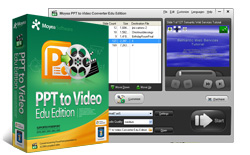
 Elegant UI Design
The PowerPoint to video e-Learning program has a learner-friendly skin, a mix of delicate gray and light green that will enlighten the first back-to-school presentation. It also meets the needs of multifarious learners and teachers with a 7-languge interface (i.e. English, French, German, Italian, Japanese, Portuguese, Simplified and Traditional Chinese).
Full support for all PowerPoint versions
Support almost all PowerPoint versions: PowerPoint 2013, PowerPoint 2010, PowerPoint 2007, PowerPoint 2003, PowerPoint 2002, PowerPoint 2000 and free PowerPoint viewer.
Expert Conversion
Moyea PPT to Video Edu can process PowerPoint course files (PPT, PPS, PPTX, PPSX) in batch to various formats of quality video such as ASF, AVI, FLV, MPEG, MP4, MOV, WMV, 3GP, 3G2, VOB, TS, or even an audio file in ACC, AC3, MP2, MP3, WAV or WMV from an e-Learning presentation.
Distinctive Classification
The PowerPoint to Video Edu offers a distinctive classification of video profile options, which brings you a convenience. For example, "Recent" to record last output option(s) for retrieval, "Common Video" to guide you with general video formats, "Common Audio" to get you through a host of audio formats in actual use, "User Defined" to let you show your own programming genius, and "All Profiles" to give you a full look of output options by both output formats and terminal devices.
Flexible Terminal Options
It produces a video slideshow course that supports a variety of end devices including iPad, iPod, iPhone, Apple TV, Blackberry, Xbox 360, Windows Mobile devices (Dell Axim, HP iPAQ, Pocket PC), PSP, PS3, Wii, NDS, PMP (Creative Zen, Zune, Mobile Phone, etc, giving you an ease to grab the right format at one glance.
Fun Customization
The educational video slideshow maker provides a free land – the Customize zone for professional users who want to make a difference by a do-it-yourself video creating experience. Find fun in adjusting timing, adding in a favorite soundtrack, changing current video layout, and practicing your computer genius in the Profile. In addition, adding text and image watermarks is also allowed to protect works from uses without permission.
Smart and Speedy
With optimal video and audio codec, the PPT to Video Converter enables you to convert a course presentation to an excellent video without any missing of original sounds, movie clips, animations and slide transitions. In addition, it makes a loss-less video slideshow within a few minutes.
Benefits of Moyea PowerPoint to Video Converter Edu Edition
- Deliver PowerPoint course content on any computer regardless of Microsoft PowerPoint
- Show mobile presentations to learners via a portable like iPad, iPod, iPhone or cellphone
- Connect to your learning community through YouTube, TeacherTube and Podcasts
- Email your homework presentation without sound loss or failure to open by recipients

 Flash & PPT Tools
 Customer Testimonials
-- From Med vennlig hilsen
Thanks for your great work – and keep up with the good work.
-- From Jay Burt
-- From Rajesh Madhawarayan .........
 English
 日本語
日本語