Share article:


Quick Guide: How Long Do Prime Video Downloads Last?

Updated: 2026-01-23
Related to: Amazon Downloader
20 Views
Summary:
Prime Video downloads are not permanent. Most rentals and Prime titles expire after 30 days or 48 hours once playback starts, while purchased videos usually stay available.
Amazon Prime Video enables you to download movies and shows for offline use. However, the downloads are still not permanent. Therefore, if you are wondering how long the downloads will be available on Prime or if the downloads on Prime Video expire, it is very crucial that you familiarize yourself with three aspects: content rented, content purchased, and Prime membership content.
In this article, we will share the maximum time allowed for each type of download and give you instructions on how to check the expiration date of a download. Besides that, we will also consider the top method to download your favorite movies and tv shows permanently. In addition, you will learn how to enjoy Prime Video offline without worrying that you will lose access.
OutlineCLOSE
1. How Long Do Amazon Prime Video Downloads Last?
You can download movies on Amazon Prime Video to watch them offline. But, the rules are a bit different depending on if you rented the movie, bought it, or if it’s included with your Prime membership. Rented videos, for instance, only stick around for a limited time. Purchased videos, though, you usually get to keep for good. Content on Amazon Prime itself can have some limitations, much like renting. Your download might disappear or get deleted after a while. This can happen if you don’t watch the download within a certain window, or if your subscription ends. Knowing these differences should make planning your offline viewing much simpler. We’ve broken down each type of download and its time limits below.
How Long Can I Watch Rented Videos?
When you rent a movie or show on Prime Video, it’s only for a limited time. After you download it, you get 30 days to start watching. Once you hit play, you’ll typically have 48 hours to finish it. If you don’t, the download just disappears. So, if you rent something, you really need to get through it within those 48 hours of starting, or it’s gone from your device.
Do I Own the Purchased Videos Forever?
It’s a little different when you buy videos. If you purchase a movie or a show on Prime Video, you can download it and keep it. Usually, these downloads don’t have an expiration date, so you basically own them forever. Amazon does mention that sometimes bought content might be removed because of licensing changes, but that doesn’t happen too often. Most of the time, videos you buy are yours to keep.
How Long Can I Watch the Downloads When My Membership Ends?
Titles that come with your Prime membership follow the same rules as rentals. You have 30 days to watch a downloaded video. After you start watching it, you have 48 hours. When you stop subscribing to Prime, or if your subscription is cancelled, you won’t be able to access any Prime-only content you’ve downloaded. To get them back, you’d need to subscribe again and download them again.
So, pretty much all Prime Video downloads get deleted within 30 days if you haven’t watched them, or within 48 hours after you start watching. Purchased videos are really the main exception, as they won’t be deleted later.
2. How to Check When Downloads Will Expire?
Prime Video lets one easily see which downloads are expiring soon:
- Step 1: Open the Prime Video app on your device.
- Step 2: Tap on Downloads (or Offline).
- Step 3: Select the downloaded title and look at its details or the menu icon.
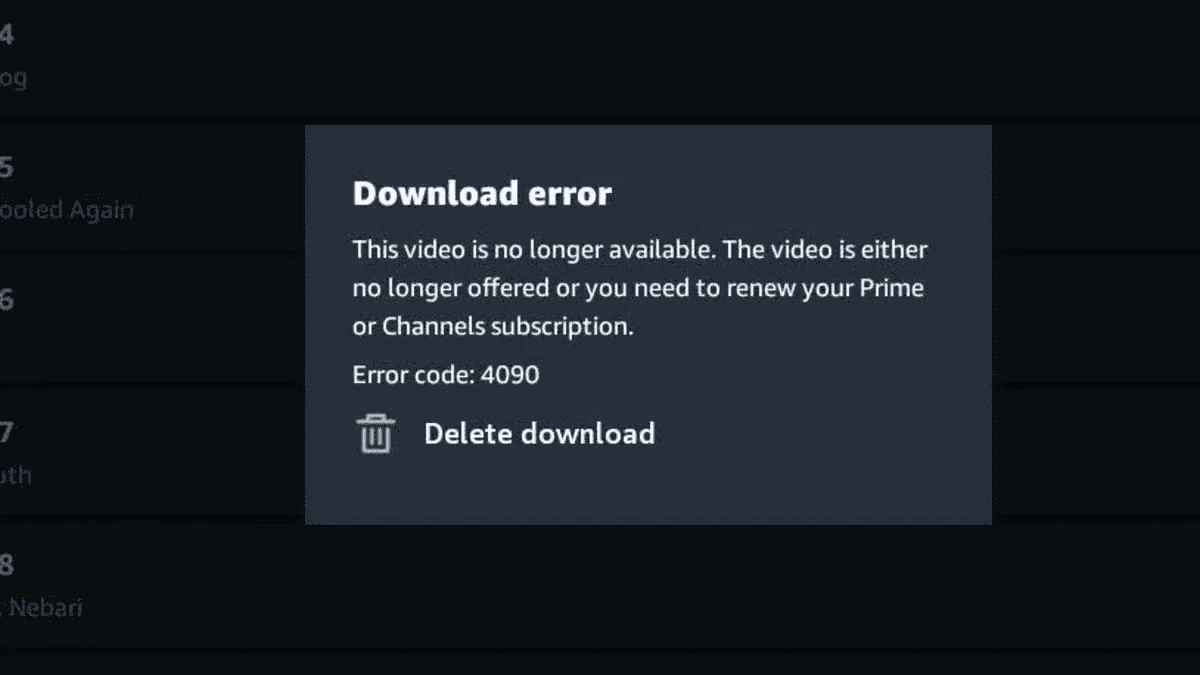
You will see how much time you have until the download expires. This allows you to plan your viewing schedule and avoid surprises. Always remember that in case you do not begin watching within 30 days or don’t finish within 48 hours after beginning, the download will be deleted.
3. Best Way to Keep Downloads Permanently – Moyea Amazon Downloader
Since Prime Video downloads usually expire, many users turn to third-party tools to save content permanently. Moyea Amazon Downloader is one of the well-known options that enable you to store movies and shows permanently. The software stores Prime Video data in DRM-free MP4 or MKV files and retains HD quality up to 1080p. It also allows you to add subtitles and audio tracks and eliminates advertisements on downloaded videos to enjoy a neat offline experience. These files are saved without expiration and can be viewed at any time, even without an active Prime membership.

-
Batch download Amazon Prime Video movies and full or selected seasons of shows at up to 1080p resolution with preferred subtitles and audio tracks. Download Amazon Prime videos as MP4 or MKV file for offline viewing without expiration, and remove ads for offline ad-free watching.
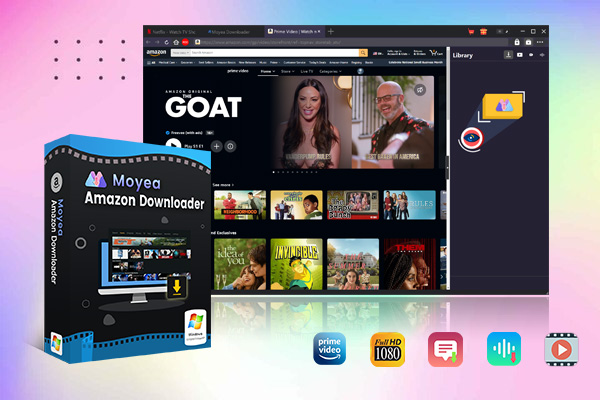
Moyea Amazon Downloader is easy to use. You just need to sign into your Amazon account and find the videos you want to download. The program records the streams and transforms them into the form of permanent files, which are ready to be viewed, copied, or even backed up in whichever way you wish. The free trial also allows you to try the process and then buy the full version. Moyea successfully avoids the expiration limits of Prime Video by generating DRM-free versions, which allows you to have your favourite Prime videos permanently.
Conclusion
Amazon Prime Video downloads are convenient, but most come with time limits: generally 30 days to start watching and 48 hours to finish once playback begins, with the added restriction that Prime-only content stops working if your membership lapses. Purchased videos are the exception, remaining available indefinitely. To keep all your favorite movies and shows permanently, third-party tools like Moyea Amazon Downloader offer a simple solution. By saving content as DRM-free MP4 or MKV files, you can watch anytime, back up your downloads, or share them across devices without worrying about expiration or subscription status. This makes it easy to build a permanent offline library of your favorite Prime Video content.
 Terms of Use: Moyea is intended solely for personal, educational, and non-commercial archival purposes use. It allows users to save a local copy of videos that they have legally subscribed or purchased. Any commercial utilization, unauthorized redistribution, or online sharing is prohibited. Users assume full responsibility for complying with copyright laws.
Amazon Downloader

 Try for Free
 Try for Free
 Download Amazon Prime videos to 1080P MP4/MKV files.
Support batch Amazon Prime video downloads
Save subtitles and audio tracks.
Pack subtitles to video or save as SRT/SUP file.
Remove ads during Amazon Prime video downloads.
Related
Fix Guide: Prime Video Download Not Working
Best Amazon Prime Video Recorders: Record with the Best
How to Download Amazon Prime Videos to iPhone/iPad
Where Are Prime Video Downloads Stored on PC/Mobile?

How to Contact Amazon Prime Video Customer Service for Help/Support?

Easy Guide: How to Burn Amazon Videos to DVDs?


 English
 日本語
日本語