Share article:


How Netflix Extra Members Change Account Sharing?

Updated: 2026-01-27
Related to: Moyea Netflix Downloader
102 Views
Summary:
- Netflix Extra Member allows you to legally share your account with someone who is not living with you, using a different login and profile. It is more expensive, but it eliminates location check warning messages and the mess of sharing passwords.
Netflix used to be basic: a single account, a single password, everybody shared. That era is over. The rules on account sharing have evolved, and Netflix has a solution called Extra Member. It is a paid add-on that allows you legally share your account with another person who is not in your household. No workarounds. No warning screens. All you need is a straight line between who should and who shouldn’t. In this article, we will explain how Netflix Extra Member works and what changes after you add one. Plus, we will also discuss whether it is worth the money or not.
Quick AccessCLOSE
How Netflix Extra Members Work?
Netflix Extra Member is designed to regulate account sharing without forcing all the individuals to get a separate subscription. This is the situation on the ground. Firstly, it is an add-on and not a new plan. Hence, only Standard or Premium subscribers of Netflix can add an Extra Member. Basic plan holders are not eligible. Once you add, you pay an extra fee monthly for that additional person. The Extra Member gets personal account credentials. It means a separate email, password, and profile. The record of their watches, suggestions, and tastes remains totally different from the main account. No overlap at all. They can watch wherever they want, on their own devices.
Netflix does not ask extra members to connect to your home Wi Fi or locate them with you. That’s what sets it apart from the usual profile sharing. However, there are restrictions. An Extra Member is generally allowed to stream on one device and download on one device. They do not receive more than one profile under their login. One person, one profile.
Billing stays with the main account holder. On top of that, you are still the one who manages the Extra Member, pays for them, or even removes them. If you remove them, they will lose access. Now they can move their profile to a new Netflix account. In short, an Extra Member account will turn casual password sharing into a paid and controlled setup that can support a neat and predictable Netflix access to all the involved parties.
Netflix Extra Member Cost & Plan Requirements
In the United States, the Netflix Extra Member feature is only available on a limited number of plans. You will only be able to add an Extra Member if you are on the Standard (ad-free) or Premium plan. Also, the Standard with Ads plan will allow you to have one Extra Member, but there will be certain limitations compared to ad free and Premium plans.
Here is a quick comparison table of Netflix Extra Member cost and Plan requirements:
| Plan Tier | Monthly Price | Resolution | Simultaneous Streams | Extra Members Allowed | Extra Member Cost |
|---|---|---|---|---|---|
| Standard with Ads | $7.99 | 1080p | 2 | – | – |
| Standard (Ad-free) | $17.99 | 1080p | 2 | 1 | $6.99/month (with ads) or $8.99/month (ad-free) |
| Premium | $24.99 | 4K + HDR | 4 | 2 | $6.99/month (with ads) or $8.99/month (ad-free) |
There are additional Member charges that are billed to the primary account holder. Extra Members are given one profile, one login, and usually one stream at a time. Members are only allowed one device download and no more than one profile. The removal of an Extra Member immediately removes their access, and Netflix can transfer their profile to a separate account.
Netflix Extra Member vs Traditional Account Sharing
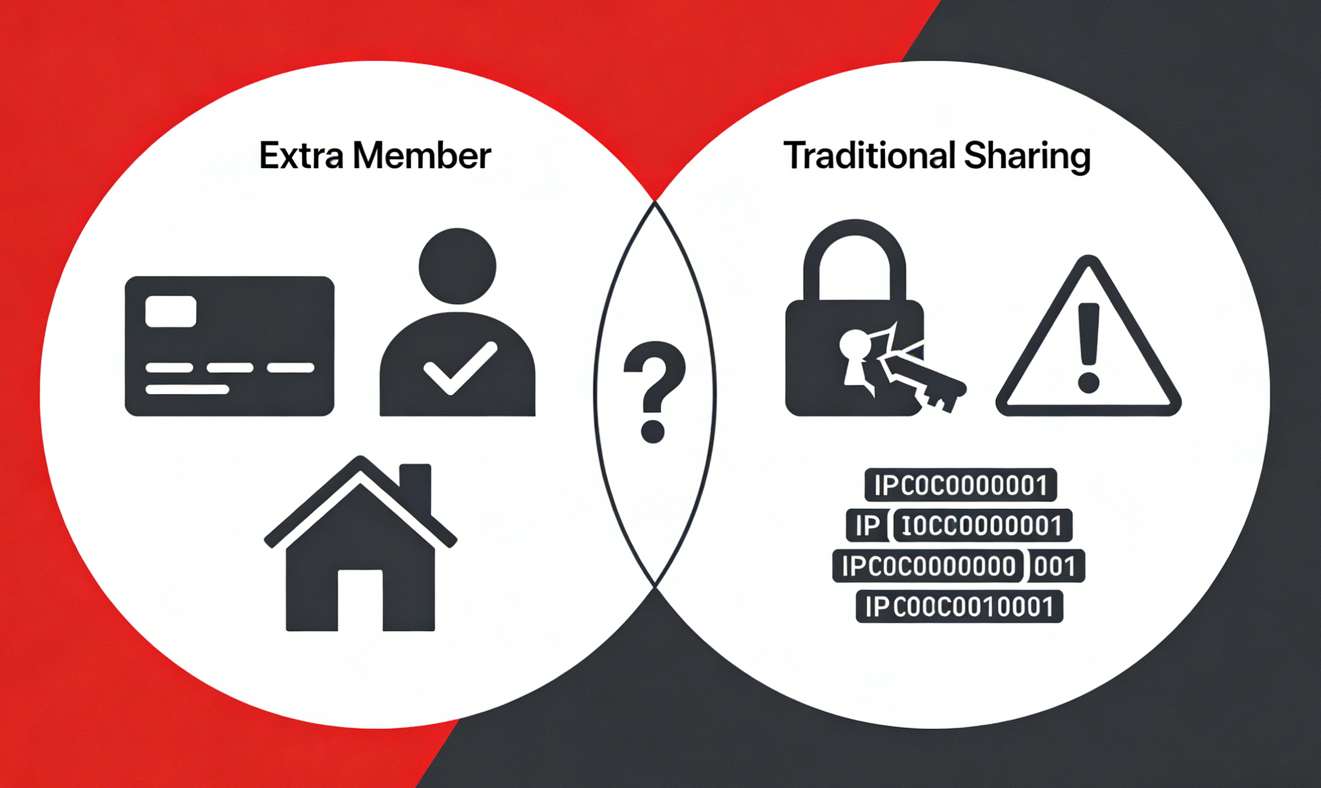
In various homes, people shared a single account. However, now Netflix verifies the address and IP. Therefore, when you share your unofficial accounts, Netflix will write warning messages to you. It can also lock your account and request to confirm the household. It is a security issue, too. With so many people using the same account, the profiles get mixed up. So, anyone can change the password, or the account can be misused.
The Netflix Extra Members eliminate these problems by providing a legal touch to the sharing. Additional users receive individual access, a profile, and a history of viewing. Netflix is well aware that they do not belong in the main household. Therefore, you need not be concerned with location verifications. And you do not need to verify devices periodically after a few weeks. Billing is easily handled, and access is readily available. Plus, the main holder of the account maintains full control over the persons added and removed.
In case users need more flexibility than streaming features can provide, they may turn to solutions such as the Moyea Netflix Downloader. This product enables downloading Netflix movies and shows to MP4 or MKV in 1080P with subtitles, which is very convenient for offline watching on Windows and Mac platforms.

-
- Download Netflix movies and shows at up to 1080P without ads.
- Convert Netflix video to MP4/MKV file with original quality.
- Batch download multiple Netflix episodes across seasons.
- Reserve multiple subtitles and audio tracks for easier management.
How to Add an Extra Member on Netflix?
Step 1: Open the web browser and visit netflix.com.
Step 2: Log in to the account you wish to use on Netflix and choose your profile.
Step 3: visit the Account page. You will see a profile icon at the top right-hand corner of the desktop. Click it. On the mobile, open up the menu and hit the Account option.
Step 4: Scroll down to the bottom of the page, where you will see the Extra Members section.
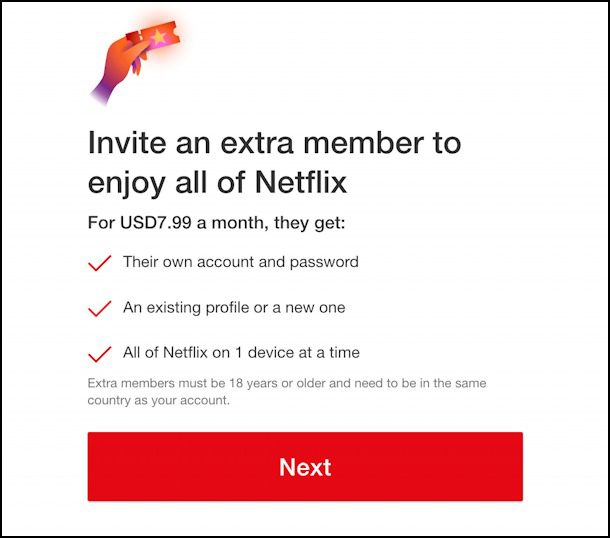
Step 5: Press Buy an extra member slot, and then click Next.
Step 6: Again, check the new monthly charge and the payment date. You will not be billed by Netflix until you confirm it. As Netflix is a prepaid service, the billing date can be different unless you do it on your regular payment date.
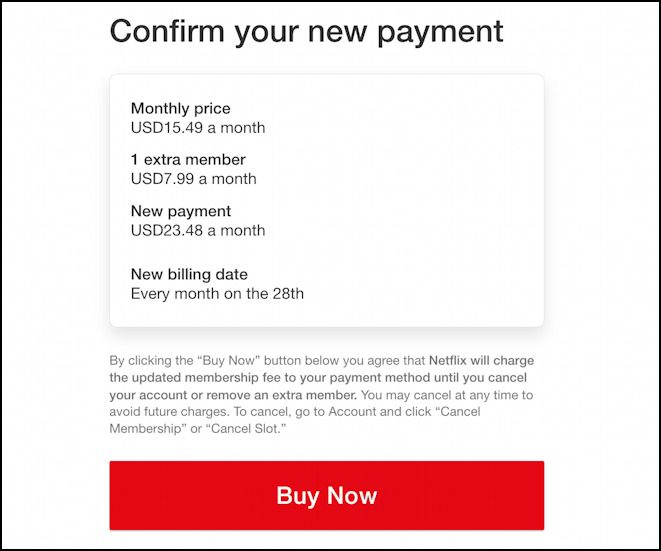
Step 7: When you are ready to proceed, click Start extra member. Here you will see a confirmation message.
Step 8: Add the name of the additional member, his/her email, and your name, and select Next.
Step 9: Select the way the profile is to be configured. Choose a new profile for a new user. Or move an existing profile in case that individual had been using your account, and you want to retain their watch history.
Step 10: Netflix invites the extra member with a special link in an email.
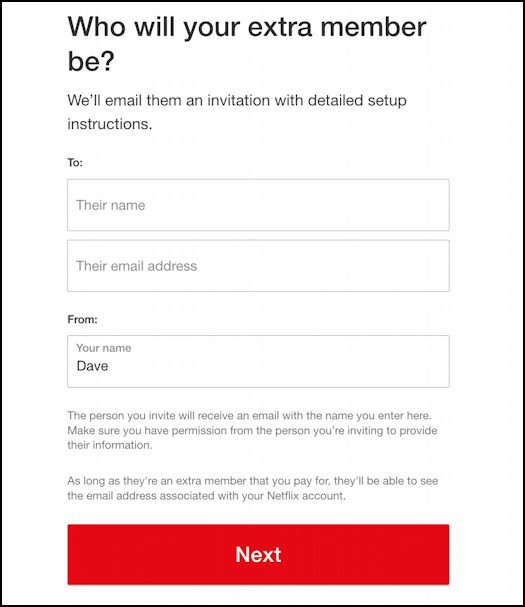
Step 11: The new member opens the email and clicks Get Started.
Step 12: Click Next. After that, create a password.
Step 13: Now, click next and set their profile.
There is no need to pay by additional member. The main account holder has to manage all billing details. Once the extra member account is in use, Netflix will inform you.
Conclusion
Extra Member is the most straightforward option if you are sharing your Netflix password with friends or family members living in different households. Each member has a separate login. Their watching histories do not merge. Netflix will not send you warning messages anymore. It is more secure than unofficial sharing. You don’t need to change passwords, get confused with profiles, or spoil your settings by mistake. Moreover, you are not going around the rules of Netflix either.
So, whether it is worth the price or not, it is up to you. If there are only two of you sharing, and you can pay a little more, then it makes sense. On the other hand, two Extra Member slots on the Premium plan can be useful and less costly than individual subscriptions. Extra Member is not free, but it solves the issue of password sharing. For many families, it is worth the price and a hassle-free option.
 Terms of Use: Moyea is intended solely for personal, educational, and non-commercial archival purposes use. It allows users to save a local copy of videos that they have legally subscribed or purchased. Any commercial utilization, unauthorized redistribution, or online sharing is prohibited. Users assume full responsibility for complying with copyright laws.
Moyea Netflix Downloader
 Try for Free
 Try for Free
 Download Netflix movies and TV shows to 1080P MP4/MKV;
Batch download entire seasons, series, or multiple episodes;
Download subtitles and audio tracks;
Pack subtitles into output video or save subtitles as SRT/SUP file;
Automatically remove ads during downloads.
Related

StreamFab Netflix Downloader Review: Features, Pros & Cons

Netflix Not Working on Roku? Solve It Now
3 Proven Ways to Watch Netflix Without Ads

How to Log out of Netflix on TV? Easy But Secure Methods Here

Netflix Watch History: Can You Clear or Hide It?

Netflix Cancellation Guide: What Happens Next


 English
 日本語
日本語