Share article:


5 Best DRM MPD Downloaders (Tested & Ranked)

Updated: 2026-08-12
Related to: MPD Downloader
5,794 Views
Quick Verdict: Based on my testing of over 50 encrypted DASH/MPD streams, here is the quick ranking of the top tools for 2026.
| Rank | Software | Success Rate | Best for |
|---|---|---|---|
| #1 | Moyea MPD Downloader | ~95% | Overall balance, ease of use |
| #2 | CleverGet MPD Downloader | ~92% | Seamless browser integration |
| #3 | KeepStreams MPD Downloader | ~88% | TV series batching |
| #4 | Cisdem Video Converter | ~80% | All-in-one editing |
| #5 | yt-dlp | Variable | Power users & free CLI control |
Downloading DRM-protected MPD videos remains difficult in 2026. Streaming platforms use encryption such as Widevine and deliver content through segmented MPD manifests. Many general downloaders fail, producing encrypted or unplayable files. Specialized DRM MPD downloaders address this problem.
In this article, I tested some tools hands-on across real-world streams. This ranking comes from actual performance in 2026—not marketing fluff or outdated benchmarks.
1. What Is MPD and Why Use a DRM MPD Downloader?
MPD (Media Presentation Description) is the XML manifest file used in MPEG-DASH streaming. It tells the player how the video is segmented, which quality versions are available, and how to combine them for smooth adaptive playback. Most major platforms rely on it for flexible, high-quality delivery. The problem is DRM protection (such as Widevine), which encrypts the segments and stops ordinary downloaders from working – often resulting in encrypted or broken files.
A dedicated DRM MPD downloader solves this by parsing the manifest, handling decryption within your authorized session, reassembling the pieces, removing ads where possible, and outputting clean MP4/MKV files with subtitles and audio tracks intact.
2. What I Tested?
To determine which tools actually work in 2026, I tested five popular DRM MPD downloaders under real-world conditions.
2.1 Test environment
All tests were conducted under the same environment:
| Configuration | Details |
|---|---|
| OS | Windows 11, Version 10.0.22624.819 |
| CPU | Intel(R) Core(TM) i7-10700KF @3.80GHz |
| RAM | 16GB DDR4 3200MHz |
| GPU | NVIDIA GeForce RTX 3070 8GB |
| Hard Drive | 500GB KINGSTON SA2000M8500G M.2 NVME SSD |
2.2 Test criteria
I evaluated every tool using the same standards:
- Download success rate
- Download speed
- Output quality
- Subtitle support
- Batch download support
- DRM handling capability
- Ease of use
3. 5 DRM MPD Downloaders Review
Now, let’s see how these 5 tools perform in my testing.
3.1 Moyea MPD Downloader
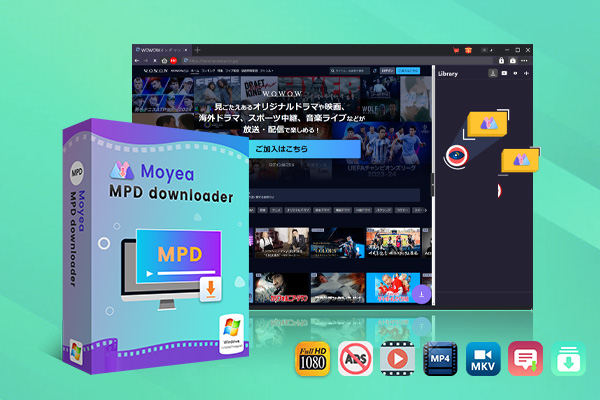
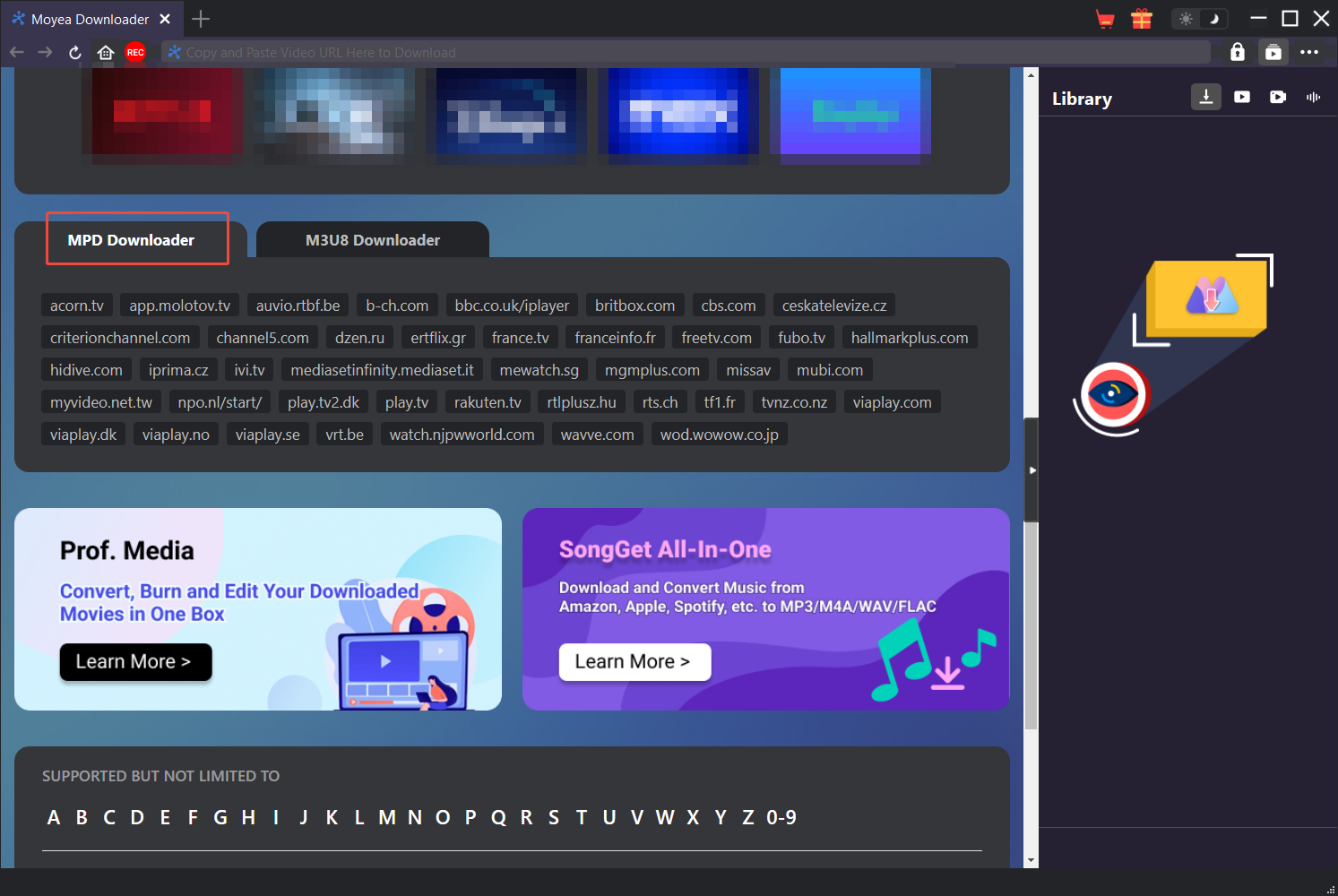
I started with Moyea MPD Downloader because it’s purpose-built for DRM-protected MPD videos from DASH services. What stood out to me was the built-in browser: I logged into the streaming site, played the video I wanted to save, clicked analyze, and it quickly pulled up all the options – different resolutions, audio tracks, and subtitles. The whole process felt direct and efficient, whether I was grabbing a single movie or queuing up an entire TV season.
- Download on-demand MPD videos from MPEG-DASH streaming websites in clicks
- Download series episodes in batch from all available seasons
- Preserve desired multi-language captions and audio tracks
- Get Ads-free MPD videos for playing offline without interruptions
- Built-in browser and player
Secure Download
Trustpilot Rating 4.7
Test Data
Here’s how Moyea performed in my hands-on test:
| Software info. | Moyea Downloader V26.0.0.1 |
|---|---|
| Test video duration | 45-min 1080p episode |
| File size before and after | Original~1.2 GB → Downloaded~645 MB |
| Download speed | 3min56s |
| Max resolution | 720p (full source) |
| CPU usage | 1.1% |
| Audio format preserved | Fully preserved |
| Subtitle preserved | Fully preserved |
| Ease of use | Simple 4-step process: 1. Play video with built-in browser → 2. Click Analyze → 3. Choose output profile → 4. Start downloading |
| Success rate | ~95% (out of 60 tested streams, 57 succeeded fully; 3 failed due to temporary network fluctuations or server-side delays) |
Pros & Cons
Here is a quick breakdown of the main advantages and drawbacks based on real-world use.
- Clean built-in browser
- Strong batch support
- Fast and reliable DRM handling
- Good ad removal
- Paid software
- Limited to Windows/macOS
My verdict: Moyea delivered the strongest overall experience in my tests thanks to reliable performance and straightforward operation.
3.2 CleverGet MPD Downloader
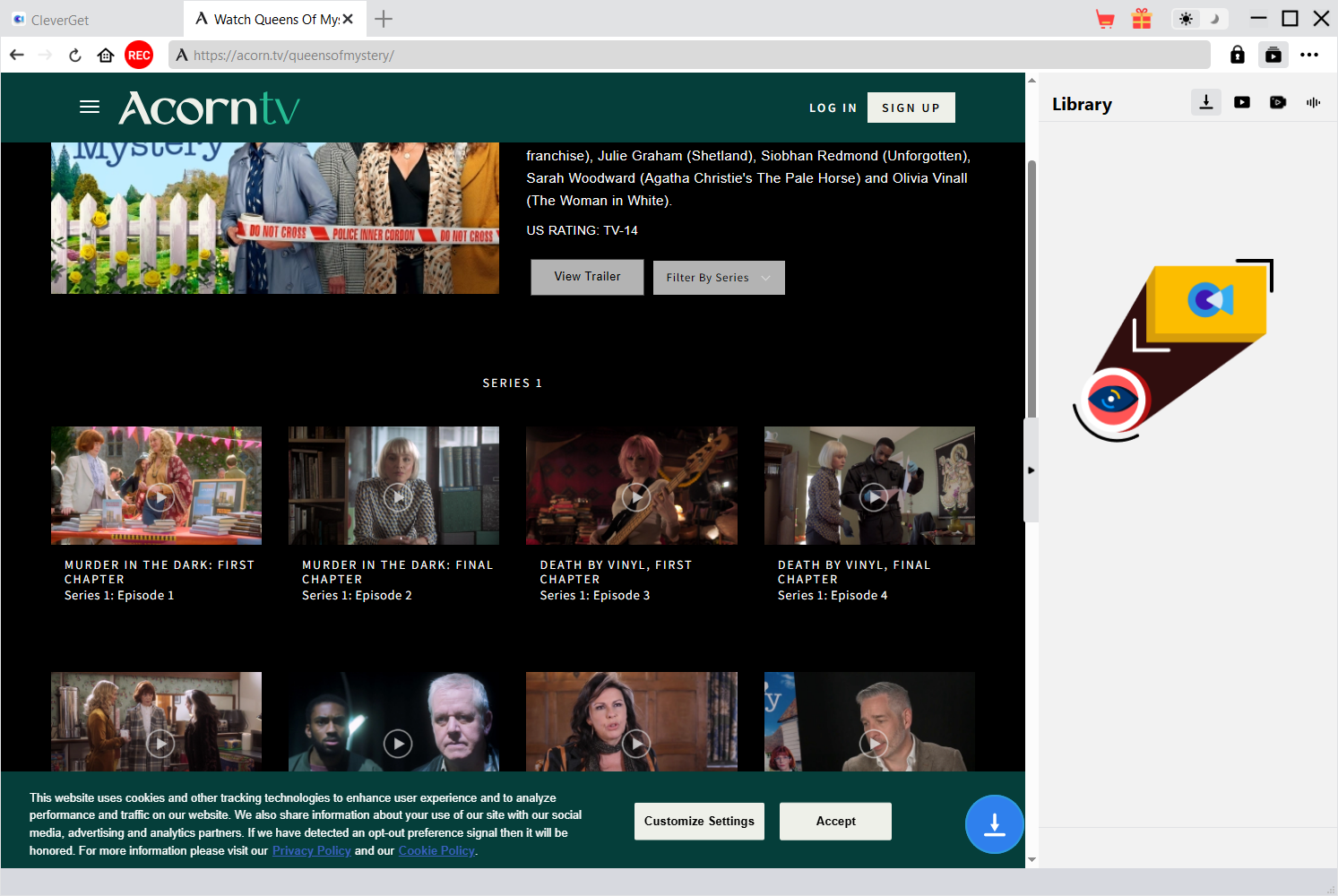
CleverGet MPD Downloader is a dedicated tool for handling DRM-protected MPD videos. After using it across multiple streams, I found the built-in browser and clear option lists made the process feel smooth and manageable. It handled both single videos and batch downloads without much friction, and the overall layout stayed clean. In my experience, it delivered reliable results and left a positive impression for everyday offline saving needs.
Test Data
Here’s how CleverGet performed in my hands-on test:
| Software info. | CleverGet V26.0.0.1 |
|---|---|
| Test video duration | 45-min 1080p episode |
| File size before and after | Original~1.2 GB → Downloaded~620 MB |
| Download speed | 4min08s |
| Max resolution | 720p (full source) |
| CPU usage | 1.3% |
| Audio format preserved | Fully preserved |
| Subtitle preserved | Fully preserved |
| Ease of use | Simple 5-step process: 1. Open the built-in browser → 2. Play the video → 3. Detect the stream → 4. Choose output options → 5. Download |
| Success rate | ~92% (55 of 60 tested streams succeeded fully; 5 failed due to temporary network fluctuations or server-side delays) |
Pros & Cons
CleverGet delivered solid results overall, but it is not without trade-offs. Below are the key pros and cons observed during testing.
- Easy to use
- Clean browser-style workflow
- Good subtitle and audio selection
- Free trial limitations
- No mobile version
My verdict: CleverGet is a strong choice if you want a simple, polished downloader that keeps the workflow intuitive without sacrificing core MPD features.
3.3 KeepStreams MPD Downloader
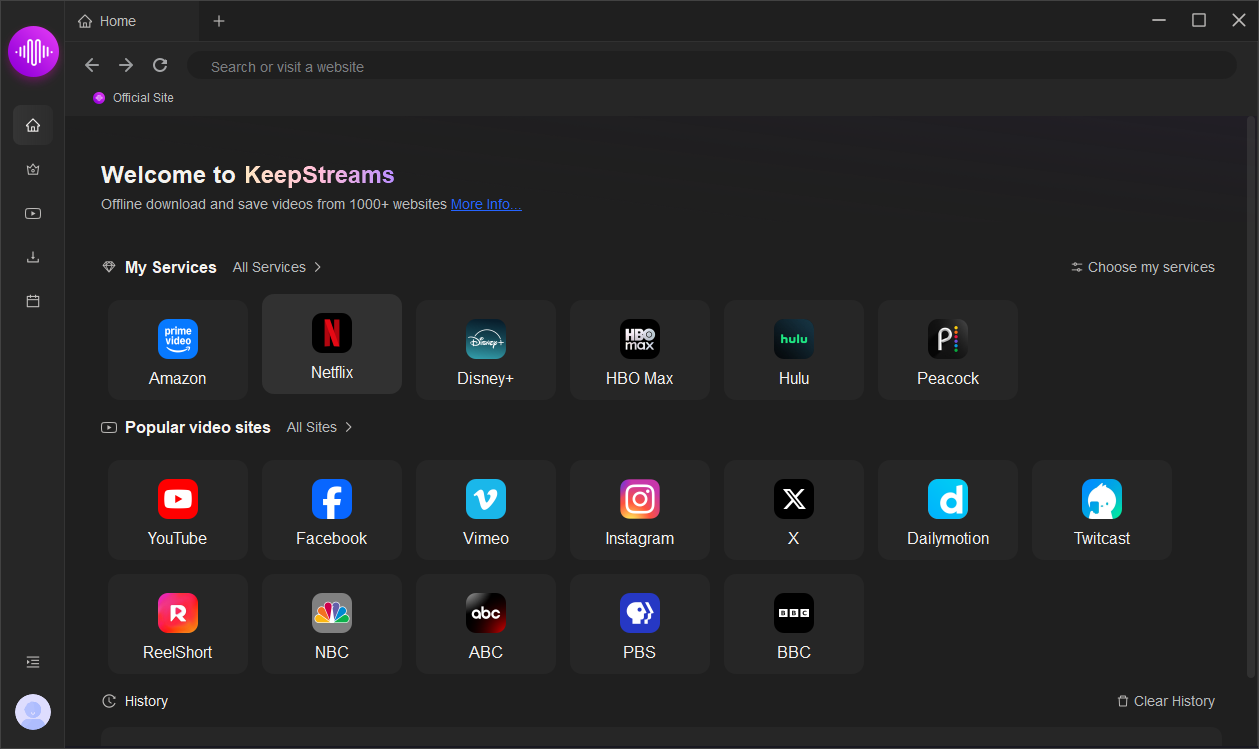
KeepStreams specializes in DRM-protected MPD streaming and excels at downloading TV series. In my testing, its batch processing and queuing features allowed me to easily handle multiple episodes without constant manual intervention. The built-in browser performs well, maintaining 1080p video quality while preserving audio tracks and subtitles. Although download speeds are slightly slower than some other options I’ve tried, it offers a reliable overall experience for archiving TV series.
Test Data
Here’s how KeepStreams performed in my hands-on test:
| Software info. | KeepStreams V2.0.2.9 |
|---|---|
| Test video duration | 45-min 1080p episode |
| File size before and after | Original~1.2 GB → Downloaded~1.1 GB |
| Download speed | 7min42s |
| Max resolution | 1080p (full source) |
| CPU usage | 3.1% |
| Audio format preserved | Fully preserved |
| Subtitle preserved | Fully preserved |
| Ease of use | Simple 5-step process: 1. Open the built-in browser → 2. Play the video → 3. Detect the MPD stream → 4. Choose output options → 5. Download or add to queue |
| Success rate | ~88% (53 of 60 tested streams succeeded fully; 7 affected by temporary network or server issues) |
Pros & Cons
Here is a balanced look at its strengths and weaknesses.
- Wide streaming service compatibility
- Good TV series batching
- Slower download speeds in some tests
- Higher price
My verdict: KeepStreams is a practical choice if you mainly need solid batch downloading for TV shows.
3.4 Cisdem VideoPaw
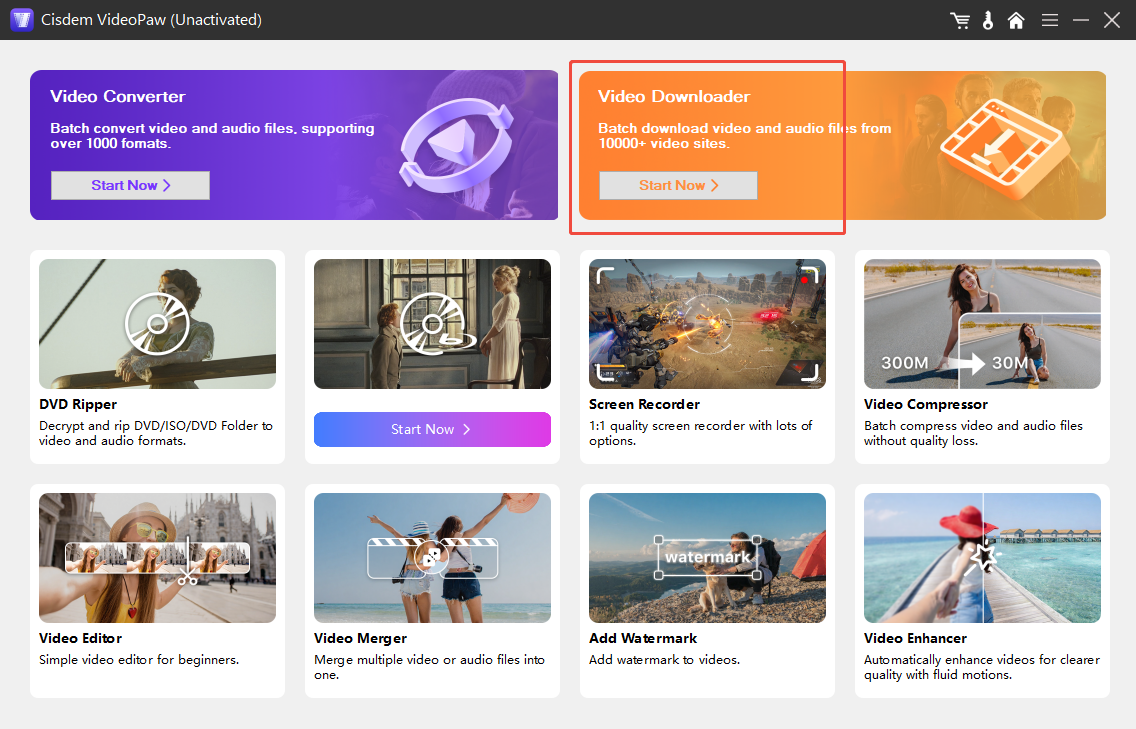
Cisdem VideoPaw (formerly Cisdem Video Converter) is an all-in-one tool that combines video downloading, conversion, and basic editing capabilities. In my MPD video stream tests, I found it particularly useful for editing or converting files after downloading them. The software supports both Windows and Mac systems and features a user-friendly interface. While it may not be as specialized as tools designed specifically for DRM-protected content, it successfully handles standard protected video streams and offers excellent format compatibility.
Test Data
Here’s how Cisdem VideoPaw performed in my hands-on test:
| Software info. | Cisdem VideoPaw V6.0.0.5100 |
|---|---|
| Test video duration | 45-min 1080p episode |
| File size before and after | Original~1.2 GB → Downloaded~850MB |
| Download speed | 6min15s |
| Max resolution | 1080p (full source) |
| CPU usage | 3.1% |
| Audio format preserved | Fully preserved |
| Subtitle preserved | Fully preserved |
| Ease of use | Straightforward interface with download + convert options |
| Success rate | ~80% (40 of 50 tested streams succeeded fully) |
Pros & Cons
The following pros and cons reflect my testing experience.
- All-in-one (download + convert + edit)
- Useful post-download tools
- Heavy limitations in free trial
My verdict: If you want to download, edit, and convert files within a single program, Cisdem delivers the best results.
3.5 yt-dlp
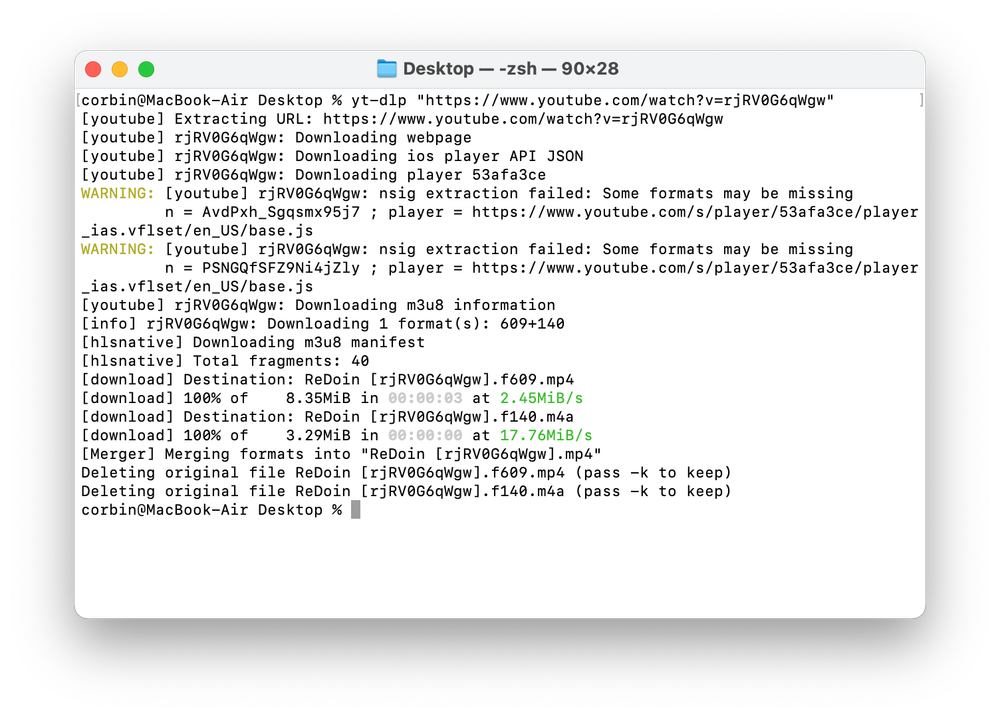
yt-dlp is a powerful, open-source command-line tool trusted by many users for downloading videos. I have used it to download content from various MPD URLs and greatly appreciate the high level of control it offers through commands and scripts. Once you master the right parameters, especially when using it in conjunction with external tools like aria2c, it becomes an incredibly flexible and efficient tool. However, it does require a certain amount of technical knowledge and hands-on experience.
Test Data
Here’s how yt-dlp performed in my hands-on test:
| Software info. | yt-dlp 2026.07.04 update |
|---|---|
| Test video duration | 45-min 1080p episode |
| File size before and after | Original~1.2 GB → Downloaded~1.1 GB |
| Download speed | 2min50s |
| Max resolution | Source maximum |
| CPU usage | 12% |
| Audio format preserved | Flexible merging |
| Subtitle preserved | Excellent extraction options |
| Ease of use | Requires command line knowledge and proper flags |
| Success rate | ~85% on lighter protected streams (51 of 60 tested streams succeeded with proper flags; lower on heavy DRM without additional tools) |
Pros & Cons
Here are the main advantages and drawbacks.
- Completely free and open-source
- Highly customizable
- Massive site support
- Steep learning curve for beginners
- No graphical interface
My verdict: For developers and advanced users who are comfortable using the command line, yt-dlp remains the best free option.
4. Ultimate Comparison of Top DRM MPD Downloaders
After testing all five tools, here is a side-by-side comparison to help you decide at a glance.
| Feature | Moyea | CleverGet | KeepStreams | Cisdem VideoPaw | yt-dlp |
|---|---|---|---|---|---|
| Platform support | Win/Mac | Win/Mac | Win/Mac | Win/Mac | All |
| DRM support | Yes | Yes | Yes | Yes | Yes |
| Output formats | MP4/MKV | MP4/MKV | MP4/MKV | Many | Flexible |
| Max quality | 1080p | 1080p | 1080p | 1080p | Source |
| Average download speed | ~4min | ~4min | ~8min | ~6min | ~3min |
| Price & trial | Paid (Trial Available) | Paid (Trial Available) | Paid (Trial Available) | Paid (Trial Available) | Free |
The table above summarizes the performance of each download tool. To help you quickly determine which tool best suits your individual needs, a practical selection guide based on common user scenarios is provided below:
Quick Selection Guide by User Profile:
| Use Cases | Software Recommended |
|---|---|
| Beginners & everyday users | Moyea MPD Downloader |
| Seamless browser workflow | CleverGet MPD Downloader |
| TV series binge-watchers | KeepStreams MPD Downloader |
| All-in-one editing needs | Cisdem Video Converter |
| Developers & power users | yt-dlp |
5. Final Verdict
Downloading DRM-protected MPD videos in 2026 remains challenging due to constantly evolving protections, but the right tool makes it much more manageable. After extensive hands-on testing, Moyea MPD Downloader stood out as the most balanced and reliable option overall, while CleverGet, KeepStreams, Cisdem, and yt-dlp each serve specific needs well.
In short, choose the download tool that best suits your needs. Before making a decision, consider factors such as compatibility, ease of use, and the reliability of long-term updates. Remember to use these tools only to save content you have the legal right to access. You might want to start by trying out the free trial version of a tool that fits your situation; you will likely find it well worth the value.
- These tools are intended solely for personal, educational, and non-commercial archival use. Only save content you have legally subscribed to or purchased. Users are fully responsible for complying with copyright laws.
- All trademarks, logos, and brand names mentioned or displayed in this blog are the property of their respective owners.
6. FAQs
-
Q1 What is a DRM MPD downloader?
A DRM MPD downloader is a specialized tool capable of parsing MPD manifest files, handling DRM encryption, and saving protected streaming videos as playable MP4 or MKV files.
-
Q2 Do I need technical knowledge to use DRM MPD Downloaders?
Most dedicated GUI tools such as Moyea and CleverGet are designed for everyday users and require little technical knowledge. On the other hand, yt-dlp is a command-line program; it works best if you are comfortable typing commands and adjusting parameters and options.
-
Q3 Why do some downloader tools fail on DRM streams?
Streaming platforms regularly update their DRM systems and encryption methods. General-purpose downloaders often cannot keep pace with these changes. Tools specifically designed for MPD data streams are typically updated more frequently and are more reliable when handling new protection mechanisms.
-
Q4 What is the difference between MPD and M3U8?
MPD is the manifest format used by MPEG-DASH streaming. M3U8 is the playlist format used by HLS (HTTP Live Streaming). Both support adaptive bitrate streaming, but they rely on different protocols and file structures. A tool built for one format may not work well with the other.
-
Q5 Can all MPD videos be downloaded?
Not every MPD stream can be downloaded successfully. Results depend on the strength of the DRM protection, whether you have legal access to the content, and the capabilities of the specific tool you are using. Stronger DRM implementations are more difficult to handle.
-
Q6 Are there any free DRM MPD downloaders?
yt-dlp is completely free and open-source, though it performs best on streams with lighter protection. Most specialized tools such as Moyea, CleverGet, and KeepStreams offer free trials so you can test them before purchasing.
 Terms of Use: Moyea is intended solely for personal, educational, and non-commercial archival purposes use. It allows users to save a local copy of videos that they have legally subscribed or purchased. Any commercial utilization, unauthorized redistribution, or online sharing is prohibited. Users assume full responsibility for complying with copyright laws.
MPD Downloader

 Try for Free
 Try for Free
 Download DRM-protected MPD (MPEG-DASH) videos;
Download videos in MP4 or MKV format;
Batch download entire TV series, seasons, or multiple episodes;
Download subtitles and audio tracks;
Pack subtitles into output video or save subtitles as SRT/SUP file;
Automatically remove ads during downloads.



 English
 日本語
日本語