Share article:


Complete Guide to Watch Hulu on Apple TV

Updated: 2026-02-27
Related to: Hulu Downloader
21 Views
What This Guide Covers
- This guide explains how to stream Hulu on Apple TV, covering supported Apple TV models, installation of Hulu app on supported Apple TV, AirPlay method, and alternative solutions for older devices. Whether you’re using the latest Apple TV 4K or an earlier generation model, you’ll learn how to watch Hulu on Apple TV in proper ways.
While Hulu remains one of the most popular platforms for on-demand content and live TV streaming, the process of watching Hulu on Apple TV varies greatly on which Apple TV model you get. If you get newer Apple TV devices, you can directly download and install Hulu app to watch Hulu on Apple TV. However, if you get older Apple TV models, you need to get alternative solutions on how to get Hulu on Apple TV, since Hulu app might not be available on these older Apple TV devices. In this guide, we’ll walk you through the requirements, step-by-step Hulu-app-on-Apple-TV setup instructions, and troubleshooting methods to ensure you can stream Hulu on Apple TV smoothly.
OutlineCLOSE
Requirements to Stream Hulu on Apple TV
Right before you begin, check whether or not you have met the basic requirements to stream Hulu on Apple TV, as listed below:
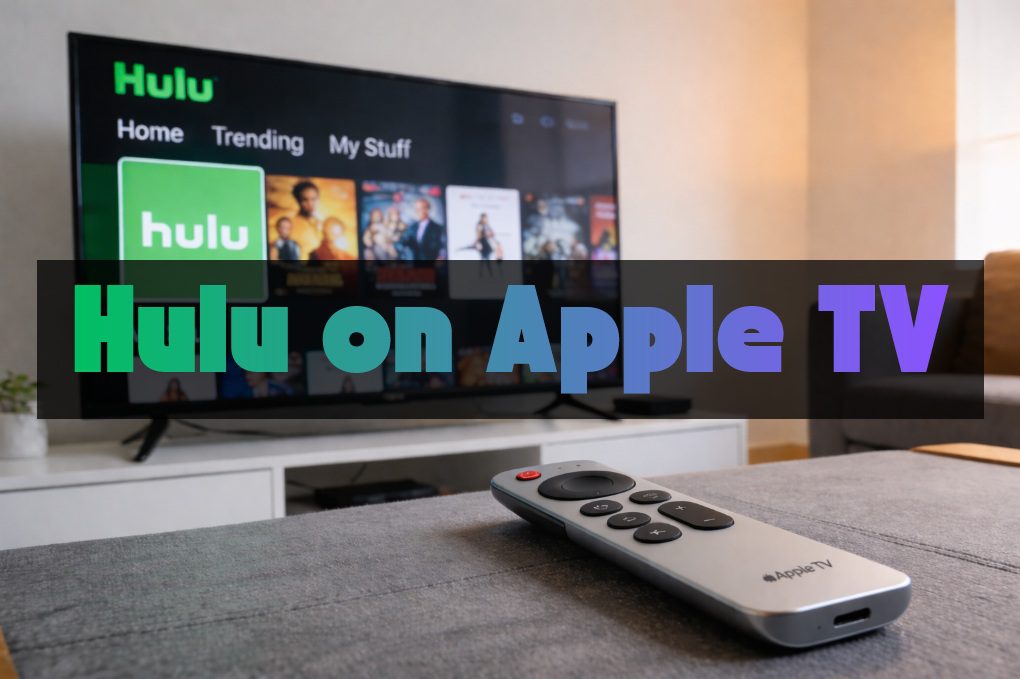
1. Compatible Apple TV models
You can directly download and install Hulu app on Apple TV so as to stream Hulu Live TV on Apple TV and other on-demand videos. However, not all Apple TV models support Hulu app installation. Hulu app is officially available on:
- Apple TV (4th generation or later)
- Apple TV 4K (all versions)
If you get an older Apple TV model, like 3rd-generation or earlier, you won’t be able to directly install Hulu app on Apple TV for streaming. You need to turn to alternative solutions for streaming Hulu on Apple TV.
2. Stable internet network connection
To directly stream Hulu contents on Apple TV, a stable network connection is required. And various contents require different bandwidth. For buffering-free streaming, Hulu recommends:
- At least 3 Mbps for on-demand Hulu video streaming.
- 8 Mbps for streaming Hulu Live TV content.
- 16 Mbps for streaming Hulu 4K contents.
3. Valid Hulu subscription
As Hulu is a subscription-based streaming service, you need a valid and active Hulu subscription for streaming Hulu contents on Apple TV directly via Hulu app. Make sure your account is ready for sign-in on Apple TV for streaming Hulu contents.
4. Updated software
Outdated software on Apple TV might prevent Hulu app installation or even cause playback errors. Therefore, update your Apple TV to the latest tvOS version and the Hulu app to the latest version.
How to Get Hulu on Supported Apple TV?
There are ways for you to directly stream Hulu on Apple TV, through direct Hulu app installation or AirPlay feature on your iPhone/iPad. Check the below guide to learn how to get Hulu on supported Apple TV models directly.
1. Download Hulu App on Apple TV
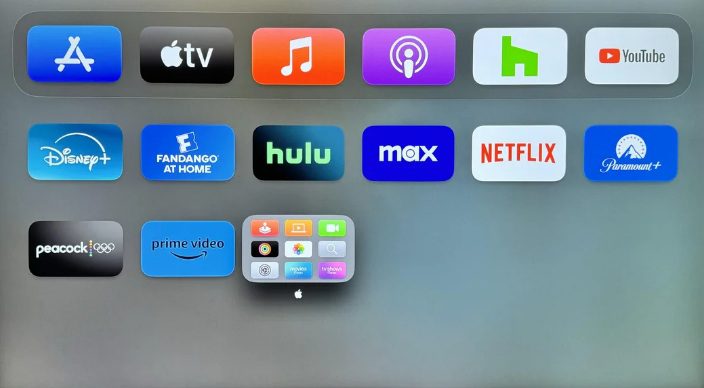
If you are using Apple TV (4th generation or later, or 4K), you could try to directly download and install Hulu app from the App Store for streaming Hulu on Apple TV. Check the below steps for detailed guide:
Step 1: Turn on Apple TV and connect it to the internet.
Step 2: Open the App Store and search for Hulu.
Step 3: Select the Hulu option and click “Get” or “Download” icon to download and install Hulu app on Apple TV.
Step 4: Once installation completes, open the Hulu app and sign in with your active Hulu account.
Then, after getting Hulu app on Apple TV, you could freely stream Hulu on Apple TV without hassle.
2. Use AirPlay to Watch Hulu on Apple TV
If you get an iPhone or iPad, try to use the AirPlay feature to directly AirPlay Hulu contents to Apple TV from your iPad, iPhone or Mac computer. The below guide shows you how to AirPlay Hulu contents on Apple TV from iPhone:
Step 1: Connect your iPhone and Apple TV to the same network.
Step 2: Open Hulu app on your iPhone and sign in.
Step 3: Play a Hulu video on iPhone and then click the AirPlay icon on the video player.
Step 4: Choose your Apple TV as AirPlay target from the list.
Step 5: The Hulu video playback will appear on your Apple TV screen then.
AirPlay is very useful if you prefer browsing on your mobile devices and want quick access without switching apps. And it works even you get an older Apple TV model.
How to Watch Hulu on Older Apple TV Models?
While AirPlay is a way to help you watch Hulu on older Apple TV models, there are also other effective solutions, including downloading Hulu contents and making use of HDMI cable, as described in detail below.
1. Download Hulu to Local File and Watch on TV
Make use of Hulu video downloader software to download Hulu videos to local files, and then transfer the downloaded Hulu videos to Apple TV for unlimited playback. Moyea Hulu Downloader is a wonderful Hulu video downloader that could bypass all limitations of Hulu download feature, and let you get DRM-free and ad-free Hulu videos in MP4/MKV files with selected subtitles and audio tracks at up to 1080P resolution.

-
- Download Hulu shows and movies to MP4/MKV videos.
- Support to download Hulu episodes of all/certain seasons in batches.
- Pack subtitles into output video file, or save captions as independent SRT/SUP files.
- user-friendly and muitilingual settings.
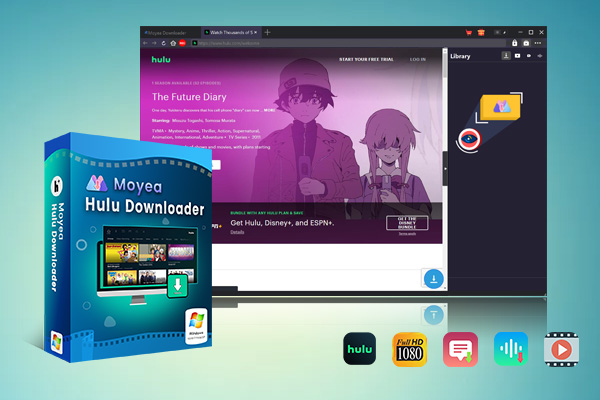
The below guide would show you how to download Hulu videos and transfer Hulu video downloads to Apple TV for unlimited offline playback:
Step 1: Download, install and kick off Moyea Downloader.
Step 2: Click the More option at the top-right corner and then choose “Settings” option to set download directory.
Step 3: Open Hulu website within Moyea Downloader and log in.
Step 4: Play back target Hulu video and click the round icon at the bottom right corner to let Moyea Downloader parse target Hulu video.

Step 5: Choose download options, subtitles and audio tracks, output format and quality.
Step 6: Click the blue “Download” button to start downloading Hulu videos.
Step 7: Then, stream the downloaded Hulu videos to Apple TV via Plex, Jellyfin, AirPlay, Infuse app, or Computer Sharing method.
3rd-party Hulu video downloader enables you to watch any on-demand videos from Hulu on any Apple TV model without limitation. However, it should be noted that currently most Hulu video downloaders only download on-demand contents from Hulu. If you want to get Hulu Live TV contents for offline viewing, try some streaming video recorders like Moyea Streaming Video Recorder.
2. Connect Hulu from Mobile Devices to TV with HDMI
Alternatively, you could connect Hulu from mobile devices to Apple TV via HDMI cable. You can connect your phone to Apple TV by using a Lightning to Digital AV Adapter (for iPhone) or USB-C to HDMI adapter (for Android and new iPhones) for streaming Hulu on Apple TV. Follow the below steps:
Step 1: For Lightning port iPhone: Plug a Lightning to Digital AV Adapter into your iPhone and connect an HDMI cable from the adapter to your Apple TV.
Step 2: For Android or USB-C iPhone: Use a USB-C to HDMI adapter or cable to connect phone and Apple TV directly.
Step 3: On Apple TV, set the TV input as corresponding HDMI port.
Step 4: Open the Hulu app on your mobile phone and play back target content.
Step 5: The video player screen will then mirror on Apple TV instantly.
In this way, you can watch Hulu Live TV and on-demand videos on Apple TV easily. There is no limit in the Hulu content.
FAQs
1. Can I watch Hulu Live TV on Apple TV?
Yes, by installing Hulu app on supported Apple TV, airplaying Hulu Live TV to Apple TV, or making use of HDMI adapter/cable, as long as you get Hulu + Live TV plan.
2. Does Hulu support 4K on Apple TV?
Yes, Hulu supports 4K streaming on the Apple TV 4K (5th generation and later) with eligible content.
3. Why can’t I find Hulu app on my Apple TV?
If you’re using Apple TV 3rd generation or older, the Hulu app may no longer be supported. Consider upgrading your device or using AirPlay/HDMI alternatives.
4. Do I need to subscribe Hulu for streaming on Apple TV?
Yes, to stream Hulu on Apple TV via the Hulu app directly, a valid and active Hulu subscription is required.
Conclusion
Streaming Hulu on Apple TV is really simple if you own a supported Apple TV model. Installing the Hulu app directly from the App Store offers the most seamless experience, while AirPlay provides added flexibility. If you get older Apple TV models, alternative methods such as HDMI connections or Hulu video downloader for offline viewing solutions can work as well. By understanding your Apple TV version and choosing the right method, you can enjoy Hulu’s extensive library of shows, movies, and live programming on Apple TV without interruption.
 Terms of Use: Moyea is intended solely for personal, educational, and non-commercial archival purposes use. It allows users to save a local copy of videos that they have legally subscribed or purchased. Any commercial utilization, unauthorized redistribution, or online sharing is prohibited. Users assume full responsibility for complying with copyright laws.
Hulu Downloader

 Try for Free
 Try for Free
 Download Hulu videos in up to 1080P resolution
Save Hulu videos as MP4 or MKV files
Download Hulu movies, TV shows, and exclusive originals
Batch download full seasons and multiple episodes at once
Keep original audio tracks and subtitle options available
Related
How to Use Hulu Picture-in-Picture Mode on Any Supported Device?

5 Hulu Family Sharing Tips for Smooth Viewing

Why Hulu Won’t Let Me Download Videos– Solve It Today

How to Watch Hulu Without Ads Easily?

How to Watch Hulu with Friends Far Away?

Hulu Download Limits Explained: Why You Can’t Watch Offline


 English
 日本語
日本語