Share article:


Why Hulu Won’t Let Me Download Videos– Solve It Today

Updated: 2026-02-25
Related to: Hulu Downloader
19 Views
What This Guide Covers:
- In this article, we will share what you can’t download with Hulu and what are some solutions to try. There could be multiple issues. In case nothing works, then we will share a reliable alternative to download Hulu videos in MP4 or MKV format.
Have you ever tried to download Hulu videos, but only to hit a wall? This problem is common with Hulu. You’re not alone. We know Hulu provides offline features for its users, but the rules are not simple. The download feature comes with frustrating limits, random errors, and confusing restrictions. Many times, you will not even find the download button under your favorite shows. In this article, I will explain main possible reasons why you can’t download videos with Hulu and will also share reliable alternatives so you can watch Hulu shows without any problem.
Quick AccessCLOSE
Subscription & Account Eligibility Issues
The first issue that could be the reason for your video not downloading is subscription or account issues. Below, we will look at some common account subscription issues.
1. Unsupported Hulu Plan
The first reason Hulu won’t let you download videos is simply your subscription plan. You should know that Hulu’s basic ad-supported plan does not allow you to download videos. It’s cheap and comes with ads, and there is no downloading feature available. You can only download Hulu shows with the No Ads plan and some other bundled subscriptions, so if you want to download, then you need to upgrade your subscription to an ad free plan. You can do this by logging in to your Hulu account using a web browser and heading to your account settings. Here you can upgrade to a download-enabled version to unlock offline viewing.
2. Account Payment Problems
Even with a supported plan, you will not be able to download shows from Hulu. Many times, Hulu can block downloads if your account has payment issues. Many times, expired or declined cards, suspended subscriptions, or billing verification errors can stop you from downloading. Here is how you can resolve Hulu billing problems.
Step 1: First, open Hulu on a browser and log in to your account.
Step 2: Next, click on payment or billing settings.
Step 3: Now you need to check for expired or declined cards and update them.
Step 4: Make sure your subscription is active, and your account does not have any pending billing errors.
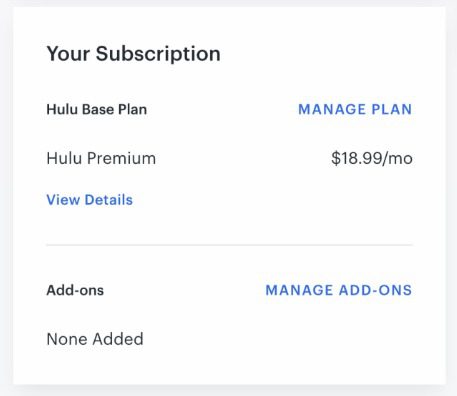
Step 5: After checking, open the app again and try to download.
3. Device & Download Limits
Another thing you should know is that Hulu limits the number of devices and downloads per account. If you are using multiple phones or tablets, then you will face downloading issues on some devices.
Step 1: First, log in to your account.
Step 2: Next, go to Account → Manage Devices.
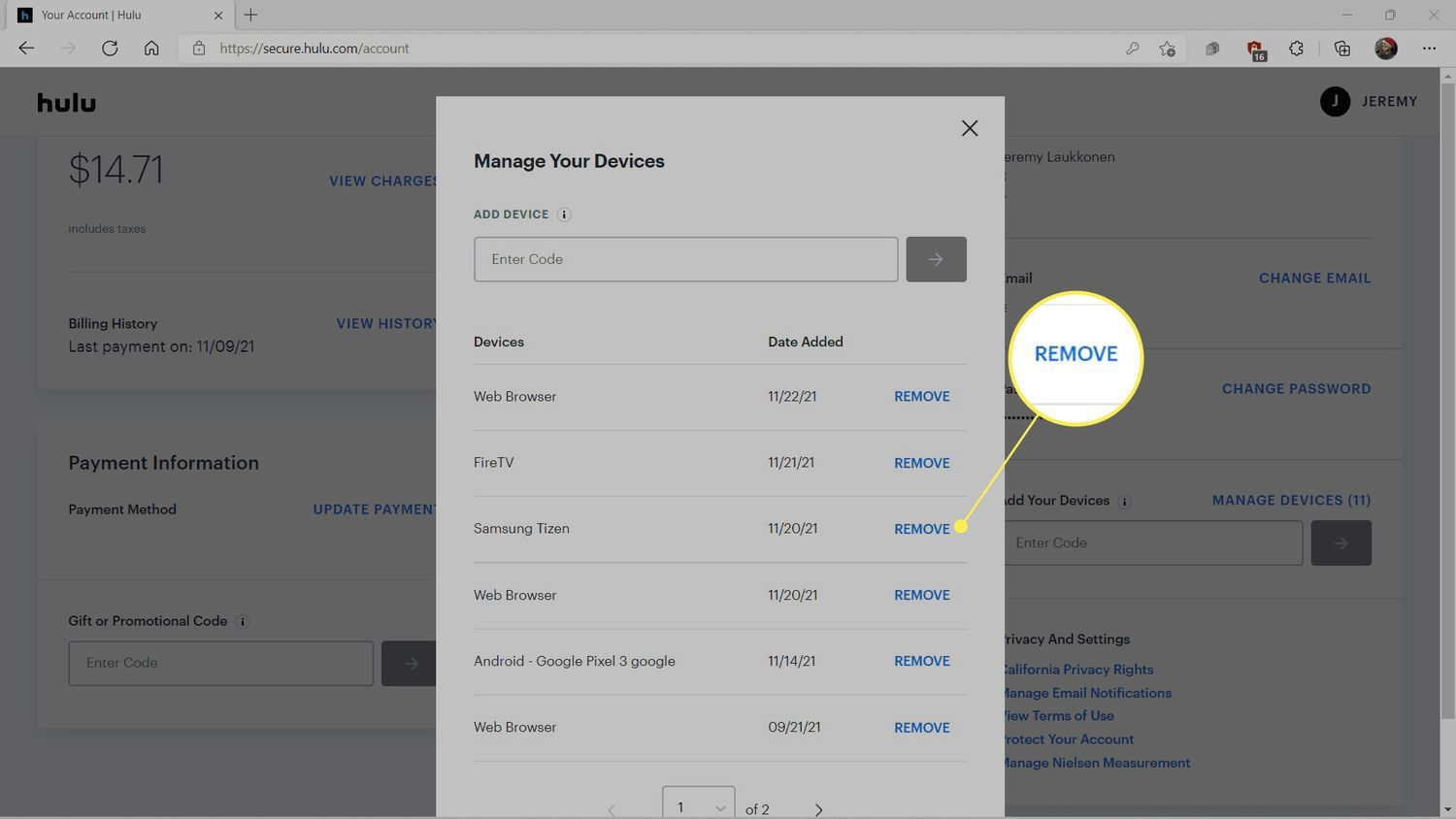
Step 3: Now, you need to remove old or unused devices.
Step 4: After that, open the Hulu app on your main device and try to download your shows again.
Content Restrictions & Rules on Live TV Content
You may find that not all content is available for offline viewing. This problem is because of licensing restrictions. Many times, due to legal restrictions, Hulu movies may only be licensed for streaming, and you can’t download them. This is especially true for certain premium add-ons or third-party content included in your subscription. For example, if you have add-ons like HBO Max or Starz with Hulu, then remember your downloadable content rules are set by those providers, so you can face downloading issues.
Moving on, you will also face limitations on Live TV content. Hulu’s main library only allows downloads on supported plans, and you cannot save live broadcasts generally. Even if a show is available for recording or on-demand later, you may need to re-download it once your Hulu license refreshes or expires. With these rules, Hulu complies with studio agreements and protects the digital rights of content.
To solve this issue, you need to always check if your title displays the download button. And if your account has premium add-on content, make sure they allow offline watching. Verify with the provider whether offline downloads are allowed.
Storage and Network Problems
Many times, you will have the right plan, but Hulu downloads can fail if your device storage or network connection isn’t sufficient. To solve this, you need to know some important rules.
1. No Enough Storage Space
Every download can take up a lot of storage, especially if you are downloading HD movies or entire seasons of shows. And if your device has less storage space, downloads can stop midway. To fix this, check your device storage regularly and delete old or watched downloads. Another thing you can do is clear the Hulu app cache to free up space. Here is how.
Step 1: Open your device storage settings and see your available space.
Step 2: Here you can also delete unnecessary apps, files, or previously downloaded Hulu content.
Step 3: Clear the Hulu app cache (Settings → Apps → Hulu → Clear Cache).
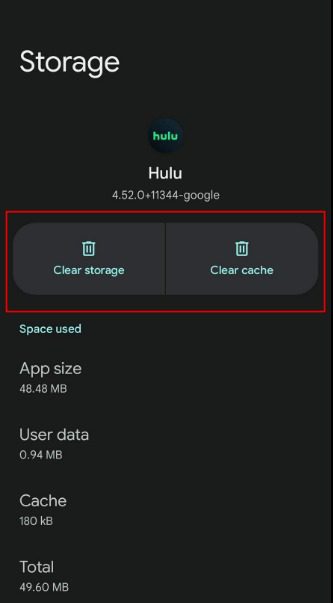
Step 4: Retry downloading your show or movie.
2. Internet Connection Issues
Also, Hulu needs a stable internet connection to save shows on your device. When you have a bad internet connection, your downloads will stop halfway. To sort this issue, you need to restart your modem and check your internet connection.
Step 1: First, you need to check your WiFi or mobile data signal strength.
Step 2: You can also check networks when the signal feels shaky. Make sure to jump to a stronger option.
Step 3: To restart your modem, turn it off and then turn it on. This clears any glitches.
Step 4: Now open Hulu one more time, then try downloading once more.
3. VPN or Proxy Errors
Also, Hulu can detect VPNs or proxies and can block your downloads. It might stop downloads if it thinks you’re somewhere else. You need to turn off that extra network layer to help avoid trouble.
Step 1: First, you need to turn off any VPN or proxy on your device.
Step 2: Next, make sure your device’s location settings match your Hulu account region.
Step 3: Again, open Hulu and check if the download option appears.
App or Device System Problems
Not always are your subscription problems the issue. Many times, the older versions of the Hulu app can fail to handle fresh content protections built into newer releases. So, when your phone or tablet runs an older OS version, you can face issues in Hulu playback. To avoid this issue, you need to make sure your Hulu app is updated.
Another reason is glitches in cached information. When you download Hulu Files it saves temporarily on your device. And sometimes these files go bad and can cause issues. It’s best to try clearing the cache first; it fixes things more than you’d expect.
Alternative Way to Download Hulu Videos
If, after all the tips and tricks, your Hulu videos are not downloading, then it’s time for an alternative. Moyea Hulu Downloader is a desktop application that helps users save Hulu movies and TV shows for offline viewing in lossless quality. You can use its built-in Hulu browser to log in and find your videos, and download them with subtitles and multiple audio tracks, and export files to MP4 or MKV. You can also download a complete season or series in batches by using it. What is more, it also supports ad-free downloads (including on Hulu Basic), achieves higher download speeds due to GPU acceleration, and retains video info (like titles and release dates). In short, it is a useful option for anyone who wants high-quality video through Hulu, without ads, and for offline access.

-
- Download Hulu shows and movies to MP4/MKV videos.
- Support to download Hulu episodes of all/certain seasons in batches.
- Pack subtitles into output video file, or save captions as independent SRT/SUP files.
- user-friendly and muitilingual settings.
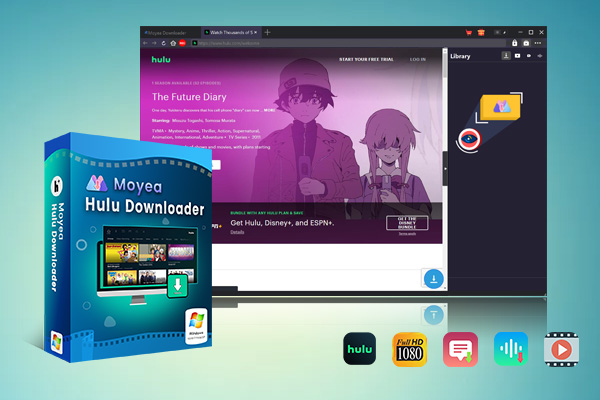
Below will show you how you can use it to download videos from Hulu.
Step 1: Set Output Directory
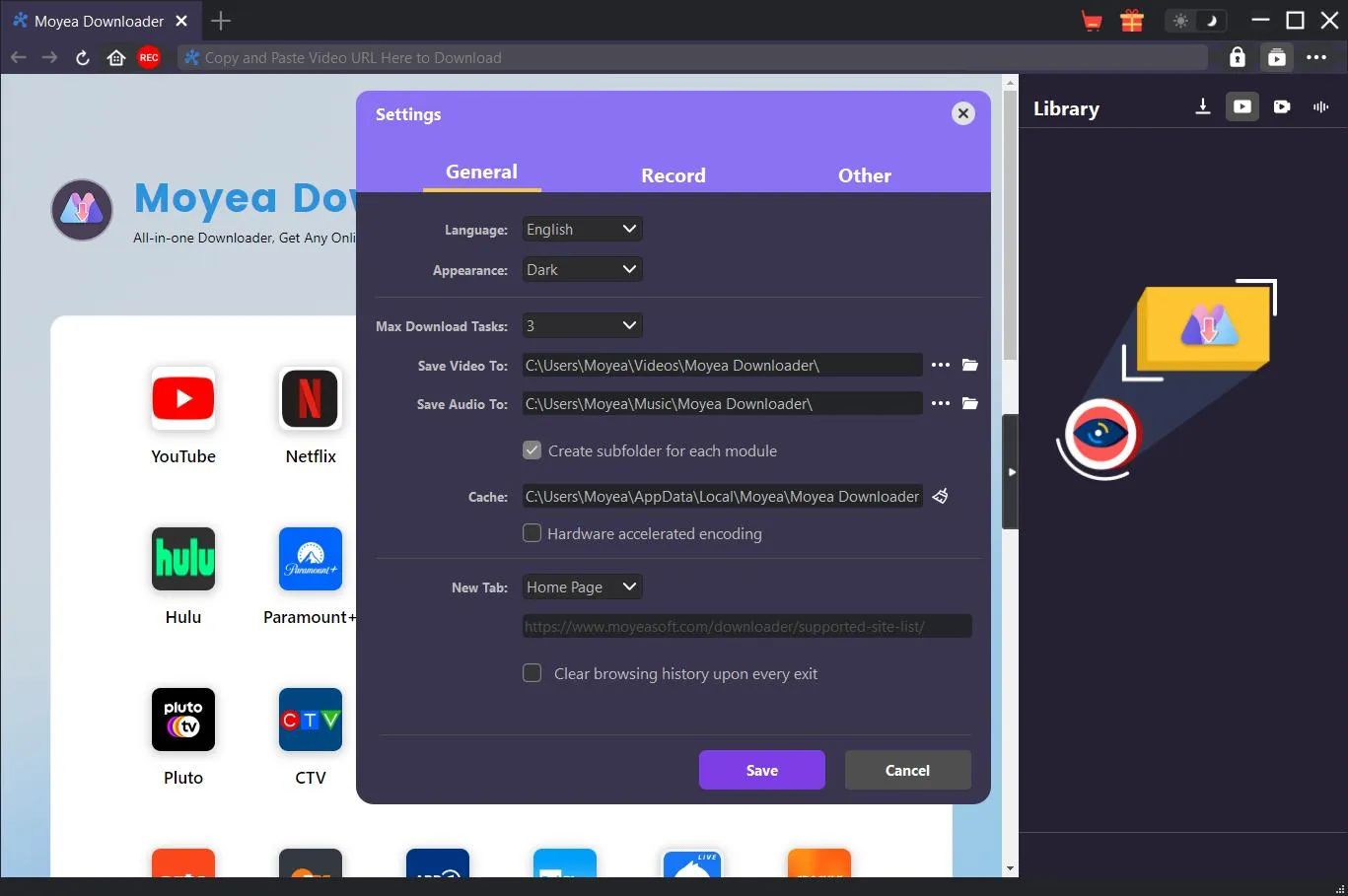
Now, launch Moyea Hulu Downloader and click on the three-dot icon to enter the Settings panel. In the General tab, specify the folder for saving the video and click on Save.
Step 2: Log in and Search for Videos
Use the internal browser to log in to your Hulu account. After you sign in, search for the movie or TV show you want and open its playback page.
Step 3: Download the Video
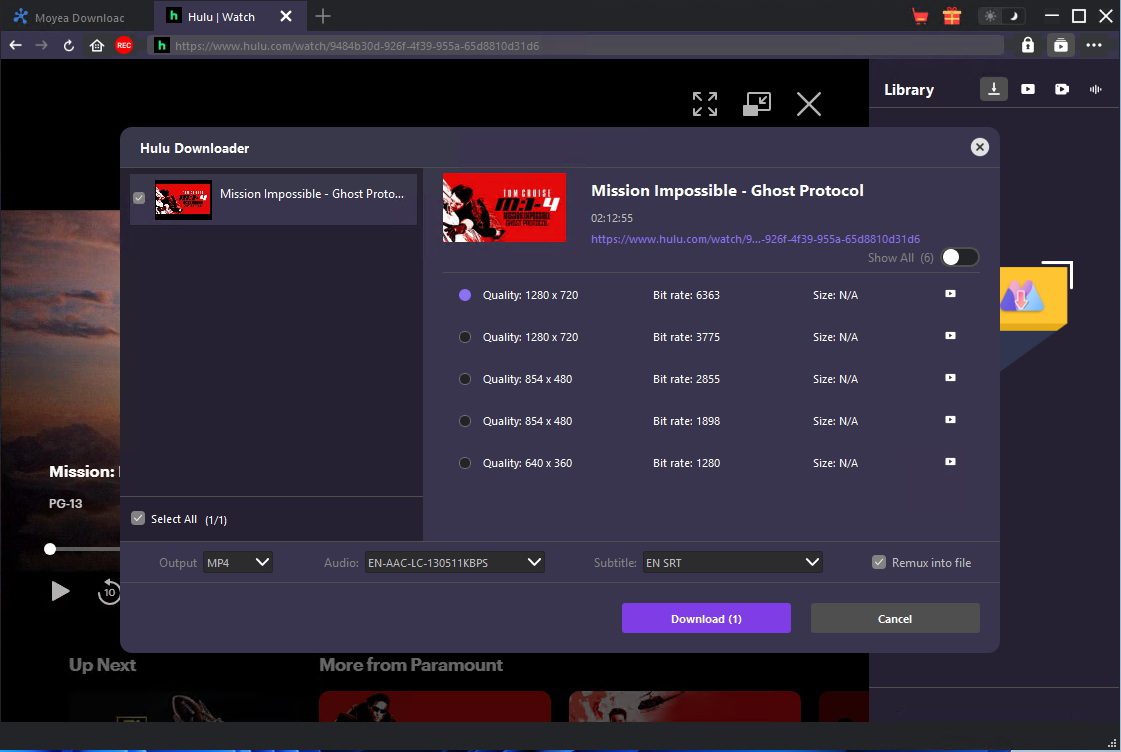
To download, hit the Download icon at the bottom right of the player. A new settings window will appear that allows you to select the resolution (maximum 1080P), format (MP4 or MKV), audio tracks, and subtitles. Once you have chosen the settings, click Download to save the video.
Step 4: Check the Downloading Process
When the download starts, you will see all active tasks in the right sidebar. You can pause, resume, or monitor progress all the way to completion from here.
Conclusion
There are a few common Hulu download issues, such as unsupported plans, too many devices, download restrictions, storage issues, and app issues. Most issues can be fixed fairly quickly once you’ve identified the relevant block, be it checking your subscription, clearing old devices, freeing up space, or updating the Hulu app. If you want to use it offline forever without limitations, you can use Moyea Hulu Downloader. With 1080P download support, MP4/MKV outputs, subtitles, batch episodes, and no ads to worry about while saving, you have complete control over how and where you stream everything.
 Terms of Use: Moyea is intended solely for personal, educational, and non-commercial archival purposes use. It allows users to save a local copy of videos that they have legally subscribed or purchased. Any commercial utilization, unauthorized redistribution, or online sharing is prohibited. Users assume full responsibility for complying with copyright laws.
Hulu Downloader

 Try for Free
 Try for Free
 Download Hulu videos in up to 1080P resolution
Save Hulu videos as MP4 or MKV files
Download Hulu movies, TV shows, and exclusive originals
Batch download full seasons and multiple episodes at once
Keep original audio tracks and subtitle options available







 English
 日本語
日本語