Share article:


How to Get Rid of Ads on Prime Video?

Updated: 2026-01-04
Related to: Amazon Downloader
48 Views
Summary:
This blog will introduce the basic types of ads on Amazon Prime Video and provide practical solutions to help you get rid of ads for an uninterrupted streaming experience.
Are you tired of ads popping up during your favorite shows on Amazon Prime Video? Same here. When I binge-watch shows on Amazon, these interruptions can be a major buzzkill, destroying all the fun! That’s why I started to explore ways to turn off ads Amazon Prime Video. And eventually, I came up with this guide with useful methods that can help you get rid of ads on Amazon Prime. Don’t miss out!
Part 1:Does Prime Video Have Ads?
How to turn off ads Amazon Prime Video? No rush, let’s first clarify what you might encounter while streaming.
1. Yes — Prime Video Now Includes Ads
Amazon Prime Video rolled out ads in early 2024 as it announced that the standard Prime membership would feature limited advertisements in shows and movies. The news was a shock to me, because when most streaming platforms are already stuffed with ads, Amazon Prime Video had been one of the few services that was relatively interruption-free.
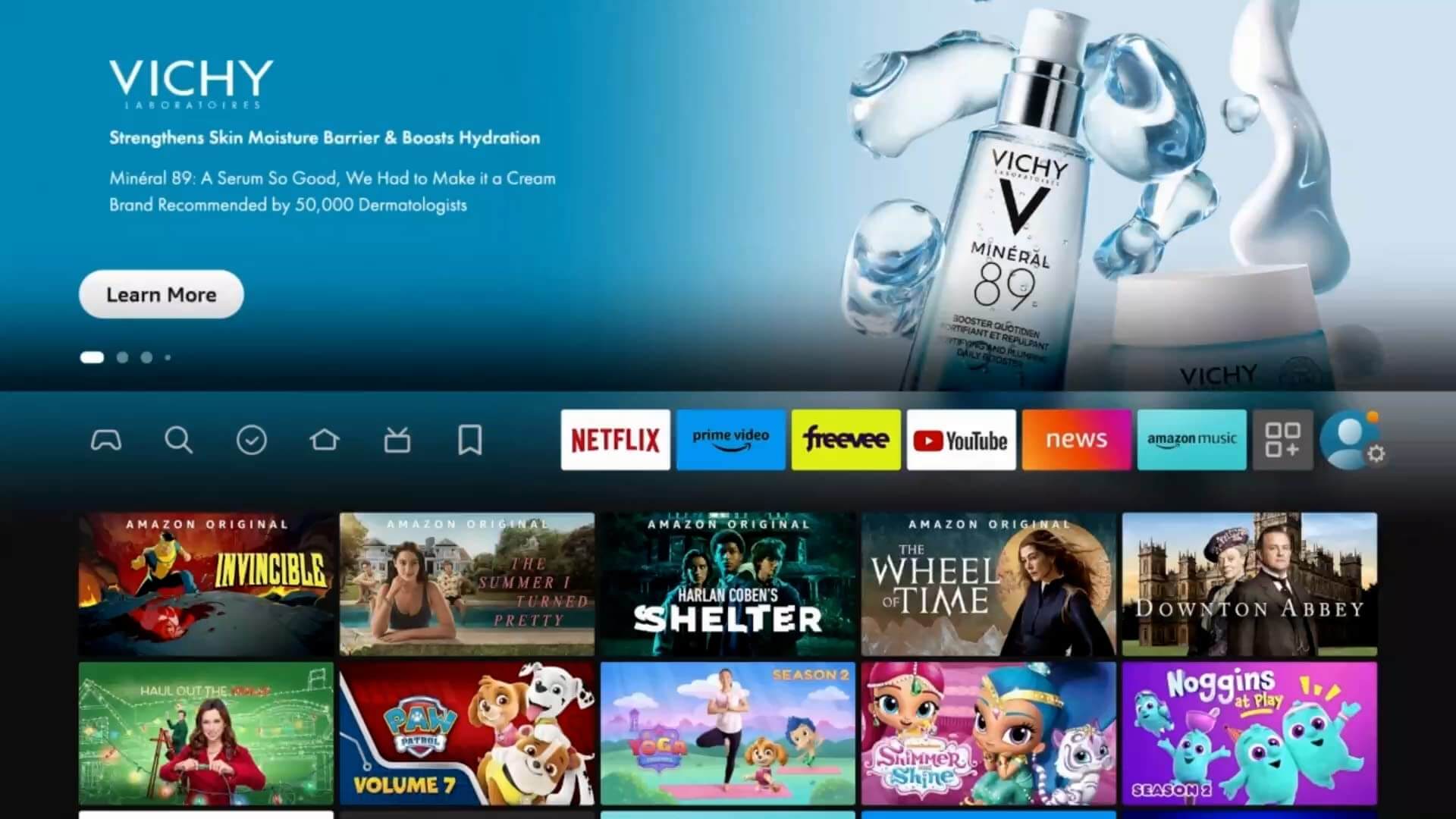
In 2026, many users report that the ads are quite intrusive, especially during long sessions. In Germany, courts have even ruled against Amazon’s policy and forced the company to offer ad-free viewing without extra charges for affected users. However, in the US and most other markets, ads are here to stay unless you opt for an upgrade.
2. Types of Ads You May See
Only by understanding the ad types can you choose the right method to remove or reduce them. Here are the major types of ads on Amazon Prime.
- Pre-roll ads (before a movie/show): They play before a movie or show starts, for about 15-30 seconds. You can not skip them on the standard plan, but they are quick.
- Mid-roll ads (during playback): The most disruptive type that plays during playback. On average, it can be 2-4 minutes of ads per hour. They can never be disabled by a Prime Video ad blocker.
- Banner or promotional ads on the interface: Those static or interactive ads appear on the home screen. Less intrusive than video ads, but they can clutter the user experience.
- Ads vary depending on the country/region: In the US, ads are more prevalent due to the market demands. However, for instance, in Europe, regulations like the recent German ruling may limit them for a smooth experience.
Part 2: How to Watch Prime Video Without Ads
Now you have a basic understanding of the ads, so how to block ads on Prime Video? I have concluded 4 practical methods that should work.
1. Pay for the "Ad-Free" Upgrade
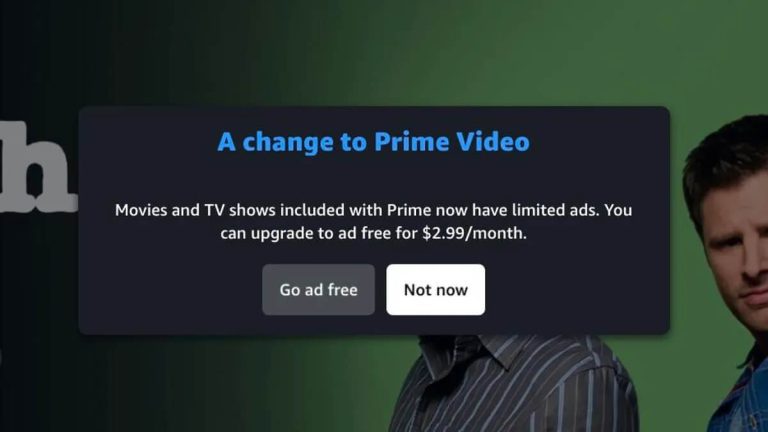
The most straightforward way to block ads on Prime Video is to pay for the premium service. You can simply head to Account & Settings > click "Go Ad Free"($2.99/month) and then "Start Subscription."
2. Rent or Purchase Titles
Another effective strategy to turn off ads on Amazon Prime Video is to use their rental/purchase services. This can bypass the ads completely. But if you have tons of shows to watch, the total cost might be much more than a subscription. Here’s how to rent or purchase titles: Just select a movie or show > click More purchase options > choose Rent or Buy based on your preference.
3. Use Third-Party Tools for Offline Viewing
When it comes to the best way to turn off ads Amazon Prime Video, offline viewing is the top choice. Since the playback is happening completely offline, there’s no space for intrusive ads. What’s more, you can keep them forever for offline viewing, even after you cancel your premium membership.
So, how to download videos? I have been trying different video downloaders recently, and Moyea Amazon Downloader is a brilliant one that truly stands out, based on my experience. It allows you to download Prime movies and shows to MP4 or MKV files in 1080p with subtitles and audio tracks. All the downloaded ads are completely clean with ads removal.

-
Batch download Amazon Prime Video movies and full or selected seasons of shows at up to 1080p resolution with preferred subtitles and audio tracks. Download and convert Amazon Prime videos to MP4 or MKV file for offline viewing without expiration, and remove ads for offline ad-free watching.
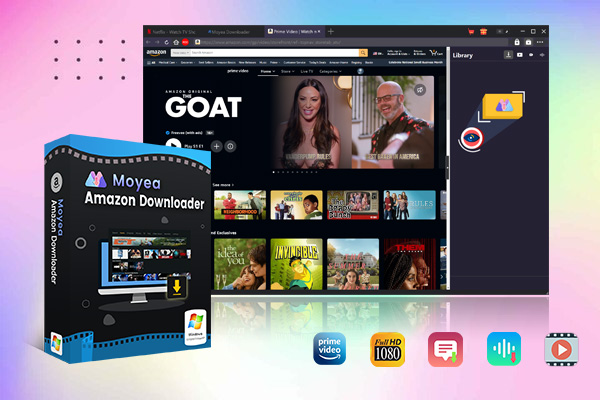
I used it to save my favorites—Fallout, the entire episodes, and they all turn out to be with crisp details and multi-language subtitles. Its batch download feature surprises me a lot, as it could automatically parse related episodes for bulk processing.
Let’s see how to use Moyea Amazon Downloader in 3 steps:
Step 1. First of all, I find and play the Amazon show you want to watch without ads.
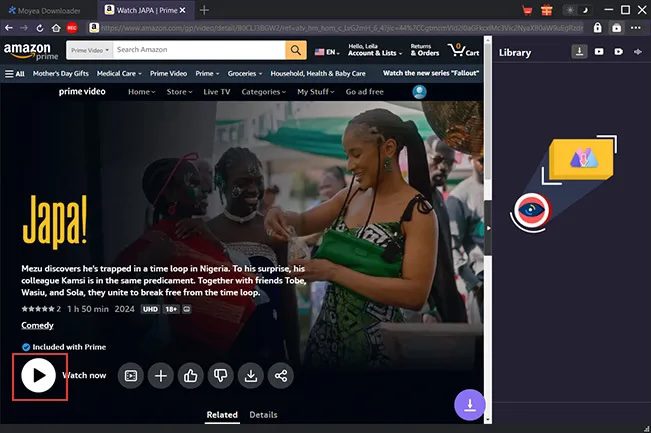
Step 2. Then I parse video sources with the Download button. Select a resolution like 1080p for better quality.
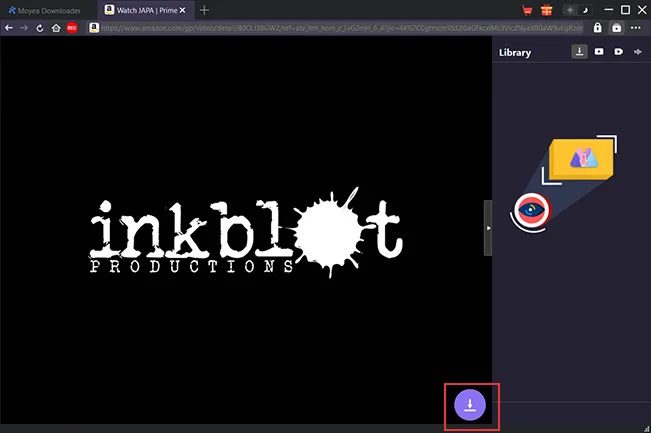
Step 3. Download the video, and I can enjoy the show soon!
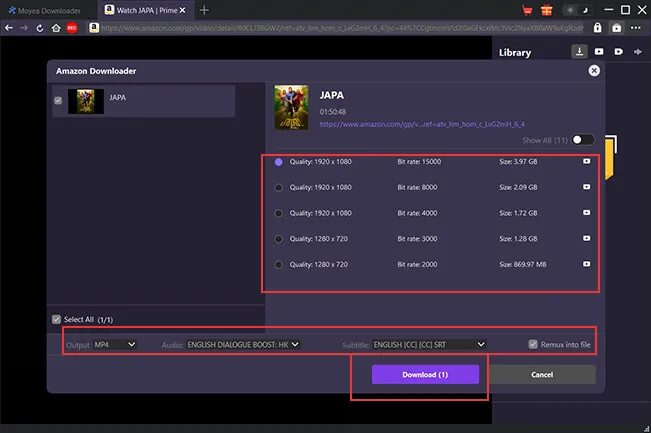
4. Avoid Freevee Content
Freevee, Amazon’s free ad-supported service, is the one to avoid if you are looking for an uninterrupted viewing experience. Its business model is built on ads, so many of them still carry mandatory ads. You can stick to Prime-exclusive content marked as included with your premium subscription. Just make sure to upgrade them with $2.99/month for an ad-free experience.
Conclusion
How to get rid of ads on Amazon Prime? Now you have a grasp of the ad types and 4 useful solutions to turn off ads Amazon Prime Video. Offline viewing still wins when it comes to saving money and skipping disruptions. Enjoy your preferred films and series without constant update costs, plus experience clean, uninterrupted streaming whenever, wherever. For those after a straightforward, dependable solution, consider giving Moyea Video Downloader a go.
 Terms of Use: Moyea is intended solely for personal, educational, and non-commercial archival purposes use. It allows users to save a local copy of videos that they have legally subscribed or purchased. Any commercial utilization, unauthorized redistribution, or online sharing is prohibited. Users assume full responsibility for complying with copyright laws.
Amazon Downloader

 Try for Free
 Try for Free
 Download Amazon Prime videos to 1080P MP4/MKV files.
Support batch Amazon Prime video downloads
Save subtitles and audio tracks.
Pack subtitles to video or save as SRT/SUP file.
Remove ads during Amazon Prime video downloads.
Related
Fix Guide: Prime Video Download Not Working
Best Amazon Prime Video Recorders: Record with the Best
How to Download Amazon Prime Videos to iPhone/iPad
Where Are Prime Video Downloads Stored on PC/Mobile?

How to Contact Amazon Prime Video Customer Service for Help/Support?
Quick Guide: How Long Do Prime Video Downloads Last?


 English
 日本語
日本語