Share article:


5 Best LinkedIn Video Downloaders to Download LinkedIn Videos

Updated: 2026-06-17
Related to: Video Downloader
42 Views
Summary:
Want to save LinkedIn videos? Check out the top 5 LinkedIn video downloaders that can save your favorite content for offline viewing.
LinkedIn is the hub for valuable video content. I myself have found a lot of useful videos for career advice and expert tutorials there. But many of these videos are worth revisiting, but it seems there is no way to save them as local video files. Therefore, I started looking for methods to download LinkedIn video content efficiently. In this guide, I will share all my knowledge about LinkedIn video downloads. Just read on to find the 5 best LinkedIn video downloaders and how to choose a proper one with my comparison.
OutlineCLOSE
1. About LinkedIn Video: What Should You Know?
Before diving into the best LinkedIn video downloader, let’s have a look at how LinkedIn videos actually work.
How Many Different Types of LinkedIn Video?
From my experience with LinkedIn, the platform supports a variety of video formats. Just like other social media, these formats are used for different purposes.
- Native Feed Videos: These are the most common ones I see. They could be short clips or longer posts shared in the feed.
- LinkedIn Live Videos: Live streaming videos that focus on company live events, expert Q&A sessions, and sometimes product launches.
- Video Ads/Sponsored Content: Usually marked with a “Sponsored” tag, these videos are used for promotions and marketing campaigns.
- Company Page Videos: You can find these videos on the company profile, which are brands for showcasing culture and updates.
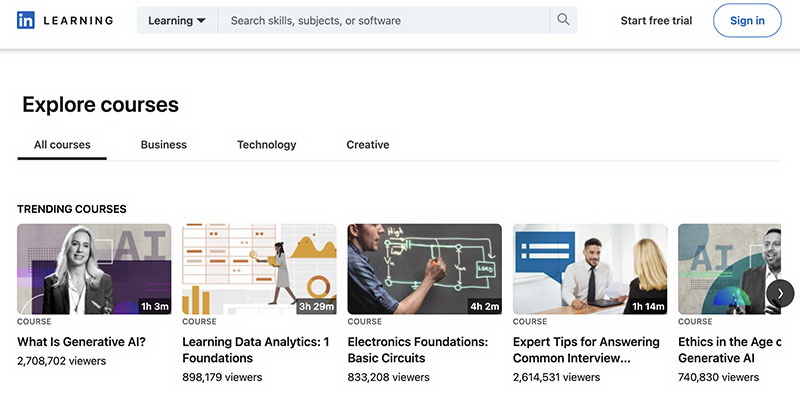
- LinkedIn Learning Videos: These are structured courses/tutorials that help users professional skills.
Does LinkedIn Have an Official Feature for Video Downloading?
Unfortunately, LinkedIn does not provide an official feature to download videos from posts or feeds. From my perspective, this makes sense. The content on LinkedIn is protected by copyright. These restrictions are meant to safeguard creators’ rights and prevent unauthorized distribution. That said, it doesn’t mean there’s nothing we can do. I’ve found that a reliable third-party LinkedIn video downloader is the easiest way to get around this limitation. Just keep reading to explore the best tools I tested!
2. 5 Best Ways to Download LinkedIn Videos
As mentioned earlier, a third-party LinkedIn downloader is needed to save the videos. After testing various tools, I found these 5 choices rather useful.
Moyea Video Downloader
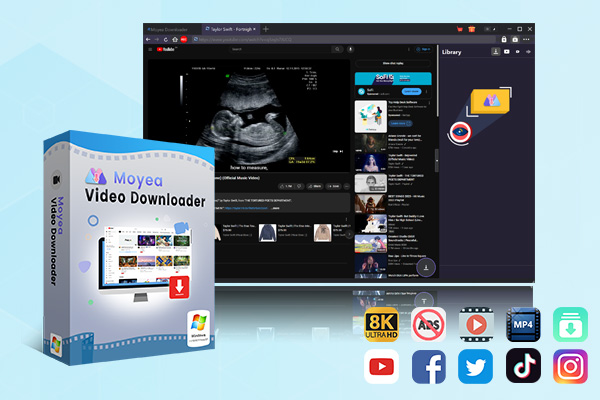
If you want to download LinkedIn videos with the best quality, I would recommend Moyea Video Downloader. It’s a powerful and stable tool that can handle LinkedIn downloads with high-quality results. I tried it for free, and the experience was smooth and decent. It allows me to save my favorite videos in MP4/MKV with up to 1080p resolution.

-
– Enable users to download online videos/live streams from 1000+ sites easily at high speed.
– Download 8K video and 320 kbps audio without quality loss.
– Download TV series episodes of all/certain seasons at once.
– Save downloaded online videos to MP4/MKV/WEBM format.
Pros:
- Batch downloading for multiple videos or playlists
- Stable performance and ad-free experience
- Support 1000+ video streaming & sharing websites
Cons:
- Full features require licensing
- Desktop LinkedIn video downloader only
Taplio LinkedIn Video Downloader (Online)
If you don’t want to install software, Taplio is the top choice. I’ve also tried it myself and found it extremely quick and easy to use. All I need to do is paste the video link, and it will parse the video sources for download automatically. I will probably use it if I need to download a few videos occasionally.

Pros:
- Simple LinkedIn video downloader online
- Free for basic use
- Compatible with desktop and mobile devices
Cons:
- Daily limits on free downloads
- Not always work on protected content
- No batch downloads and high-resolution
Video DownloadHelper (Chrome Extension)
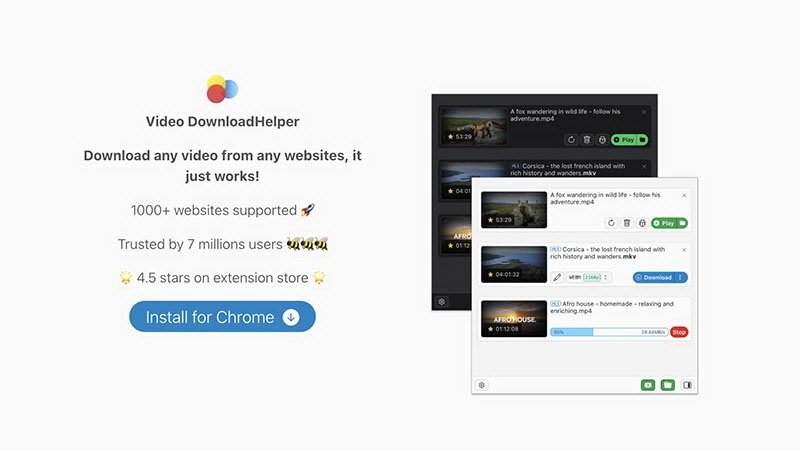
Video DownloadHelper is a reputable tool that can help you download videos within your browser. It detects videos directly when I am browsing LinkedIn. Then it provides the downloadable resources, and I can just pick any one to download. Seamlessly integrated into my browser, the tool is quite intuitive to use, and the whole process is effortless.
Pros:
- Convenient LinkedIn video downloader Chrome extension
- Support multiple quality/format options
- Work on various browsers
Cons:
- Complicated installation process
- Performance may vary or slow down
- Not working with live streams
CleverGet Recorder (Streaming Video Recorder)
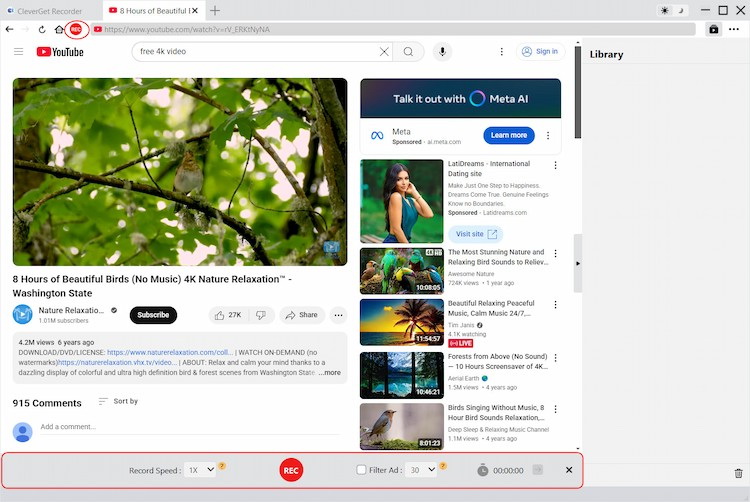
Sometimes, you might find the direct download not working, no matter what. Then I would recommend CleverGet Recorder, a workaround to capture videos on LinkedIn. This tool can record LinkedIn videos as they play, which is quite useful for live streams. From my experience, the recording quality is rather impressive. I would consider it a reliable backup solution for LinkedIn downloads.
Pros:
- Excellent for live content
- High-quality recording
- Free version available with strong features
Cons:
- Recording takes real-time
- Rely on a smoother connection
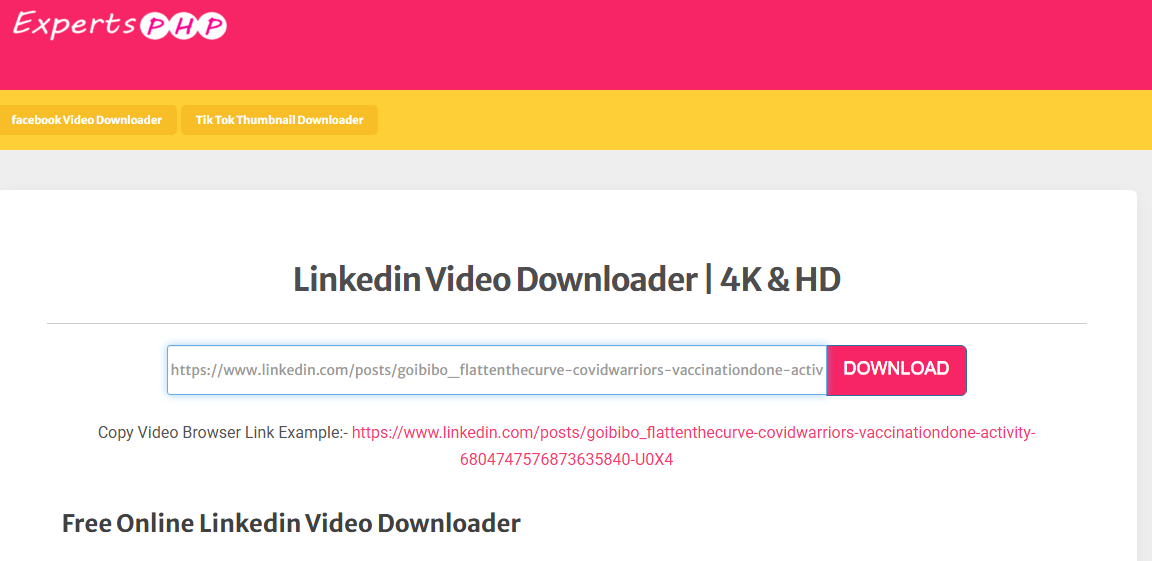
ExpertsPHP LinkedIn Video Downloader (Online)
Another tool I’ve tried is ExpertsPHP LinkedIn Video Downloader. Similar to Taplio, it’s a web-based downloader that lets me download videos without software installation. It’s completely free and doesn’t require registration, which is so convenient. It would be one of my top choices for one-time video downloads.
Pros:
- Free and easy to use LinkedIn downloader
- No registration required
- Fast for simple downloads
Cons:
- Basic interface with ads showing
- Limited features and stability
3. Comparison: Which is the Best LinkedIn Video Downloader?
Now you know the 5 best ways to download videos from LinkedIn. So which one suits you? I’ve made a brief comparison to learn more about the differences.
|
Tool |
Type |
Quality |
Batch Download |
Free Limitations |
Ease of Use |
Best For |
|
Moyea Video Downloader |
Desktop Software |
Up to 4K/8K |
Yes |
Trial / Paid features |
High |
Frequent, high-quality downloads |
|
Taplio |
Online Tool |
HD |
Limited |
Daily limits |
High |
Quick and simple downloads |
|
Video DownloadHelper |
Chrome Extension |
Varies |
No |
Basic free version |
High |
Browser-based convenience |
|
CleverGet Recorder |
Recorder |
Up to 4K |
No |
Free / Paid tiers |
Medium |
Live or protected videos |
|
ExpertsPHP |
Online Tool |
HD |
No |
Ads / limited features |
High |
One-time, simple downloads |
4. FAQs
Q1. Is it legal to download LinkedIn videos?
It depends. It should not be a big problem if you just download videos for personal use. Just keep in mind that you should never redistribute or repurpose them without permission because it might violate LinkedIn’s terms or the creator’s copyright.
Q2. Why do some free tools require payment for full features?
Because there is no truly free stuff. Free tiers often have limits (daily downloads, ads, lower quality). It’s a way to encourage upgrades for premium features.
Q3. Do these LinkedIn video downloaders require a LinkedIn login?
It depends on the video you want to download. For public videos, you can download them with any downloader. Just past the URLs for easy downloads.
Conclusion
How to download videos from LinkedIn? Now you have the top 5 choices at hand. If you are a serious user who needs to download videos frequently, I would say Moyea Video Downloader is the top choice. It’s an outstanding LinkedIn video downloader that has all the powerful features you need. For streaming content, CleverGet Recorder is the one that I highly recommend. Try them and enjoy your saved professional videos offline with ease now!
 Terms of Use: Moyea is intended solely for personal, educational, and non-commercial archival purposes use. It allows users to save a local copy of videos that they have legally subscribed or purchased. Any commercial utilization, unauthorized redistribution, or online sharing is prohibited. Users assume full responsibility for complying with copyright laws.
Video Downloader

 Try for Free
 Try for Free
 Download videos from 1000+ websites.
Download live streams streaming sites.
Download videos in up to 8K resolution.
Save videos as MP4, MKV, WEBM files.
Batch download videos from playlists and channels.
Download audio tracks and subtitles.
Automatically remove ads during downloads.
Related

SaveFrom.net Still Banned in the US: What Are the Alternatives?
How to Watch Deleted YouTube Videos?

Twitch VOD: What It Is and How It Works
Full Review of Savethevideo: Is Savethevideo Safe?

Is Crunchyroll Free? How to Watch Anime Without Paying
YouTube TV DVR: How It Works and How to Record Live TV


 English
 日本語
日本語