Share article:


How to Watch Deleted YouTube Videos?

Updated: 2026-04-29
Related to: Video Downloader
45 Views
Summary:
How to watch deleted YouTube videos? Here to discover 6 methods to find them back and the simplest tool to save them for offline access.
I still remember the frustration of clicking on a favorite video in my playlist only to be met with the dreaded “This video is unavailable” message. If you’ve been through it, you know exactly how it feels. If you’re looking for ways to solve this problem, this guide has you covered. I’ll share my personal experience and the methods I’ve used to recover deleted YouTube videos and even download them when possible. Keep reading!
Outline
Part 1: The Best 6 Methods to Watch Deleted YouTube Videos
I’ve experimented with different approaches to watch deleted YouTube videos. Here are the 6 reliable methods I found that truly work.
Method 1: Find the URL of the deleted YouTube video
Sometimes, I simply lose the URL of the video. In this case, I tried the following ways to find deleted YouTube videos and their links.
- Browser History: I start by going to the history on my Google Chrome. From there, I can search for the deleted YouTube video with keywords and find the link easily.
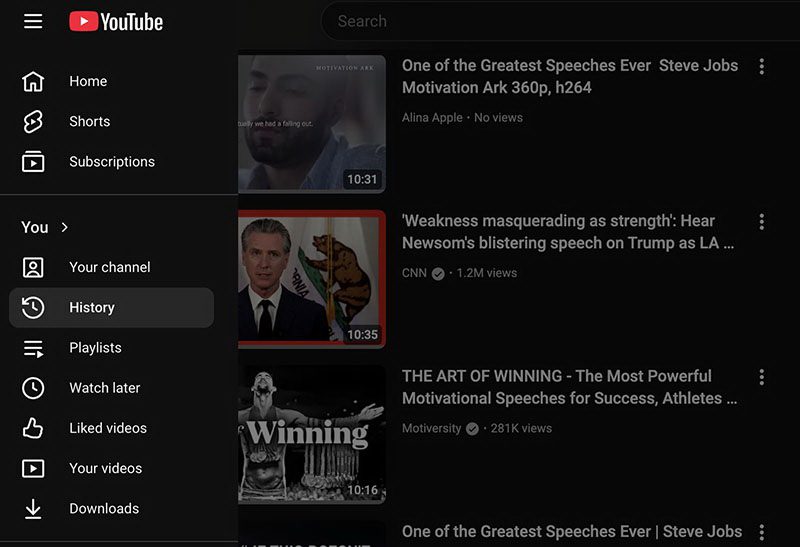
- YouTube Watch History: Checking my YouTube Watch History really works sometimes. You can open YouTube, click the menu icon (three horizontal lines), and go to History. Then look through my watched videos, it should be there.
- YouTube Playlists: If you want to save a video in a playlist. Just go to Library > Playlists on YouTube and open the playlist that contains the video to get the original URL.
- YouTube Liked Videos: Click the menu icon on YouTube and go to Liked videos, then browse through the list to find the video link.
Method 2: Find deleted YouTube videos on Archive websites
If you’ve confirmed the video is truly deleted, it’s time to try something else. Wayback Machine is always my go-to choice. I can paste the full YouTube URL into the search bar to find the archives. You will see old versions of the page with title, description, and sometimes even an embedded player or thumbnail.
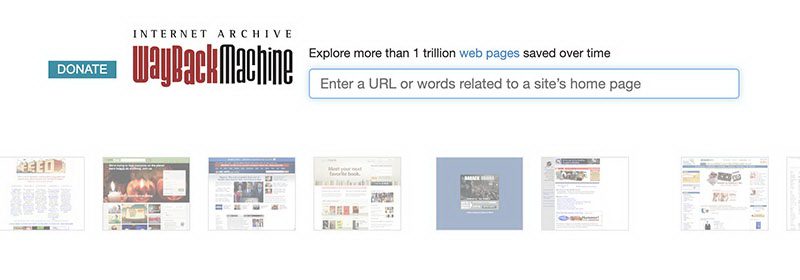
If the deleted YouTube video URL doesn’t work, try entering the YouTube homepage URL instead, then select the specific date or time to locate the deleted video. In addition, I try other tools when the Wayback Machine doesn’t have useful results. The TubePilot Deleted YouTube Video Finder is also a solid archive website that can recover YouTube video metadata.
Method 3: Use Specialized Tools and Extensions
Third-party tools also allow me to find deleted YouTube videos much more easily. The Chrome extension—YouTube Deleted Videos: Track and Restore is one good choice. It automatically tracks your playlists, identifies deleted videos, and even suggests alternatives or backups.
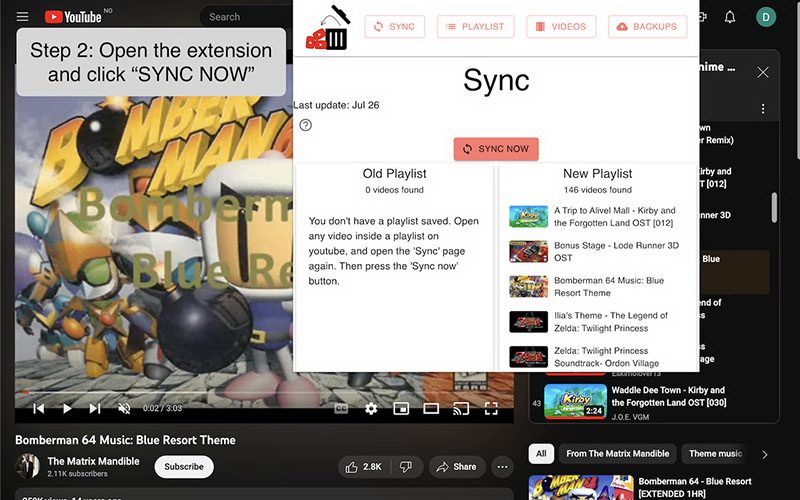
Another reliable option is Quite a Playlist (quiteaplaylist.com). Similarly, simply paste the playlist URL, and it will quickly display the titles, channel names, and detailed information of any deleted or private videos.
Method 4: Search for Cached Version
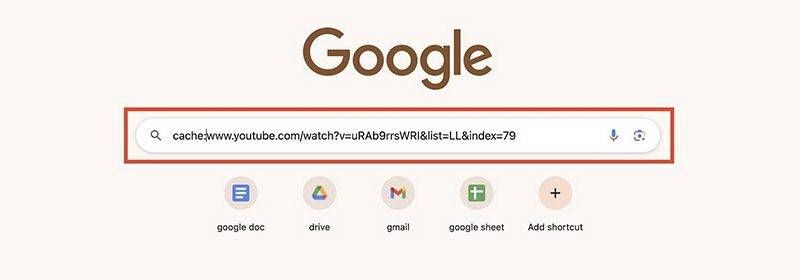
Google usually keeps a snapshot of a page even after it’s gone. So, how to find deleted YouTube videos using cache? Just type cache: followed by the full video URL into the search bar. If l there’s a recent cache exists, you can see the page exactly as it appeared before deletion.
Method 5: Explore Alternative Platforms
If a video is taken down from YouTube, it might still appear somewhere else. For example, try searching for the video title and the creator’s name on Google. Then, if that’s not working, dive into platforms like Vimeo, Dailymotion, Facebook, or Reddit.
Method 6: Contact the Content Creator
How to watch deleted YouTube videos when all the tricks fail? I will just go straight to the source and contact the creator and send a polite message asking if they have a backup. I’ve found that many creators genuinely appreciate the reach-out. Remember, be polite, because this is the last straw we have.
Part 2: Proactive Measures: Save Videos for Future Access
Now you know how to find deleted YouTube videos with 6 practical methods. But honestly, the best way to avoid the headache is prevention. For me, I’d rather download videos before they are deleted. This way, even if the original disappears, I still have my personal copy.
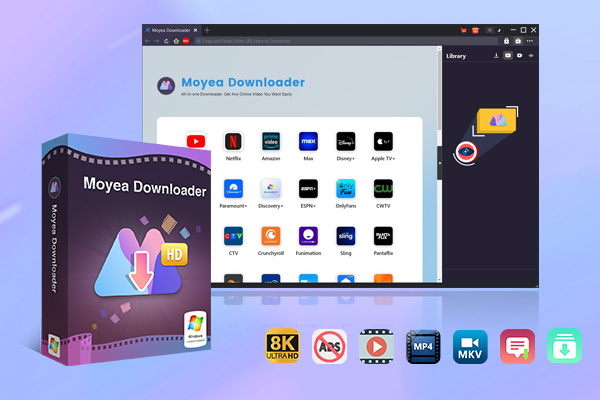
Here, my favorite is Moyea Video Downloader. It’s a handy tool that lets me batch-download videos, entire playlists, or channels easily. This saves me a lot of time when I want to archive multiple videos at once. Simply input the video link, and I can download high-quality videos (HD and 4K when available) in a few minutes.
How to use Moyea Video Downloader
Step 1: First off, download the software and install it on my computer. It works on both Windows and Mac OS.

-
– Download videos from 1000+ websites.
– Support to download videos in batches at up to 8K resolution without ads.
– Pack captions into output video file, or save captions as independent SRT/SUP files.
– Record any online video as high-quality 1080P MP4 or MKV files.
– user-friendly and multilingual settings.
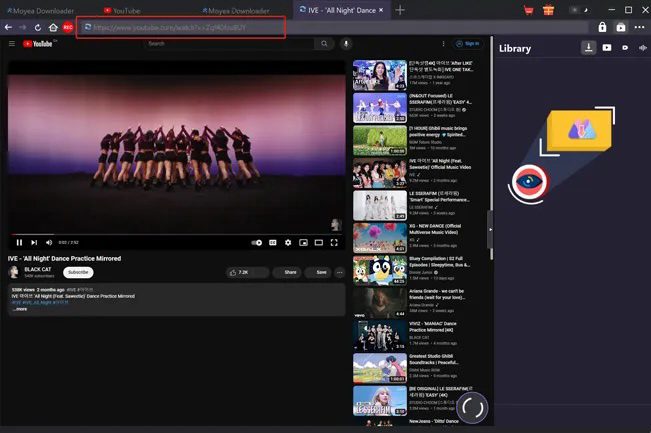
Step 2: Then open the YouTube video you want to save, copy its URL, and paste it into Moyea Video Downloader.
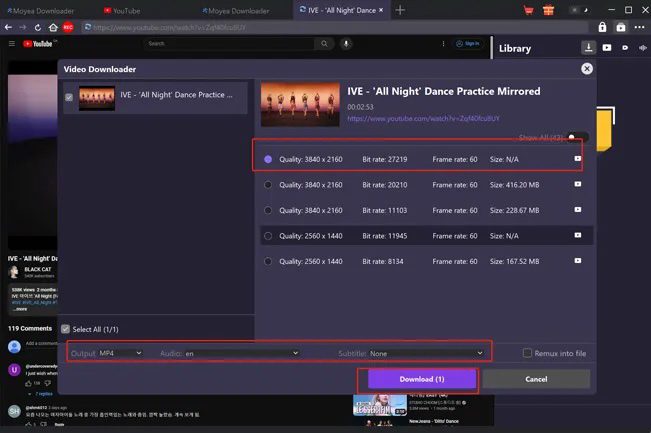
Step 3: Select the resolution and format that you prefer. Then download it to your device for future playback.
Part 3: FAQs
1. Do Archive websites (Wayback Machine) always have the full video?
Most times, they don’t. From what I’ve seen, archived pages tend to keep just the title, summary, and preview image – rarely the full video itself. Instead of counting on those copies, I pull details there first, later hunting down reposts across different spots.
2. Using outside tools or add-ons – could there be risks involved?
True, though caution never leaves my mind. Reputable tools make the cut, along with browser add-ons backed by solid feedback. Installation waits until I’ve scanned through what others say, plus looked closely at what access it demands – skipping anything that feels off.
3.DownloadingYouTube Videos BeforeDeletion?
True, saving videos myself happens often. With software such as Moyea Video Downloader, grabbing clips becomes simple. So long as copyrights stay intact, keeping copies makes sense. Losing access later won’t be an issue then.
4. Why do videos get deleted from YouTube?
Most times, clips vanish because of ownership claims, rule breaks, or when the person who made it chooses to take it down.
5.Ways tofindaremovedYouTubelink?
Most times, I begin with a look through my browser history – maybe YouTube Watch History, saved playlists, or clips I’ve given a thumbs up. When that turns up empty, tools like web archives or add-ons help piece together the missing links and info.
 Terms of Use: Moyea is intended solely for personal, educational, and non-commercial archival purposes use. It allows users to save a local copy of videos that they have legally subscribed or purchased. Any commercial utilization, unauthorized redistribution, or online sharing is prohibited. Users assume full responsibility for complying with copyright laws.
Video Downloader

 Try for Free
 Try for Free
 Download videos from 1000+ websites.
Download live streams streaming sites.
Download videos in up to 8K resolution.
Save videos as MP4, MKV, WEBM files.
Batch download videos from playlists and channels.
Download audio tracks and subtitles.
Automatically remove ads during downloads.
Related

5 Best LinkedIn Video Downloaders to Download LinkedIn Videos

SaveFrom.net Still Banned in the US: What Are the Alternatives?

Twitch VOD: What It Is and How It Works

Full Review of Savethevideo: Is Savethevideo Safe?

Is Crunchyroll Free? How to Watch Anime Without Paying

YouTube TV DVR: How It Works and How to Record Live TV


 English
 日本語
日本語