Share article:


How to Record on Sling TV — More than DVR

Updated: 2026-06-16
Related to: Streaming Video Recorder
86 Views
Summary:
Recording Sling TV with Cloud DVR is very convenient, but there are a few limitations, so you can actually use third-party tools to completely get rid of the constraints of storage and timing.
MenuCLOSE
Sling TV is a streaming service that is widely chosen by users worldwide. It allows users to customize their channel packages. The main basic options include Sling Orange and Sling Blue, as well as Sling Freestream. With the continuous upgrade of Sling TV, in early 2025, Sling officially launched the Unlimited DVR, providing users with more recording space choices. However, like YouTube TV DVR, Sling TV’s DVR also has many limitations, such as being limited by the cloud and unable to export offline. But don’t worry, there are other solutions that can handle these limitations well. This guide will introduce the official DVR and third-party recording tools as two recording schemes to help you find the one that suits you best.
Quick Preview
|
|
Sling TV DVR |
Moyea Streaming Video Recorder |
|
Retention Period |
9 months |
Forever |
|
Storage Space |
$5 per month for unlimited space |
Unlimited (depending on your device) |
|
Storage Location |
Cloud |
Your device |
|
Offline Viewing |
No |
Yes |
Can You Record on Sling TV?
Sling TV offers an in-built Cloud DVR, allowing users to record live programs and watch them at any time. This feature currently has three options:
|
|
Storage Space |
Expiration Date |
|
Sling Freestream |
10 hours |
30 days |
|
Orange or Blue Subscription |
50 hours |
9 months |
|
Unlimited DVR ($5/mon) |
Unlimited |
9 months |
You might be concerned that these limited storage space and retention periods cannot meet your needs. So, how do you record on Sling TV if the built-in storage is not sufficient for your needs? In this case, you will need to use a third-party tool as alternative way. By using it, there will be no issues such as storage limitations, expiration deletion, or inability to record certain channels like those in the official DVR. It can directly record Sling TV content as local files, which can be permanently saved and watched offline.
Quick Guide: How to Record on Sling TV?
How to record on Sling TV step by step? I will explain in detail the steps for both the official way and the alternative way. In my opinion, the operation steps for both methods are very simple, and even if you are a beginner, it is completely stress-free.
1. Use Sling TV DVR
If you use Sling TV DVR, no hardware devices are needed, because all recorded content is stored in the cloud and can be watched on any Sling-supported device.
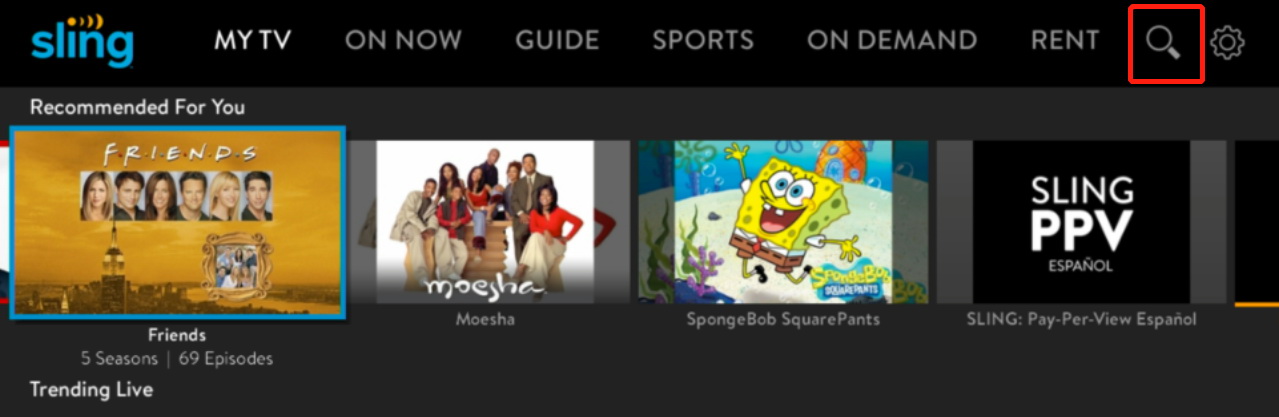
Step 1: Log in to your Sling TV account and find the program you want to record through search.
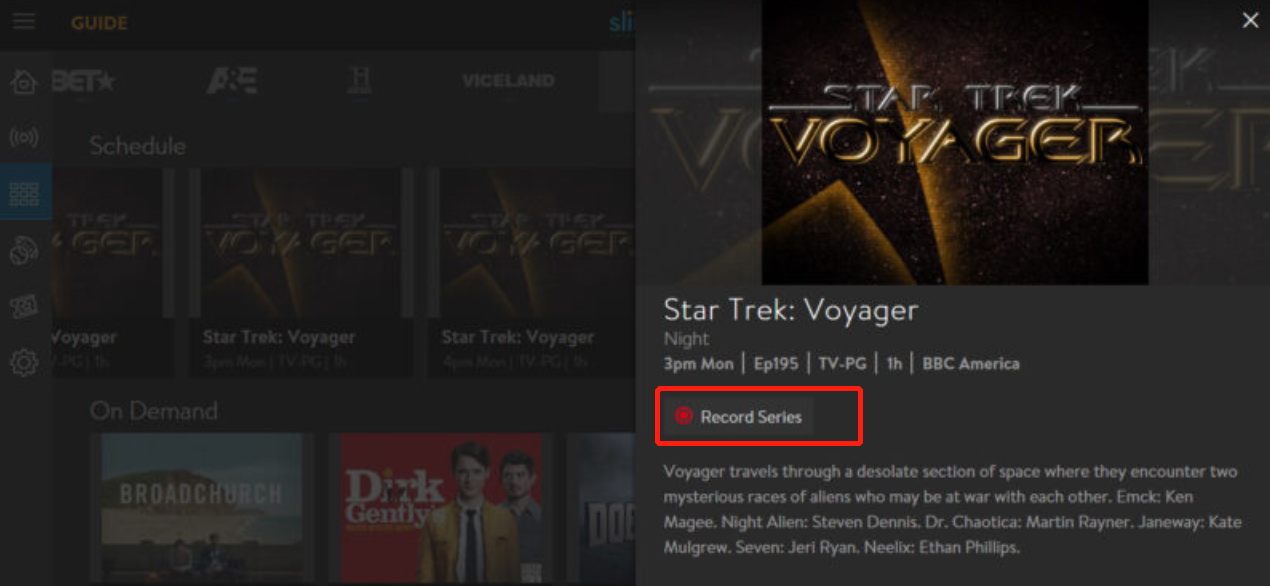
Step 2: Enter the program details page and click the Record button. In the pop-up options, choose ‘Record This Episode Only’, ‘Record New Episodes’, or ‘Record All Episodes’ to start recording.
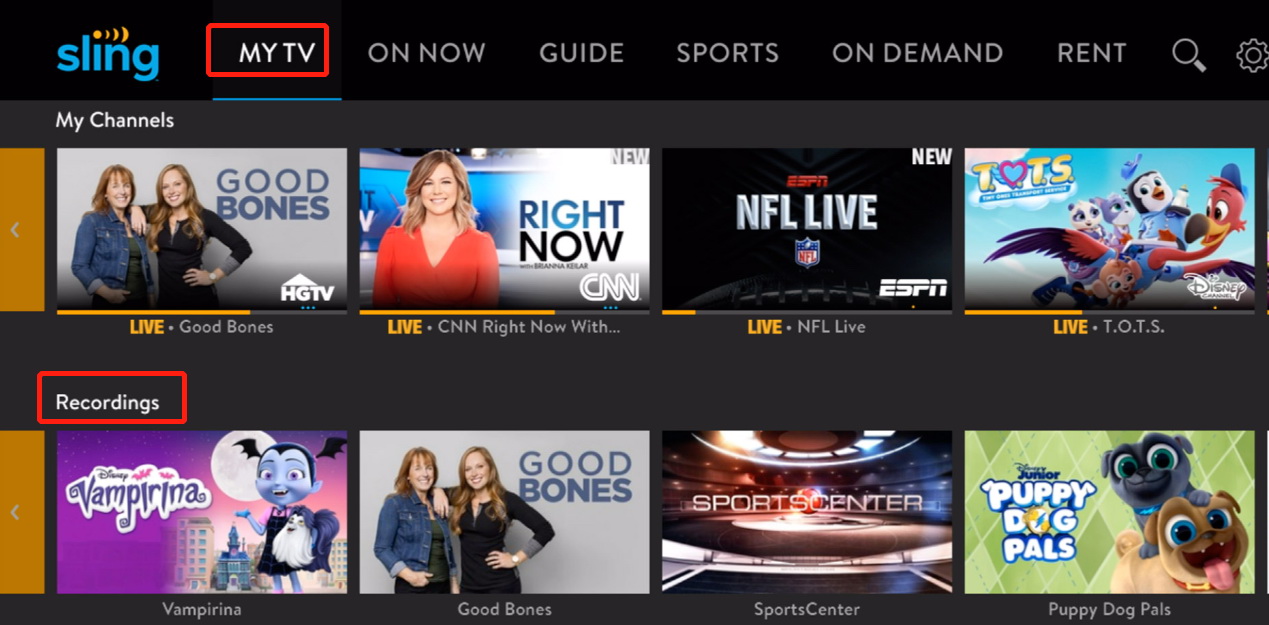
Step 3: First click ‘MY TV’ and then click ‘Recordings’ to access the saved recordings.
The free version has 50 hours of limited storage; recordings will be automatically deleted when expired; some paid channels (such as HBO, Showtime, etc.) may not be recordable; offline viewing is not supported.
2. Use Third-Party Tools
If the official DVR cannot meet your needs, you can consider a third-Party tools. I recommend Moyea Streaming Video Recorder. It is a professional streaming video recording tool that supports recording videos from various streaming platforms and saving them in high-definition formats such as MP4 and MKV. It can bypass the storage limitations and expiration time of the official DVR, allowing you to permanently save your favorite programs locally.
Step 1: Download and install Moyea Streaming Video Recorder.
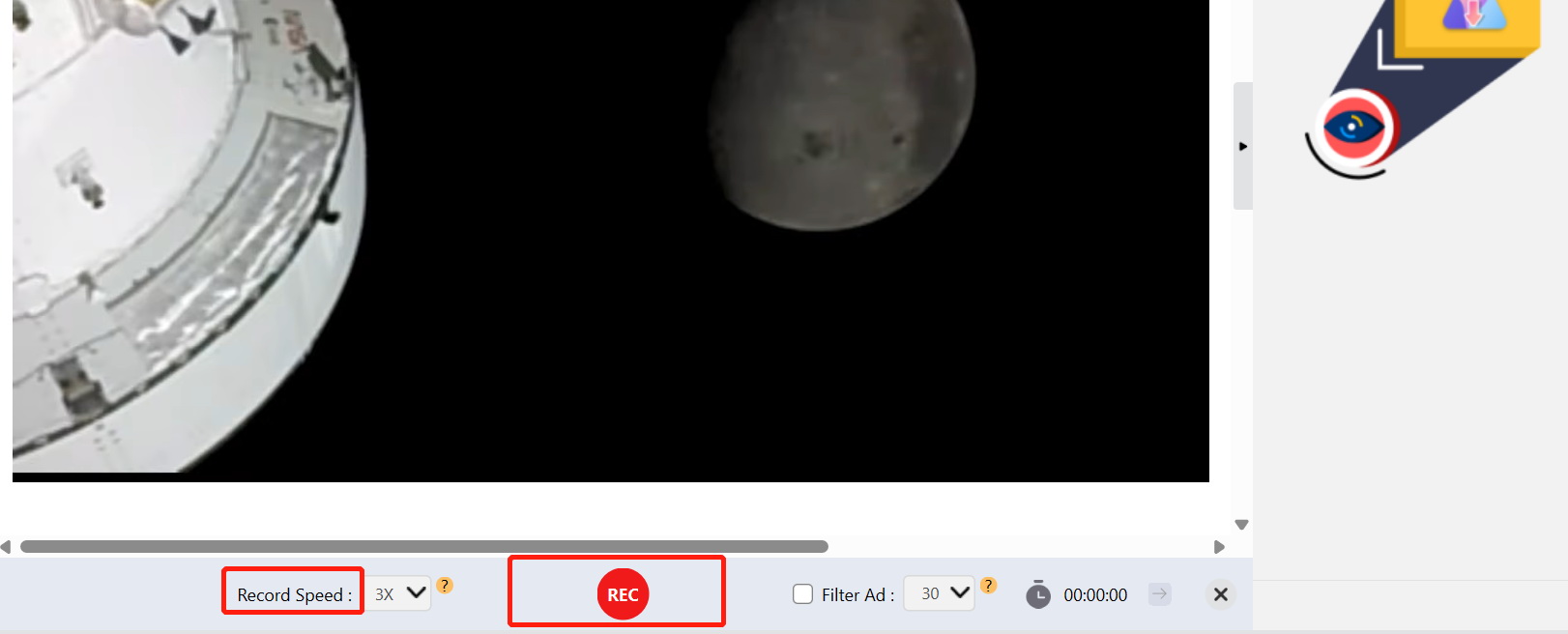
Step 2: Paste the link of the Sling TV video at the top of the interface, play the video, and then click REC in the upper left corner.
Step 3: After completing the settings, click the REC in the middle at the bottom to start recording.
Step 4: After recording is complete, the video can be found in the Library.
Common Recordings Problems and Fixes
|
Problems |
Fixes |
|
DVR storage space is insufficient |
Delete old recordings, upgrade to unlimited DVR, use third-party tools |
|
Content cannot be recorded |
Using tools that support recording DRM-protected videos |
|
Recording has no beginning or ending |
Manually extend recording time |
|
Stuttering when playing |
Use a stable broadband of at least 25Mbps, close other broadband-consuming applications, reduce playback quality. |
Final Words
Can you record on Sling TV now through this guide? I believe this guide has already enabled you to make the right choice. Sling TV DVR is undoubtedly the most convenient option. However, if you really need offline viewing, permanent saving, or want to record channels restricted by DVR, then third-party tools like Moyea Streaming Video Recorder will be your valuable assistant. By using it, you can not only record Sling TV but also record on YouTube TV and other mainstream platforms.
FAQs
1. Can I record live sports on Sling TV?
Yes. Sling TV DVR supports recording of most live sports. But there may be recording restrictions for some live sports, depending on the copyright agreements.
2. Can Sling TV record entire TV series automatically?
Yes. By selecting the “Record All Episodes” option, Sling TV will automatically record all the aired and un-aired episodes of this series.
3. How long are Sling TV recordings saved?
This depends on your DVR plan. The recorded content of Sling Freestream is retained for 30 days and the recording contents of both the 50-hour DVR and the Unlimited DVR will be retained for 9 months.
4. Is Sling TV DVR available on mobile devices?
Yes. You can manage and watch the recorded content on all Sling-supported devices, including iOS and Android phones, tablets, smart TVs, and streaming players, etc.
5. Can l watch Sling TV recordings offline?
The official DVR recordings can’t be viewed offline. If you need to watch them offline, it is recommended to use Moyea Streaming Video Recorder to record them as local MP4 files.
6. Is Sling TV DVR free?
Sling Freestream offers 10 hours of free DVR storage. The Sling Orange/Blue includes 50 hours of free DVR space. However, for unlimited recording space, you required to upgrade to Unlimited DVR.
 Terms of Use: Moyea is intended solely for personal, educational, and non-commercial archival purposes use. It allows users to save a local copy of videos that they have legally subscribed or purchased. Any commercial utilization, unauthorized redistribution, or online sharing is prohibited. Users assume full responsibility for complying with copyright laws.
Streaming Video Recorder

 Try for Free
 Try for Free
 Record live streams, videos, and clips from 1000+ websites.
Record DRM-protected streaming videos.
Save recordings as MP4 or MKV files.
Record videos in up to 4K resolution.
Record videos at up to 5× speed.
Skip commercials during recording.
Related
How to Save YouTube Videos as MP4 Files
Apowersoft Streaming Video Recorder Review: Features, Pricing, and Alternatives
YouTube TV DVR: How It Works and How to Record Live TV

Crunchyroll Offline Viewing for Travel: How to Watch Anime Without Internet

How to Record Your Favorite Shows on YouTube TV

RecordFab Review: Is It Really Worth The Price?


 English
 日本語
日本語