Share article:


How to Save YouTube Videos as MP4 Files

Updated: 2026-06-18
Related to: Moyea Downloader, Streaming Video Recorder
72 Views
Summary:
This guide will give you five ways to save YouTube videos as MP4 files outside of the more restrictive official method, and one of them will surely suit you.
MenuCLOSE
Whether it’s for offline viewing during the flight, or simply for saving a video you like, being able to save YouTube to MP4 files is undoubtedly a necessity. However, converting videos into a file on your device is not a simple task. Not only do you have to deal with the issue that the videos cannot be saved due to copyright, but you also have to spend time learning how to download them. Therefore, this guide is aimed at organizing various methods that I have personally tested and found effective, hoping to help you completely solve the problem.
Quick Preview:
|
Method |
Effect |
|
Desktop Downloader |
Strong |
|
Online Video Downloader |
Standard |
|
Tech Tools |
Strong |
|
Screen Recording |
Standard |
|
Mobile Apps |
Strong |
Can I Save YouTube Videos as MP4 Officially?
YouTube does provide a “download” button within the app, but it has some limits.
- First of all, you must be a YouTube Premium paid member.
- Secondly, the content you download is actually just cached data stored in the app. You cannot find it in the phone’s file manager, nor can you transfer or import it into a video editing software at will.
- More importantly, these official offline caches are subject to strict terms and conditions. If your device is not connected to the internet for more than 30 days, all downloaded videos will automatically expire and become invalid.
- Additionally, one account can only authorize offline downloads on up to 10 devices.
This clearly shows that the official download is only intended for you to watch temporarily within the app. If you want to save YouTube videos to MP4 on your hard drive, you must use other methods.
Best Ways to Save YouTube Videos as MP4
1. Use a Desktop Video Downloader
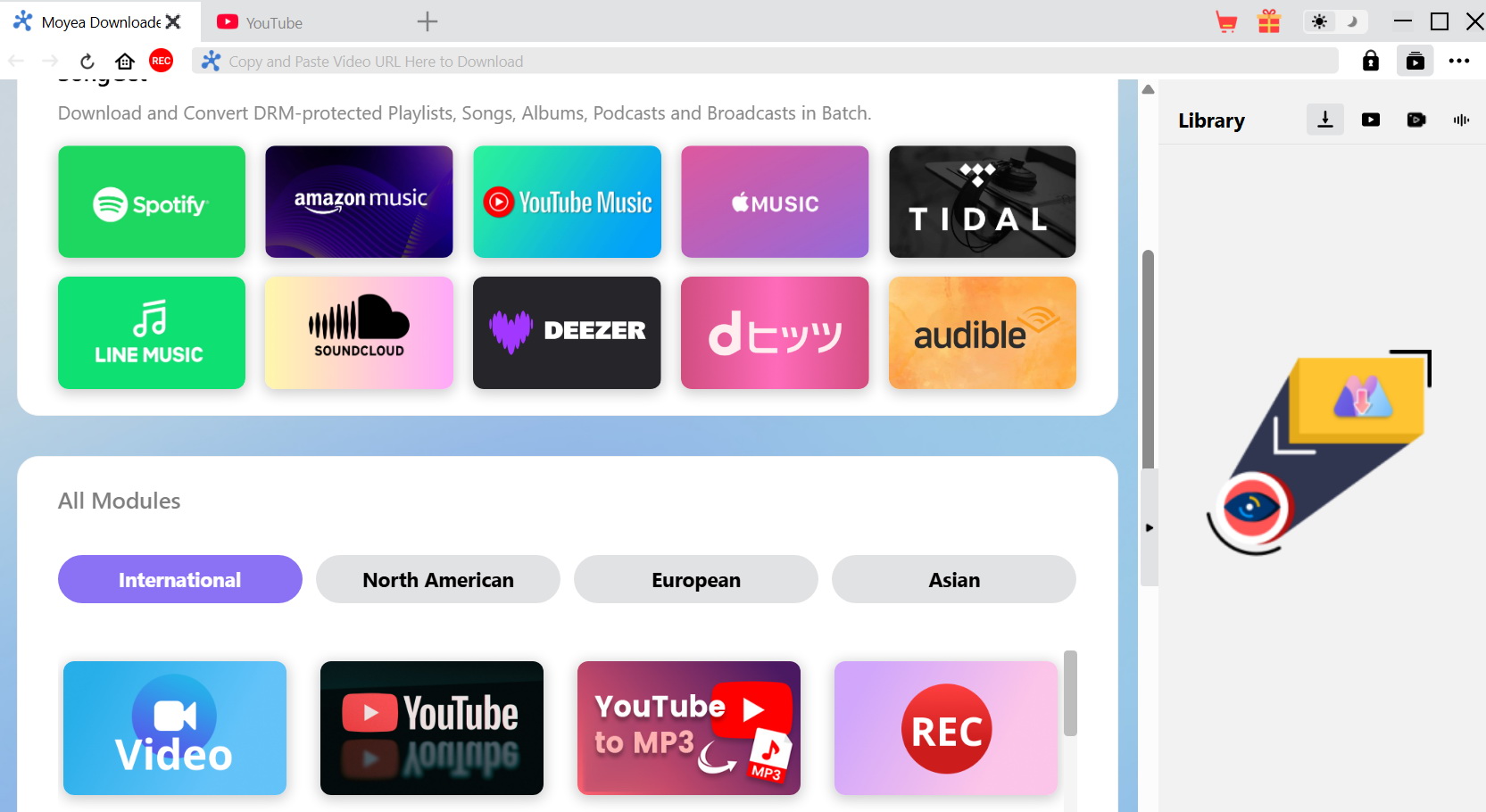
For the vast majority of users who need to download YouTube MP4, a professional desktop download software is essential. Here, I recommend Moyea Downloader. It is an all-in-one video download tool, compatible with Windows and macOS, supporting batch video downloads and allowing you to permanently save content as MP4/MKV files in up to 8K resolution. The steps to use it are extremely simple:
Steps 1: Download Moyea Downloader from the official website.
Steps 2: In the settings, select “MP4” as the output format and choose the resolution you want.
Steps 3: Copy the YouTube video link you want to download and paste it at the top of the interface. It will automatically recognize the video and display the download button.
Steps 4: Click the download button to complete the process.
All trademarks, logos, and brand names mentioned or displayed in this blog are the property of their respective owners.
2. Use an Online YouTube to MP4 Converter
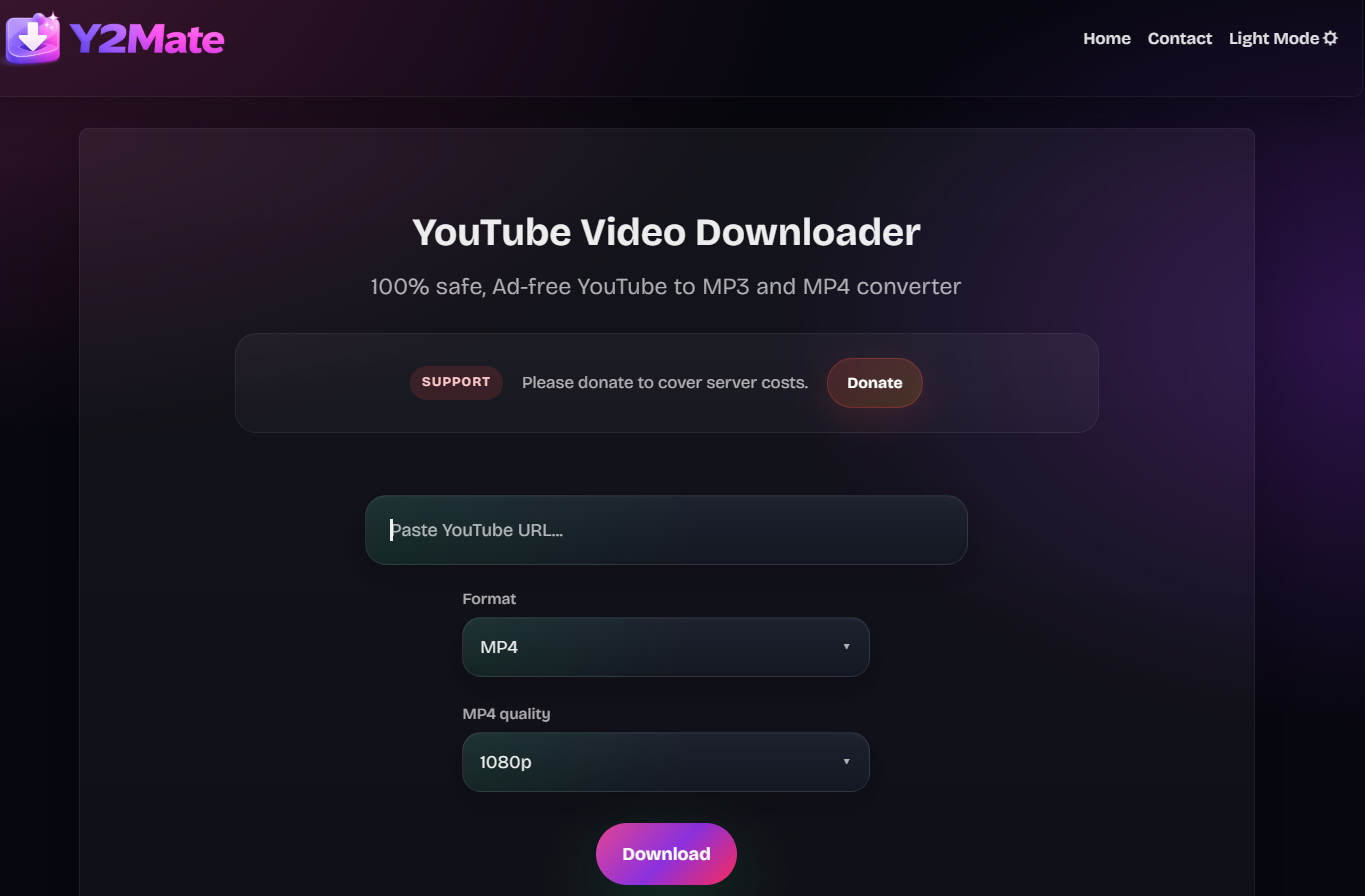
If you need to download a YouTube video temporarily and don’t want to install any software, then the Online YouTube to MP4 Converter is also an option. Personally, I recommend using Y2Mate because its usage process is quite simple: you just need to open the Y2Mate webpage, paste the link of the target video, select the MP4 format and click “Download”, then it will convert YouTube to MP4 . It’s worth noting that this method has drawbacks. Because online tool platforms are always in the “grey area” of copyright, and there is a high risk of information leakage. Additionally, malicious pop-up ads may appear, and if you accidentally click it, you may be directed to a subscription-based fraud website. Therefore, I suggest that online converters should only be used as an emergency measure once, rather than as a regular method.
3. Use Tech Tools
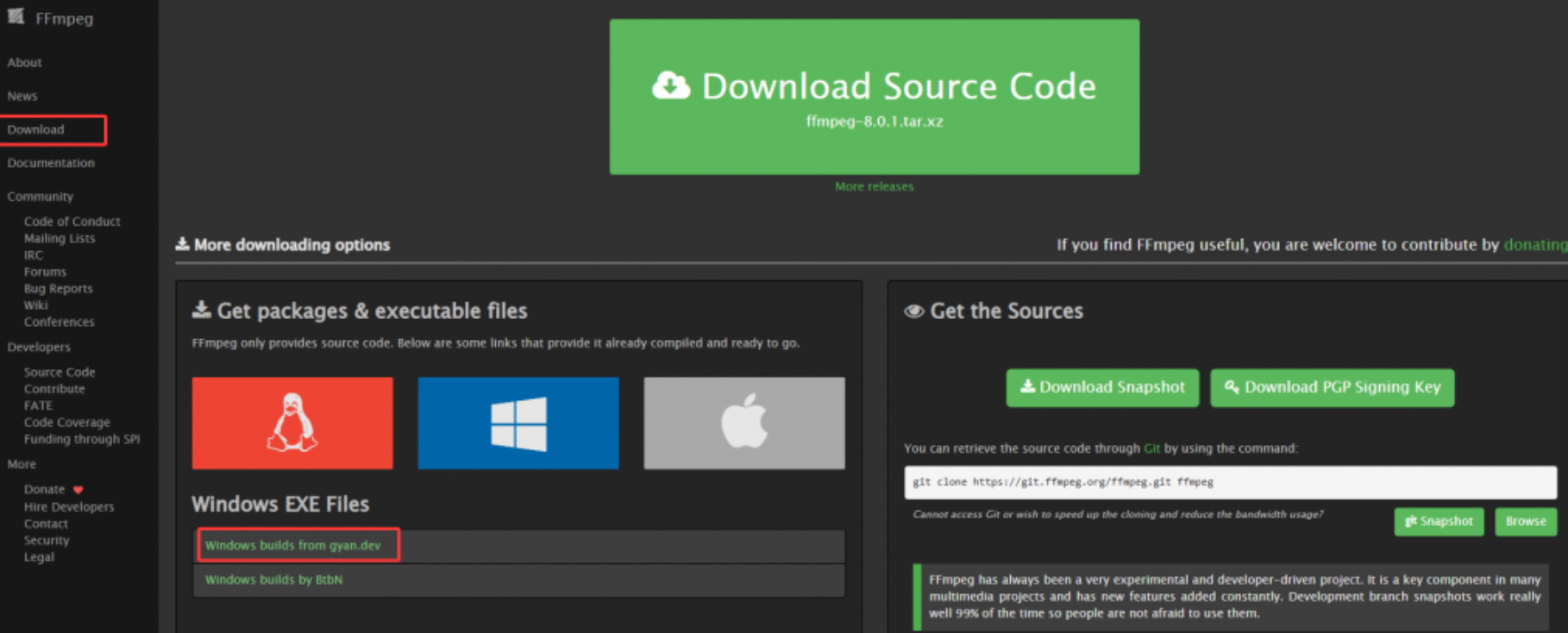
If you have a preference for the video’s encoding format and bitrate, then the tech tool yt-dlp is your best choice. It is a branch of youtube-dl, designed specifically for efficiently downloading YouTube video to MP4 . When I first started using it, I made a mistake: even though I entered the command to download an MP4, what I ended up with was an MKV or WebM container file. Later I learned that this is actually because high-definition video and audio streams on YouTube are often separate, so I strongly recommend that you download FFmpeg, because the default video format that yt-dlp downloads is webp. With FFmpeg, you can convert it to the mp4. The steps for this method are relatively complex and not particularly suitable for beginners:
Step 1: Find and download yt-dlp.exe from the Releases on GitHub, and it’s best to also install FFmpeg.
Step 2: Before downloading the target video, you can use the -F parameter to check all available formats of the video.
Step 3: Use the format selector to download MP4.
Step 4: Enter the format filtering command in the terminal, paste the video link, and press Enter; the file will automatically download and merge into MP4..
4. Use Screen Recording
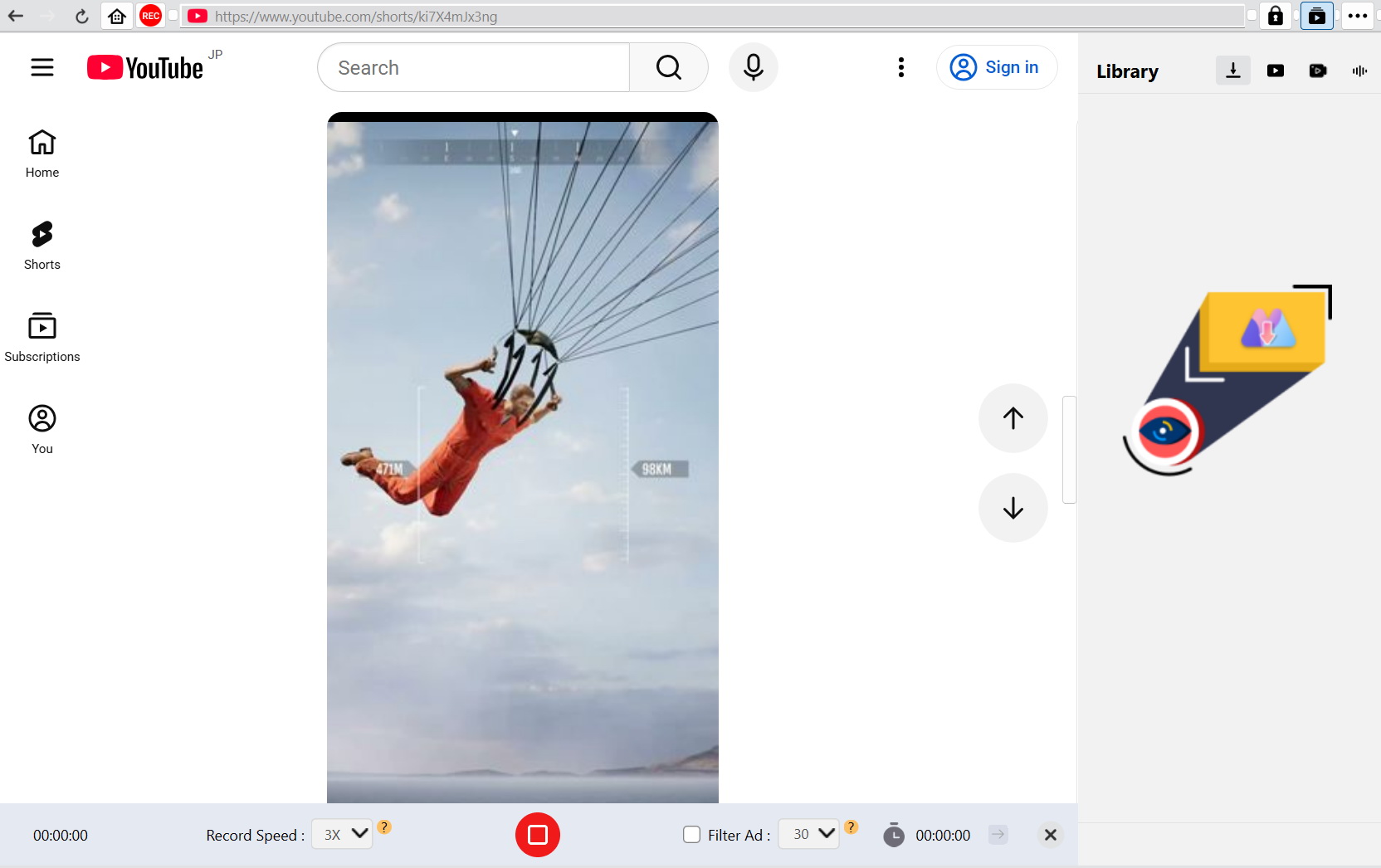
When videos are strictly copyrighted and cannot be parsed by any downloader, or when you want to record YouTube live streams, screen recording becomes an optional solution. However, many free screen recording software on the market are not capable of handling it. Therefore, for long-duration recording scenarios such as live streams on YouTube, I recommend using Moyea Streaming Video Recorder. This screen recording tool has been specially optimized for streaming media, allowing it to maintain audio-video synchronization during long recordings. To use it, first set the recording area to frame the video, enable system sound, then play the video and click record. It can handle network fluctuations well, and brief lags during a live stream will not cause the recording to crash. When you need to record YouTube videos and want to keep things simple, you can choose this tool.
5. Use Mobile Apps
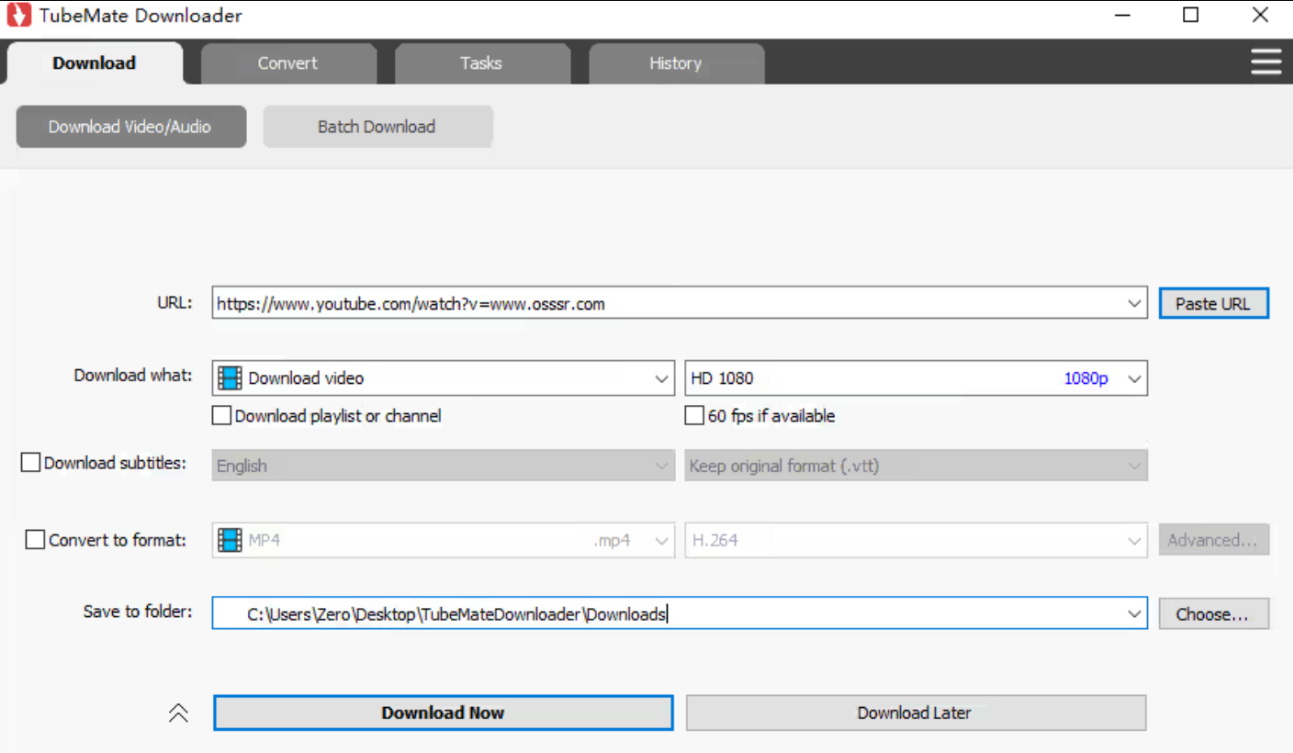
If you spend most of your time watching videos on your phone, you can try the very popular TubeMate. This is a third-party app that you need to download the APK file from its official website. After installation, it functions like a browser with a built-in sniffing download feature. You can search for videos and directly choose to download MP4 videos or extract MP3 audio. Its advantage is that you can operate directly on your phone, and the downloaded videos will go straight into your phone’s gallery or a designated folder, making it very convenient to share.
Conclusion
There are many ways to save YouTube videos. From the professional Moyea Downloader, to the tech enthusiasts’ favorite yt-dlp, each tool has its most suitable applications and user groups. And remember that if you want to watch a live stream on YouTube without interruptions and don’t want to download files, just using a third party recorder that supports watching YouTube without ads like Moyea Streaming Video Recorder. I believe this guide can help you choose the method that best suits you based on your needs and technical level.
Conclusion
1. Is it legal to save YouTube videos as MP4?
Downloading YouTube videos protected by copyright without the creator’s permission is very likely to violate YouTube’s terms of service. However, if you download or record YouTube videos for personal study or collection, rather than for commercial use or wide distribution, it falls under the scope of fair use.
2. Why do people prefer MP4 for YouTube videos?
Because MP4 is currently the most widely compatible video container format in the world. Whether you are using Windows’built-in player, macOS’s QuickTime, or any smartphone, MP4 can play smoothly.
3. Does YouTube Premium allow offline movie downloads?
Yes, but only for offline viewing within the YouTube or YouTube Music apps. You cannot get the actual files, and regular online verification of authorization is required.
4. Are offline YouTube movie downloads permanent?
No. If the membership expires or the device has not connected to the internet for more than 30 days, downloaded content will expire. If you want to permanently save video files, I recommend using the third-party downloader mentioned above to save the files to your local hard drive.
5. Are free YouTube downloaders safe to use?
It is relatively safe but also requires caution when using it. You need to make sure you are using it through official channels, rather than downloading cracked versions.
6. Can I download all seasons at once?
Sure. For series-type videos, professional software like Moyea Downloader offers batch download features, which can save a lot of trouble.
 Terms of Use: Moyea is intended solely for personal, educational, and non-commercial archival purposes use. It allows users to save a local copy of videos that they have legally subscribed or purchased. Any commercial utilization, unauthorized redistribution, or online sharing is prohibited. Users assume full responsibility for complying with copyright laws.
Moyea Downloader

 Try for Free
 Try for Free
 Download online videos in up to 8K resolution
Save streaming videos as MP4 or MKV files
Download videos from multiple popular streaming platforms
Batch download multiple videos at once
Support fast and stable video downloading with high compatibility
Related

How to Record on Sling TV — More than DVR

Apowersoft Streaming Video Recorder Review: Features, Pricing, and Alternatives

YouTube TV DVR: How It Works and How to Record Live TV

Crunchyroll Offline Viewing for Travel: How to Watch Anime Without Internet

How to Record Your Favorite Shows on YouTube TV
RecordFab Review: Is It Really Worth The Price?


 English
 日本語
日本語