Share article:


How to Remove DRM from Video Files?

Updated: 2026-05-21
Related to: Moyea Downloader
65 Views
Summary:
This article covers the various types of DRM protection and will show you how to get rid of DRM from streaming videos, iTunes items, and DVDs. We will look at tools such as Moyea Downloader and Leawo Prof. DRM to help users convert protected content into more flexible formats for offline viewing.
Some video files may have DRM protection that can restrict viewing methods and platforms. For instance, a video may only be available on a particular app, device, or account, and you may not be able to move or play it around freely.
This is why many people want to get rid of DRM from video files so that they can enjoy their videos without any restrictions. In this article, we’ll outline what DRM is and how you can easily modify your videos to make them accessible and more enjoyable to play on other devices.
OutlineCLOSE
1. Understand DRM and Its Limitations
It is crucial to know what DRM is before attempting to remove it. DRM (Digital Rights Management) is a system of protection for digital content, such as video, audio, software, and documents. It is primarily used to prevent unauthorized copying, sharing, and downloading. DRM-protected videos will be restricted to playing in a certain app or platform.
Common Types of DRM
Each industry has its own approaches for implementing DRM based on the type of content they wish to secure. Below are the common types of DRM.
- Media DRM: This is implemented by streaming services such as Netflix, Disney+, and Spotify. It blocks users from downloading and sharing content from the app.
- Software DRM: It is used in software programs and applications to curb software piracy. It may require an activation code or online license to function.
- Document DRM: It’s to secure sensitive documents like PDFs, reports, or business information to ensure they can be accessed or shared only by authorized users.
- Enterprise DRM: A more sophisticated system that is used by businesses, and it is a mix of monitoring, access control, and encryption used to secure critical data and ensure compliance.
How to Check If a Video File Is DRM-Protected?
DRM-protected videos are typically recognizable by their methods and locations of playback, as DRM is meant to limit normal play and sharing of the file. A common sign is that the video file won’t act like a regular file. For instance, although it might seem as if you downloaded it, you may not be able to copy, move, or upload it to another platform.
If the video is saved to your computer, you can easily see if it is protected by DRM in the file properties. Firstly, locate the video file on your device and right-click on it. Click on Properties from the menu. A new window will pop up. Then, click on the Details tab. You will see various information regarding the file here, including format, size, and other metadata. Then scroll through the details and find one that is marked Protected. If it displays Yes, the video file contains DRM protection. If it is No or the field is missing, then the file is likely not DRM protected.
2. How to Remove DRM from Streaming Video?
To remove DRM protection, you need a reliable third-party downloader. A dedicated video downloader, such as Moyea Downloader, is one of the simplest ways to deal with streaming videos that are protected with DRM. It is developed to download videos from a variety of streaming services, including Netflix, Disney+, Amazon Prime Video, Hulu, Apple TV+, and a lot more. Rather than DRM restriction, it will let you download videos to watch at a later time, in formats such as MP4 or MKV.
With the tool built into the browser, you can select the desired video quality and format before download. Also, Moyea has features like batch downloads, high-resolution up to 8K, and ad-free content. All these features ensure a smooth offline viewing experience. Let’s now take a look at how you can get rid of DRM from streaming videos with Moyea Downloader Video Downloader.
Step 1: Get Moyea Downloader
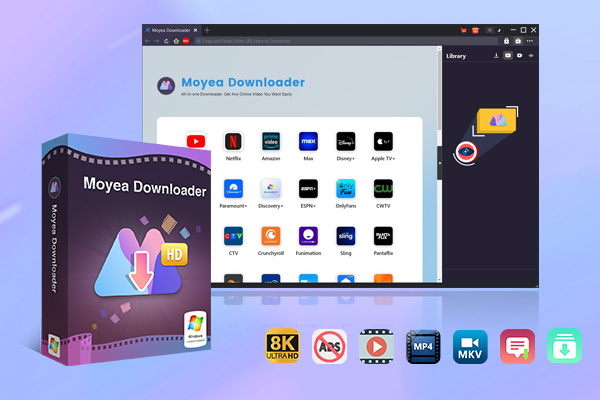
Download and install the Moyea from the official site. After installation, open it and click on any module you desire to use. There are Amazon Prime, Netflix, etc.

-
– Download videos from 1000+ websites.
– Support to download videos in batches at up to 8K resolution without ads.
– Pack captions into output video file, or save captions as independent SRT/SUP files.
– Record any online video as high-quality 1080P MP4 or MKV files.
– user-friendly and multilingual settings.
Step 2: Locate Target Video
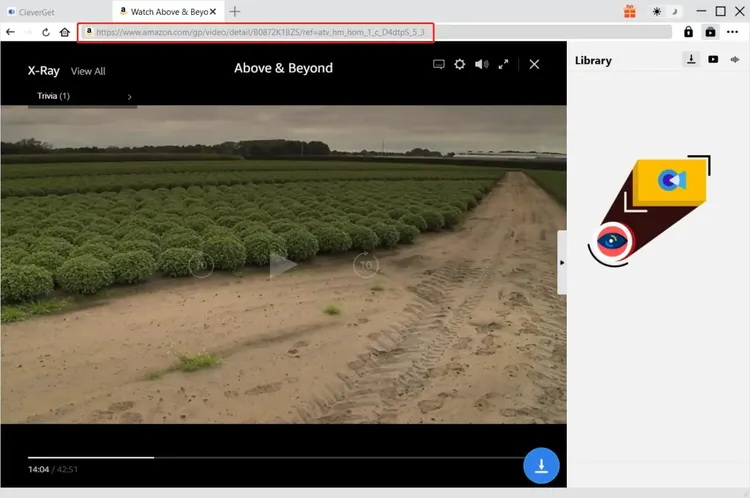
After finding your target movies, TV shows, and more. After you have located the video you wish to download, simply click on the download button, and it will begin video analysis.
Step 3: Choose Video Settings
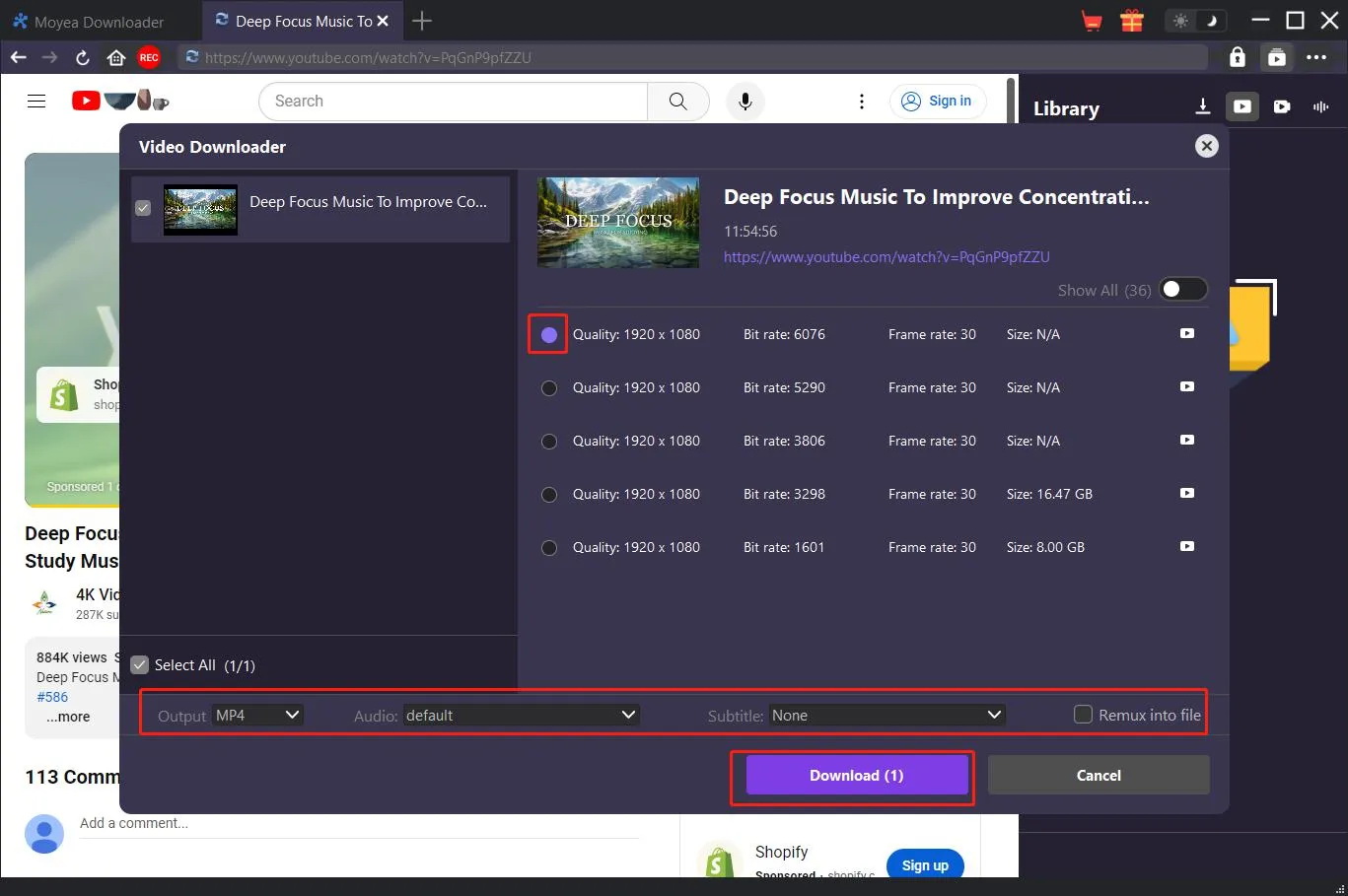
After ClevrGet has analyzed the video, you will see the download button. Next, you can choose the resolution, audio track, subtitle language, etc.
Step 4: Begin Downloading
After that, simply click the download button. The video will start downloading. You can watch your video offline in just a few minutes.
With the simple steps above, you can download drm-protected videos with Moyea Downloader. It is fast, reliable, and preserves the original quality of a video and audio
3. How to Remove DRM from Purchased Video Files on iTunes?
When you buy or rent movies from iTunes, you may notice that these movies are typically in M4V format and are protected by DRM. This means that the files will play only on authorised Apple devices and accounts. Many users take the help of dedicated DRM removal software, such as Leawo Prof. DRM, to play these types of videos on other devices. Leawo Prof. DRM can be used to remove DRM protection from iTunes videos, music, audiobooks, iTunes music from Spotify, and other DRM-protected media files. It can remove the DRM protection from M4V video files and also save the video to MP4 format with the same quality, subtitles, audio tracks, and Dolby 5.1 surround sound.
How to Remove DRM from iTunes Videos Using Leawo Prof. DRM?
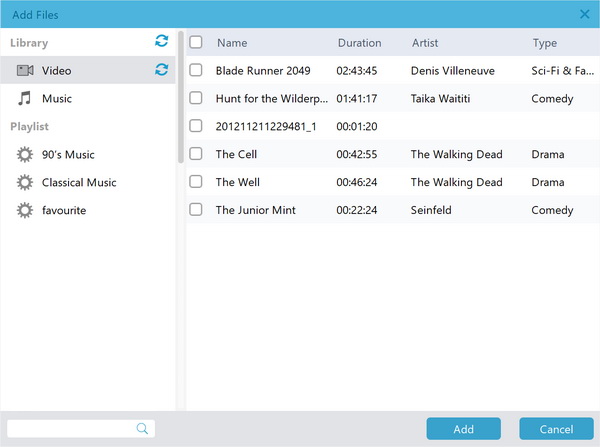
Step 1: Open Leawo Prof. DRM and enter the iTunes DRM Removal section. Use the Add Files button or drag purchased video files of .m4v format directly into the program.
Step 2: After importing the videos, choose which audio tracks and subtitles you want to keep in the final MP4 file.
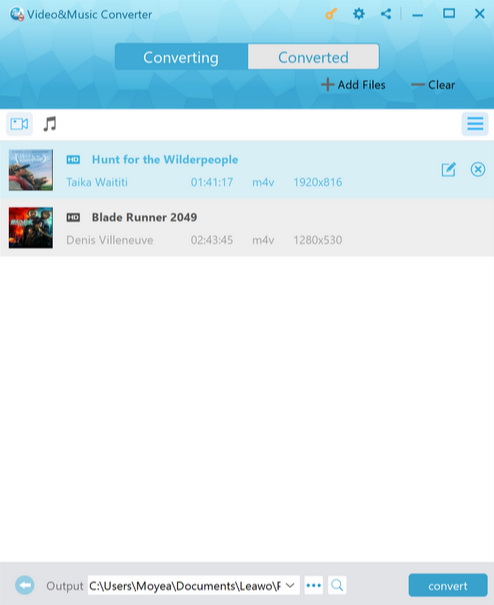
Step 3: Select the desired directory in which the DRM-free MP4 videos will be stored.
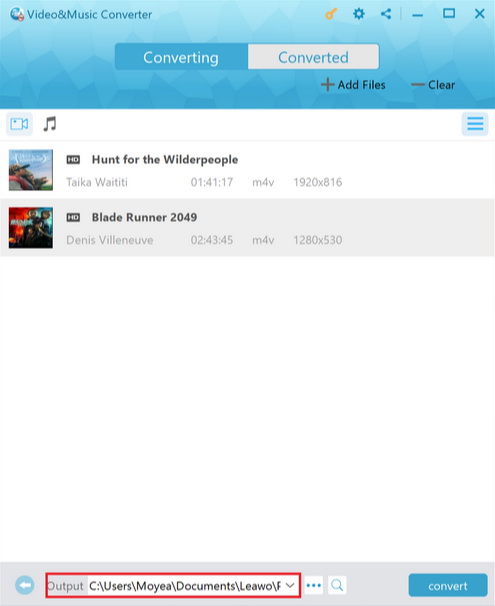
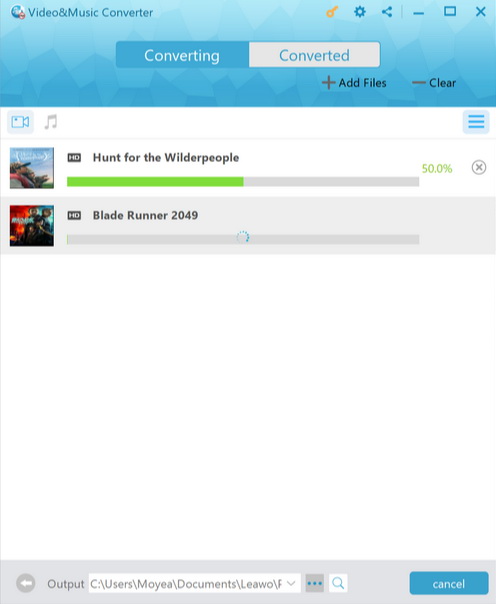
Step 4: Click Convert to start removing DRM and convert the M4V files to MP4.
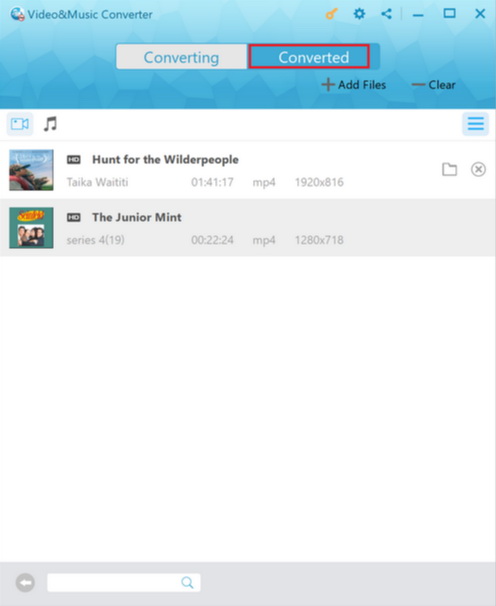
Step 5: Once the conversion is complete, go to the Converted section to access your DRM-free MP4 videos.
4. How to Remove DRM from DVDs
Certain DVDs have copy protection or region code restrictions that stop people from ripping and converting them freely. Many users use DVD ripping software such as Leawo DVD Ripper to convert DVD videos to a format that is compatible with phones, tablets, computers, or media players. Leawo DVD Ripper is a program that can decrypt and rip DVDs to DV or Audio file formats. It can play DVDs, DVD folders, and ISO image files, and also output content to over 180 formats such as MP4, MKV, AVI, MP3, AAC, and more.
Step 1: Under the Convert button, choose "Add Blu-ray/DVD" and pick either a disc or a folder from your drive.
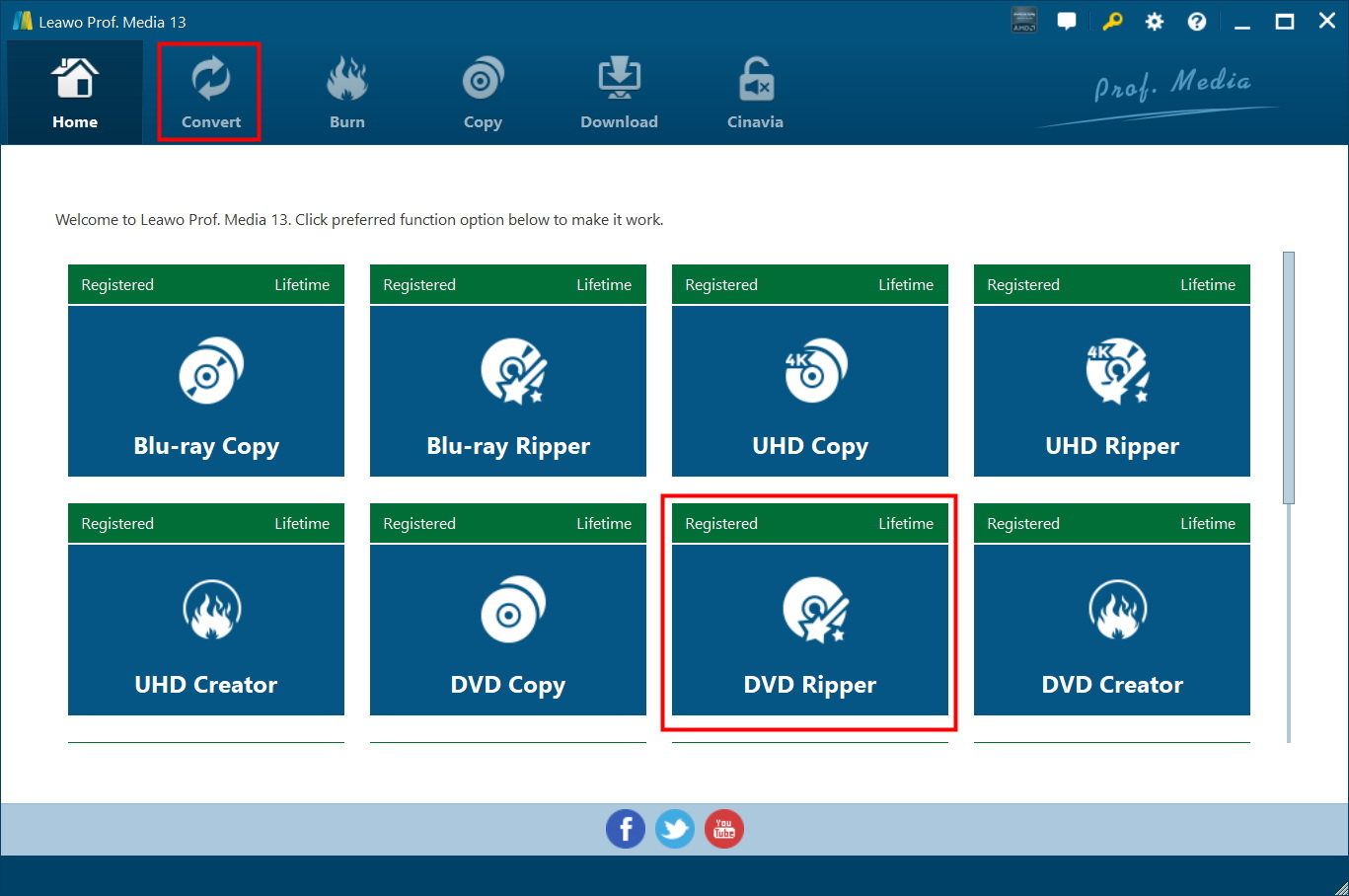
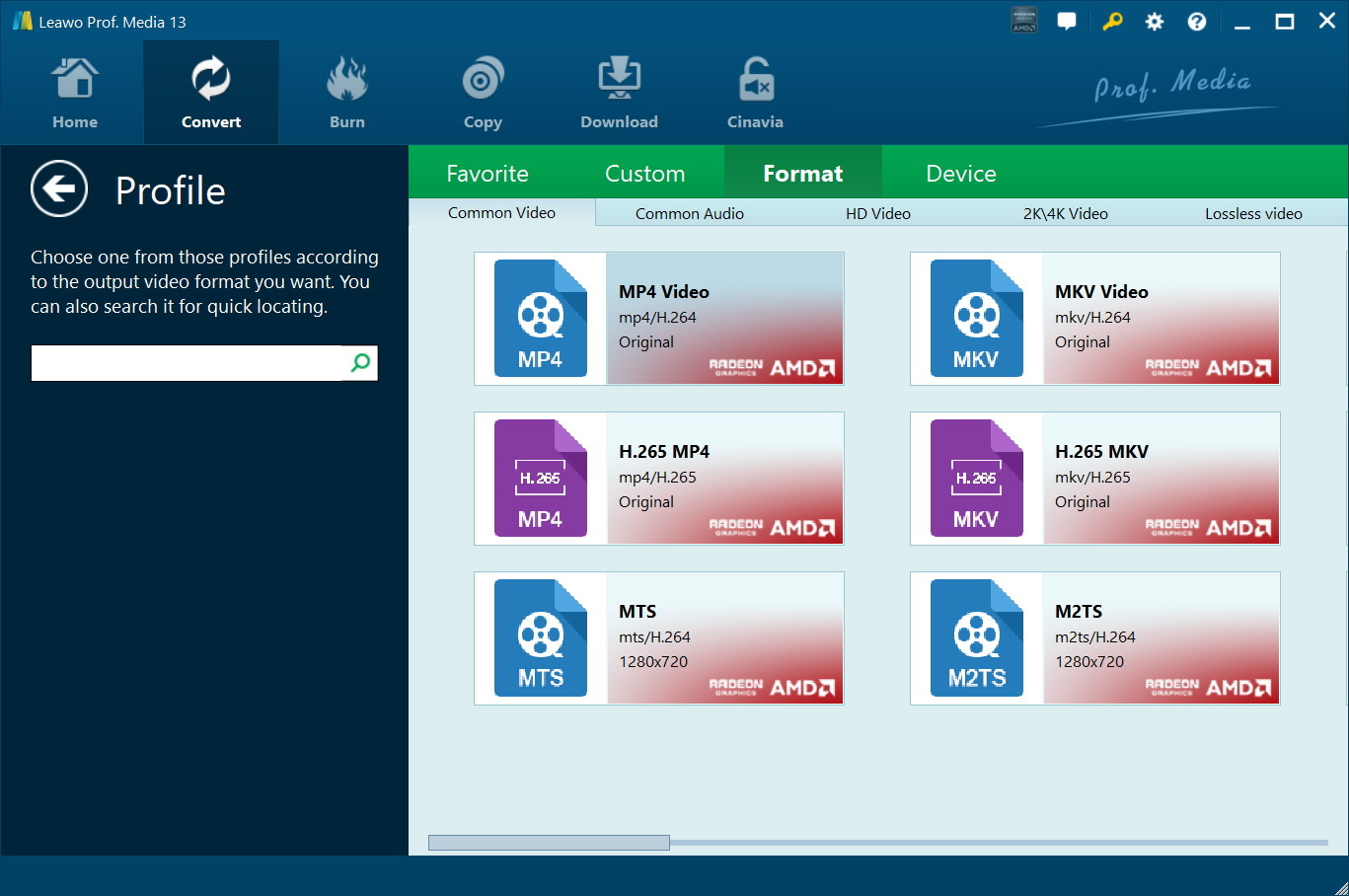
Step 2: Click on the dropdown and "Change" button. Choose any device from a wide range of video and audio formats.
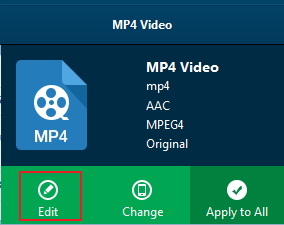
Step 3: Place your mouse over formats for the "Edit" icon. Customise video, audio, resolution and other parameters as desired.
Step 4: Click the “Convert” button at the bottom of the sidebar to begin the conversion. You can click the " Cancel " button during the conversion process to cancel.
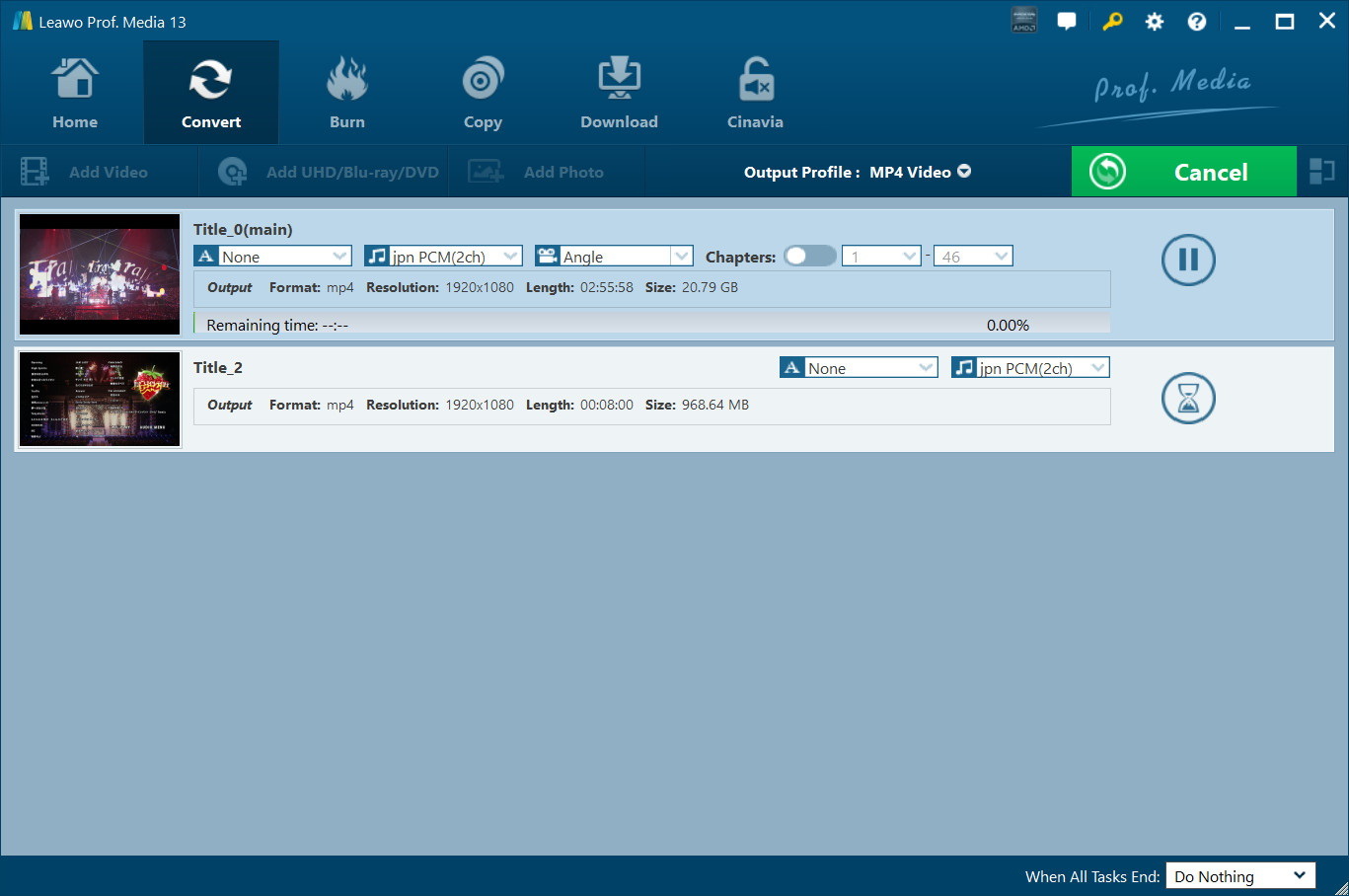
Converting with Leawo is quite simple. You can get your DVD file ready to use on any device in no time and without the hassle of regional restrictions. Its features also make it a great tool for the job.
5. Conclusion
DRM protection is meant to regulate the use of digital videos, but it can also leave many users frustrated who want to watch their content offline. From streaming videos to the protection of DVDs, there are now several tools that make it much easier to manage DRM-protected content. If you’re using a streaming service, there are tools, such as Moyea Downloader, that can help you save videos for offline viewing. Also, Leawo Prof. DRM is a practical solution to remove DRM from iTunes purchases. Additionally, Leawo DVD Ripper provides a more convenient way to convert DVDs to digital formats. Choosing the right technique will depend on the type of video you want to handle.
6. FAQs
Q1. Can all DRM-protected videos be removed?
Not always. Some DRM systems are more sophisticated than others, and some DRM systems may be compatible with some applications but not with others. A reliable downloader like Moyea Video Downloader can help you download most of the DRM-protected content easily.
Q2. Will video quality be lost during DRM removal?
Usually, a good DRM removal software will ensure that the original video quality is maintained to the greatest extent possible. Typically, tools such as Moyea or Leawo Prof. DRM preserves the original resolution, subtitles, and audio tracks during conversion.
Q3. Can I convert Blu-ray or DVD movies into DRM-free video files?
Yes. Physical discs can be ripped onto DVD and Blu-ray using the Leawo DVD Ripper tool to create digital files without DRM, such as MP4 or MKV. This way, you can view the videos on your phone, tablet, computer, or media player without needing the disc.
Q4. What formats are commonly used after removing DRM?
The majority of users transcode videos to widely used video formats, such as MP4 or MKV, as they are supported by nearly all devices and media players.
Q5. Is removing DRM legal?
There may be differences in laws from one country or region to another. Some DRM systems may be in a gray area as to whether they can be removed for personal backup or offline viewing. However, redistribution of protected content is usually prohibited.
 Terms of Use: Moyea is intended solely for personal, educational, and non-commercial archival purposes use. It allows users to save a local copy of videos that they have legally subscribed or purchased. Any commercial utilization, unauthorized redistribution, or online sharing is prohibited. Users assume full responsibility for complying with copyright laws.
Moyea Downloader
 Try for Free
 Try for Free
 Download online videos in up to 8K resolution
Save streaming videos as MP4 or MKV files
Download videos from multiple popular streaming platforms
Batch download multiple videos at once
Support fast and stable video downloading with high compatibility
Related
How to Save YouTube Videos as MP4 Files

Twitch Clip Downloaders Review – Save Twitch Clips with Ease
How to Record Twitch Streams? All Methods Explained
YT Saver Review 2026: Is It Safe, Legit, and Worth Buying?

AnyStream Review After Shutdown & Best Alternative

StreamFab All-In-One Review: Comprehensive Guide


 English
 日本語
日本語