Share article:


StreamFab All-In-One Review: Comprehensive Guide

Updated: 2026-02-26
Related to: Moyea Downloader
30 Views
Summary:
Is StreamFab All-In-One the right video downloader for you? This comprehensive StreamFab All-In-One Review answers with discussion of its features and performance, and gives a great alternative for you to choose from.
Outline
StreamFab All-In-One is a dedicated video downloader for enthusiasts who love to watch movies offline. It helps to download videos from streaming platforms like Netflix, Disney+, Amazon Prime, etc., directly to your computer. But in this market, there are so many similar products, and is StreamFab the one for you? In this StreamFab review, I will discuss the features and performance of StreamFab to see if it fits you.
StreamFab Key Features Overview
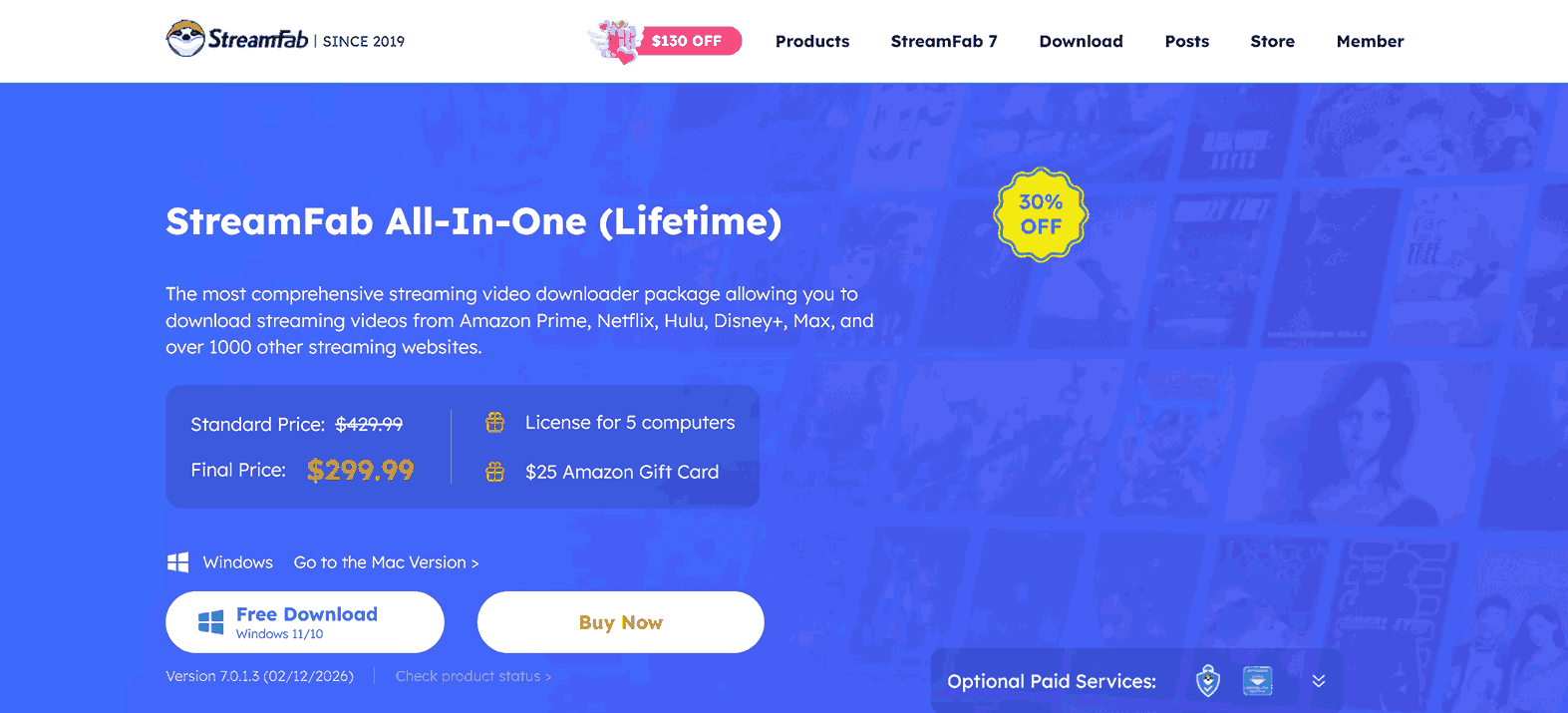
StreamFab All-In-One functions as a centralized tool for downloading content that usually stays locked behind streaming apps. It can bypass the DRM protections and let users save the videos as permanent files. Here are the key features of StreamFab All-In-One
Extensive Platform Support: It covers over 1,000 sites, focusing on major "VIP" services, such as Netflix, Amazon Prime, Disney+, and Hulu, alongside free platforms like YouTube and TikTok.
High-Quality Resolution and Audio: It supports 720p HD or 1080p Full HD video quality, with audio options including EAC3 5.1 or AAC 2.0.
Compatible Formats: Download videos from streaming sites in MP4/MKV formats.
Automatic Ad Removal: The downloader can remove the ads while downloading your videos from streaming platforms.
Bulk Download: It supports bulk download if you like to watch a series or multiple movies without downloading one by one.
Audio Tracks and Subtitles: It saves original audio tracks and subtitles and you have choices to save subtitles as separate SRT files.
User Experience: Real-World Use and Performance
To see if it works fine, I tried to download a movie from Netflix. The whole process is simple. I logged in to my account in the built-in browser and found the movie. Clicked the download button, and the file was saved on my computer. Quality is also clear. However, because I only test with one file, my experience is quite limited. To get a full picture of StreamFab’s performance, I checked a few rate sites where hundreds of other users are saying about StreamFab in their daily use.
From broader feedback, the comments seem a bit like a rollercoaster. Many people like its fast-downloading speed, but some mentioned its instability. Due to constantly updating of streaming sites like Netflix, Amazon Prime, etc. StreamFab must follow the path to successfully download the videos on the site, which means sometimes it works this day but does not function on another day. Also, I found quite a few users mentioned the downloads suddenly dropped to lower quality or that the software felt cluttered with too many pop-ups. All these make me feel StreamFab is a powerful tool, but users may need some patience to deal with the occasional bugs and updates.
Pros and Cons of StreamFab
StreamFab is a good video downloader, but it does not mean it is perfect. It also has some drawbacks that may affect your decision to use it. So, here I list some pros and cons to help you better understand it before you making comment.
Pro:
Fast Downloading Speed: You can spend only 10 to 2n minutes to download a high-quality movie.
5-Computer License: One lifetime purchase of StreamFab All-In-One grants 5 computer uses.
Ads Remove: All the ads will be removed during the downloading process.
Simple Interface: The intuitive UI is simple to use for everyone, even non-tech users.
Cons:
Very Expensive: The price of StreamFab All-In-One is high at $299.99, which is higher than most similar products on the market.
Download Limits: You are capped at 50 downloads per day and 350 per week, which can be frustrating for heavy users.
Tedious Language Settings: You have to manually select audio and subtitle tracks for each video because the software doesn’t remember your preferences.
Frequent Breakages: When sites like Netflix or Amazon update their security, StreamFab often stops working until a new patch is released.
Is StreamFab Safe & Legal to Use?
From a security standpoint, StreamFab is a clean software and is run by reputable DVDFab. It has no viruses or malware that would put you at any risk. But, on the condition that you download the software from the official website, and the software is not modified by a third party. Regarding the legal side, as long as you don’t spread, share, or sell the downloaded content to the public, I think the offline watching is fine (although in some countries, it is illegal to circumvent DRM in any case).
Best StreamFab Alternative: Moyea
If you feel like StreamFab’s $299.99 price tag is too much for you, you are not alone. I found there is no yearly plan on the page, so many people other pushed to choose the expensive lifetime option. If you want a more flexible, budget-friendly option, Moyea Downloader is a perfect alternative.
Moyea gives more cost-effectiveness. While StreamFab is nearly $300, Moyea’s full suite costs $164.95 for a year or $249.95 for a lifetime license. The better thing is, if you want to buy a separate module like Moyea Paramount Plus Downloader or Moyea Disney Plus Downloader, right now, you can spend only $41.96 a year to get it. This "only pay for what you need" is much wiser than buying the whole StreamFab suite.

-
– Enable users to download online videos/live streams from 1000+ sites easily at high speed.
– Download 8K video and 320 kbps audio without quality loss.
– Download TV series episodes of all/certain seasons at once.
– Save downloaded online videos to MP4/MKV/WEBM format.
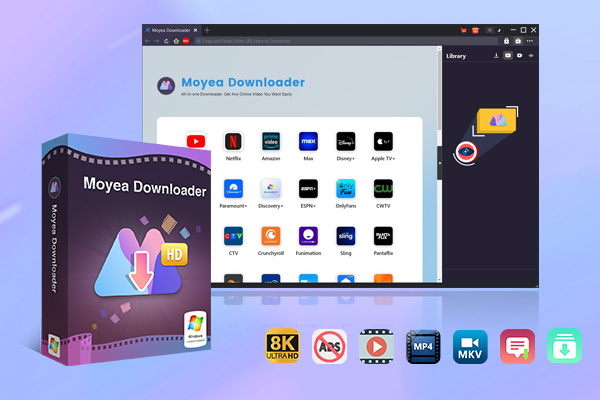
Beyond the price, Moyea stands out with a few unique advantages:
Integrated Recorder: Moyea has a built-in recorder that you can use to record video when there is an accident that you cannot bypass the DRM.
Up to 8K Support: Moyea’s quality is superb. You can download up to 8K resolution from sites like YouTube.
No Strict Limits: You don’t have to worry about the 50 downloads per day.
Complete Toolset: Remove ads, bulk downloads, and save separate SRT/SUP subtitles, etc. All the features that are complete to get.
How to use Moyea Downloader
If you have never used Moyea Downloader, don’t worry, it is simple to use. Follow the steps below to get started.
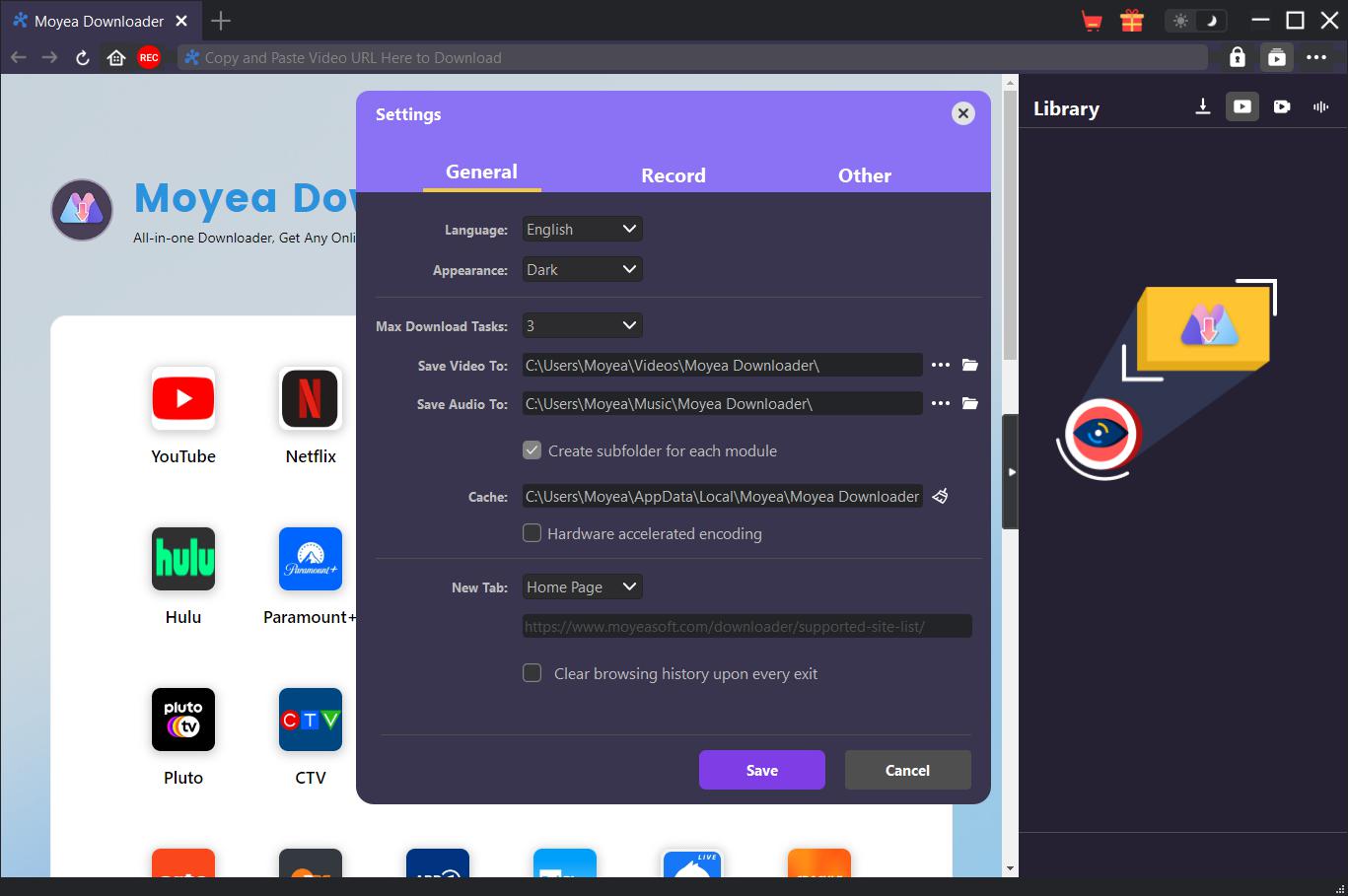
Step 1: Set Output Directory
Open Moyea Downloader and click on the three dots at upper right corner to enter Settings. In the pop-up window, change the output folder to your preferred one.
Step 2: Play Target Video
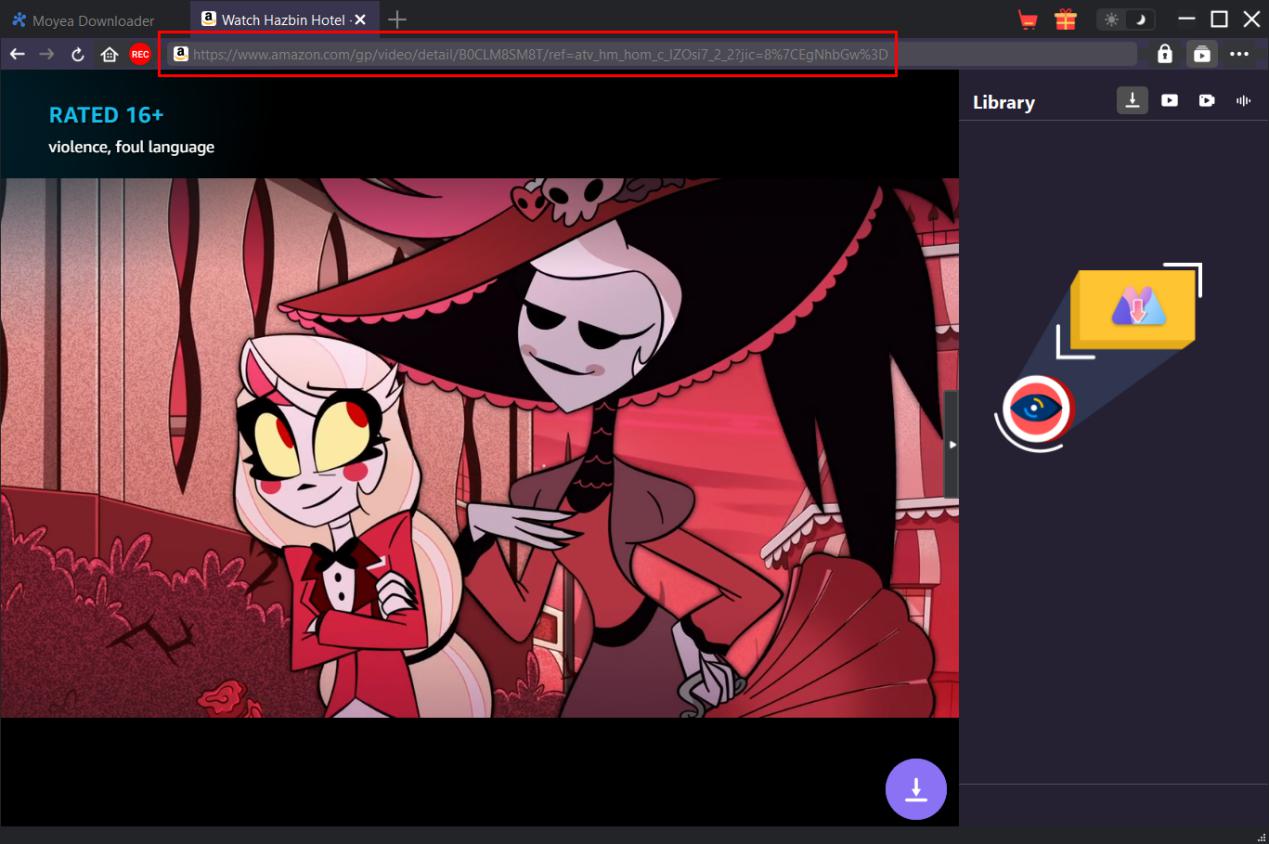
Log in to the streaming platform in the built-in browser. You can copy and paste the video URL to Moyea Downloader, or you can search for the title directly. Play the video to let the downloader parse it.
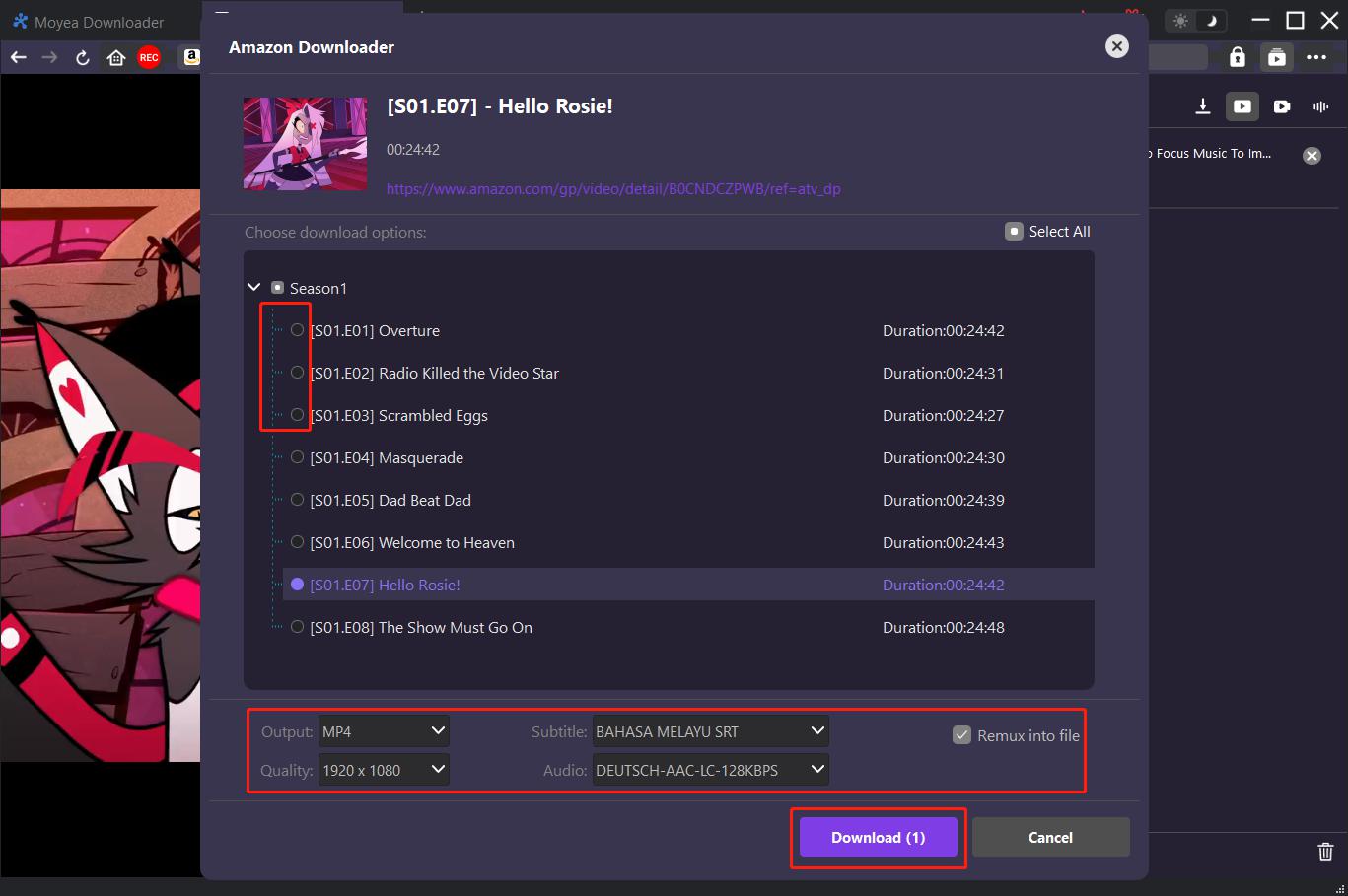
Step 3: Choose Video to Download
After parsing, you can see the list of downloadable resources. Just choose the video and click on the Download button to start.
FAQs
1. Is StreamFab all in one worth it?
StreamFab’s All-in-One downloader is worth it for those using multiple streaming sites to offer high quality downloads and ads-free offline watching. But if you use a single platform, it may not suit you.
2. Is all-in-one video downloader better than single-platform downloader?
This depends on your habits. If you only use Netflix, then the single-platform downloader (e.g., Moyea Netflix Downloader) is much cheaper. If you use multiple streaming platforms, then an all-in-one downloader is better to put everything you want to watch in one place.
3. What is the free alternative to StreamFab?
If you don’t want to pay for the downloaders, many free options exist for you to choose from, like Y2Mate, ttok, etc. However, the features are limited compared with the dedicated StreamFab.
Conclusion
StreamFab All-In-One is a high-performance video downloader to choose. However, the high price of $299.99 doesn’t fit anyone. If you want a cost-effective option, Moyea is a great alternative that you don’t want to miss, with equivalent features and a lower price. Anyway, no matter what you choose, these two tools will successfully liberate your favorite content for seamless offline viewing.
 Terms of Use: Moyea is intended solely for personal, educational, and non-commercial archival purposes use. It allows users to save a local copy of videos that they have legally subscribed or purchased. Any commercial utilization, unauthorized redistribution, or online sharing is prohibited. Users assume full responsibility for complying with copyright laws.
Moyea Downloader
 Try for Free
 Try for Free
 Download online videos in up to 8K resolution
Save streaming videos as MP4 or MKV files
Download videos from multiple popular streaming platforms
Batch download multiple videos at once
Support fast and stable video downloading with high compatibility
Related



 English
 日本語
日本語