Share article:


TunePat VideoGo All-in-One Review: Is It the Best Video Downloader?

Updated: 2026-02-24
Related to: Moyea Downloader
20 Views
Summary:
This article gives an in-depth review of TunePat VideoGo All-in-One with its features, prices, performance, and a better alternative.
Outline
- What Is TunePat VideoGo All-in-One?
- Key Features Overview of TunePat VideoGo All-in-One
- How to Use TunePat VideoGo All-in-One
- Pricing Plans & License Options
- Pros and Cons of TunePat VideoGo All-in-One
- Is TunePat VideoGo All-in-One Safe & Legal to Use?
- TunePat VideoGo All-in-One Alternative
- Conclusion
Finding a reliable way to watch content offline from multiple streaming services is challenging. That’s why this TunePat review comes in. Searching on Google, you can find TunePat VideoGo All-in-One rates at one of the tops. It is popular for downloading videos from Netflix, Disney+, Amazon Prime, etc. However, even though it claims to offer a smooth, DRM-free watching experience, is it really the one for you? In this review, I will explore its features and performance to let you make an informed decision.
What Is TunePat VideoGo All-in-One?
TunePat VideoGo All-in-One is a comprehensive video downloader that can bypass the download restrictions and expiration dates of major streaming services. As a centralized hub, it supports downloading content from 1000+ websites, including popular premium subscription streaming platforms like Netflix, Disney+, and Amazon Prime, and social media like YouTube, TikTok, and more.
The essence of this software is to download the video from the platforms and convert it into a permanent, DRM-free video file so that users can watch anytime offline and transfer the downloads to any device for flexibility.
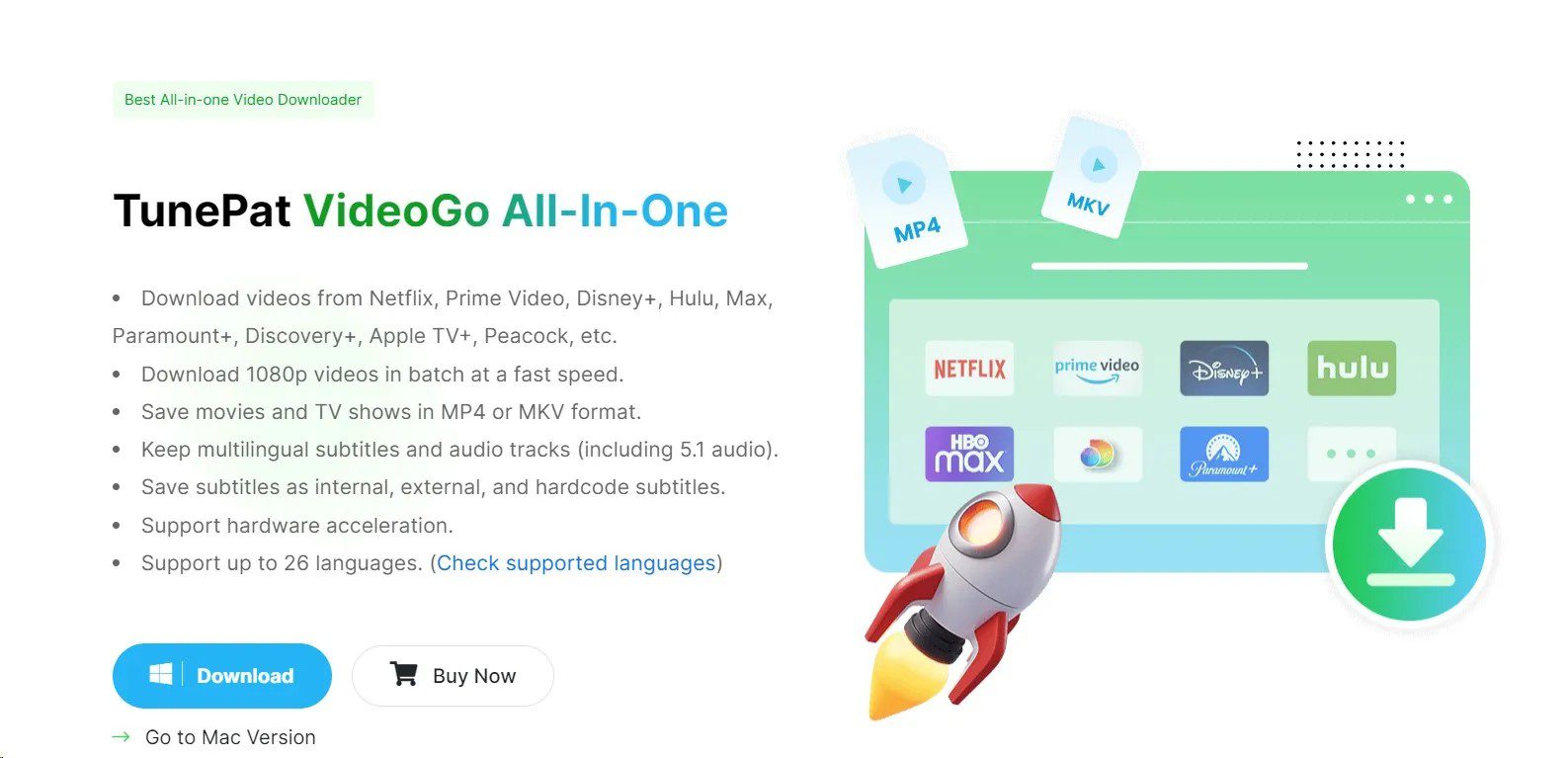
Key Features Overview of TunePat VideoGo All-in-One
If you have never used this software, you may wonder what it can bring to you. As a video downloader, TunePat VideoGo All-in-One is designed to save your favorite shows on your device. Let’s have a look at what it offers:
Many Sites Supported: TunePat support download from Netflix、Prime Video、Disney+、Hulu、HBO Max、Paramount+, and Discovery+. You can also use it to download from YouTube、Facebook、Twitter、XboxClips、CBS、Dailymotion、TikTok、Vimeo, etc. for free.
High-Quality Output: For most premium streaming services, you can download 1080p HD video, and if you download from YouTube and some other social media, it can handle 4K, even 8K videos (as long as the original videos are high quality enough).
Original Audio & Subtitles: TunePat can save 5.1 surround sound and allows you to keep multiple audio tracks and subtitles in different languages (you can even save subtitles as separate SRT files or just build them into the video file)
Flexible Video Coding: You can choose H.264 or H. 265 encoders. H. 265 can keep the video at high quality while reducing the video file size to save space.
Universal Formats: Everything is saved as MP4 or MKV files that you can transfer your downloaded videos to literally any device to play.
Record Anything: It is not only a recorder, but it is also an advanced recorder. If a website does not allow you to directly download video, you can use the built-in recorder to record the video.
How to Use TunePat VideoGo All-in-One
Before learn how to use TunePat VideoGo All-in-One, you should note that if you want to download videos from premium sites like Netflix, Disney+, etc., you need an active subscription. But, if you only need to download from social media like YouTube, the subscription is not needed. Below are the steps.
Step 1: Choose Your Platform & Log In
Open the software and choose the platform that you want to download from. The software will lead you to the built-in browser to let you log in to your platform account, like Netflix. This allows the software to "see" the videos available for download.
Step 2: Adjust Your Settings
Before searching the video, click on the gear icon at the upper right corner to enter the Settings. Here, you can choose the output directory, output formats from MP4/MKV, encoders H.264/H.265, subtitles, and other parameters.
Step 3: Search and Select Videos
You can copy and paste the video URL to the built-in browser or search the title directly in the browser. Click on the green down arrow button and choose the episodes if it is a TV series (or download in bulk).
Step 4: Download Video
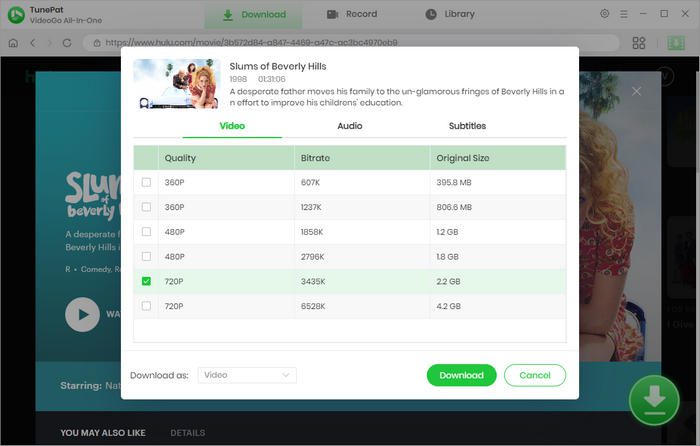
After that, choose the video quality from the list and click on the green download button to start.
Pricing Plans & License Options
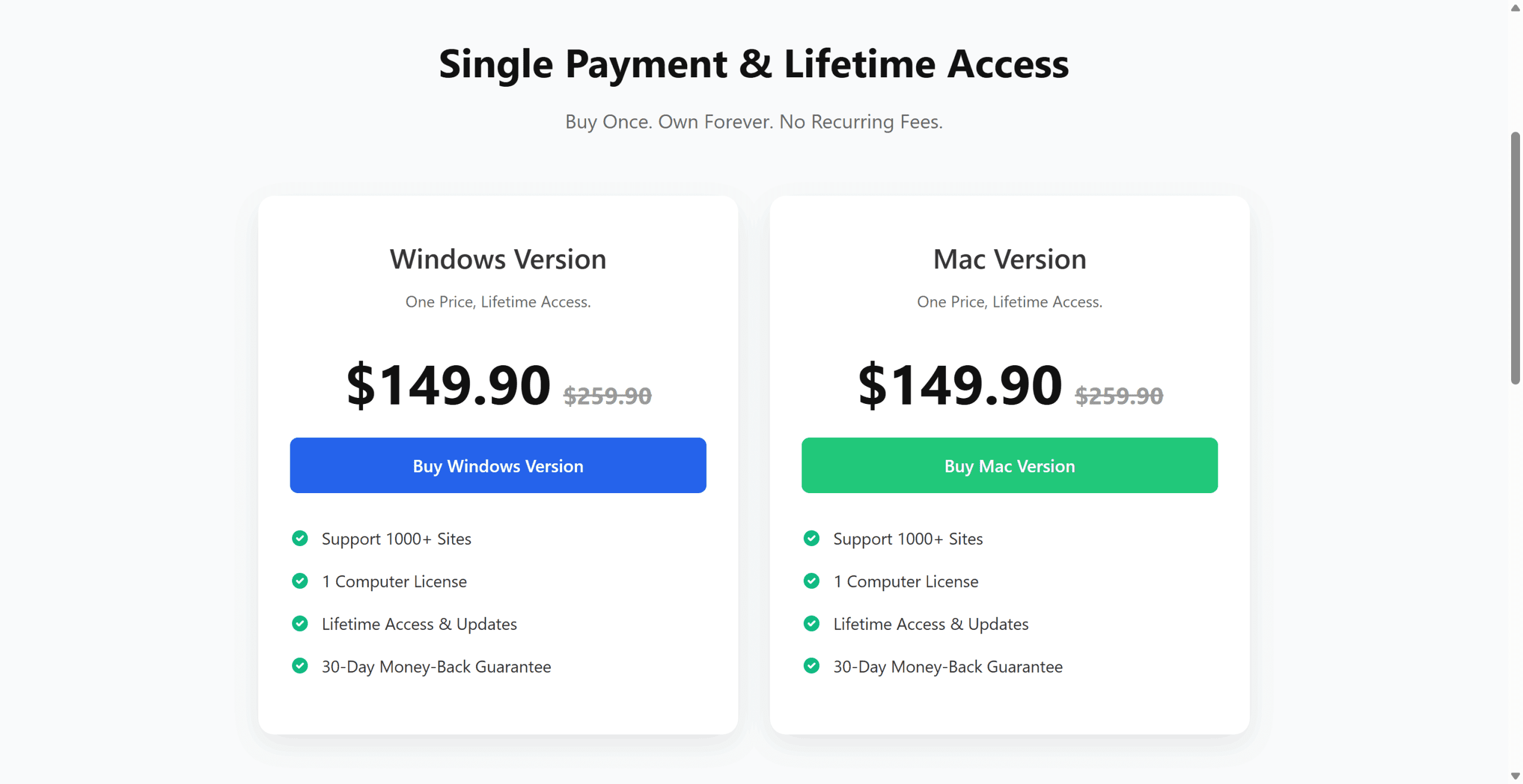
If you wish to download a couple of movies for your trip on the weekends in a cheap way, then the prices of TunePat will shock you. Unlike many other downloaders that offer a monthly plan, TunePat only offers lifetime plans ($149), which are expensive. TunePat VideoGo All-in-One is clearly designed for long-term users with deep pockets.
Pros and Cons of TunePat VideoGo All-in-One
After spending some time with this software and checking the real user comments, obviously, TunePat VideoGo All-in-One is a bit of a mixed bag. Although it is helpful, the negative comments are noticeable, so probably you should take some time to check out this software before you actually buying it (you can have a free trial). Here is the good, the bad, based on my experience and recent user feedback:
The Pros:
It is convenient that TunePat can manage downloading videos from multiple premium sites without needing to open them one by one.
Nice download speed to save much time, especially for long TV series.
High-quality download with hi-fi sound for playing on the TV.
Even if I am not a tech person, I can still use it right away with its simple interface.
The Cons:
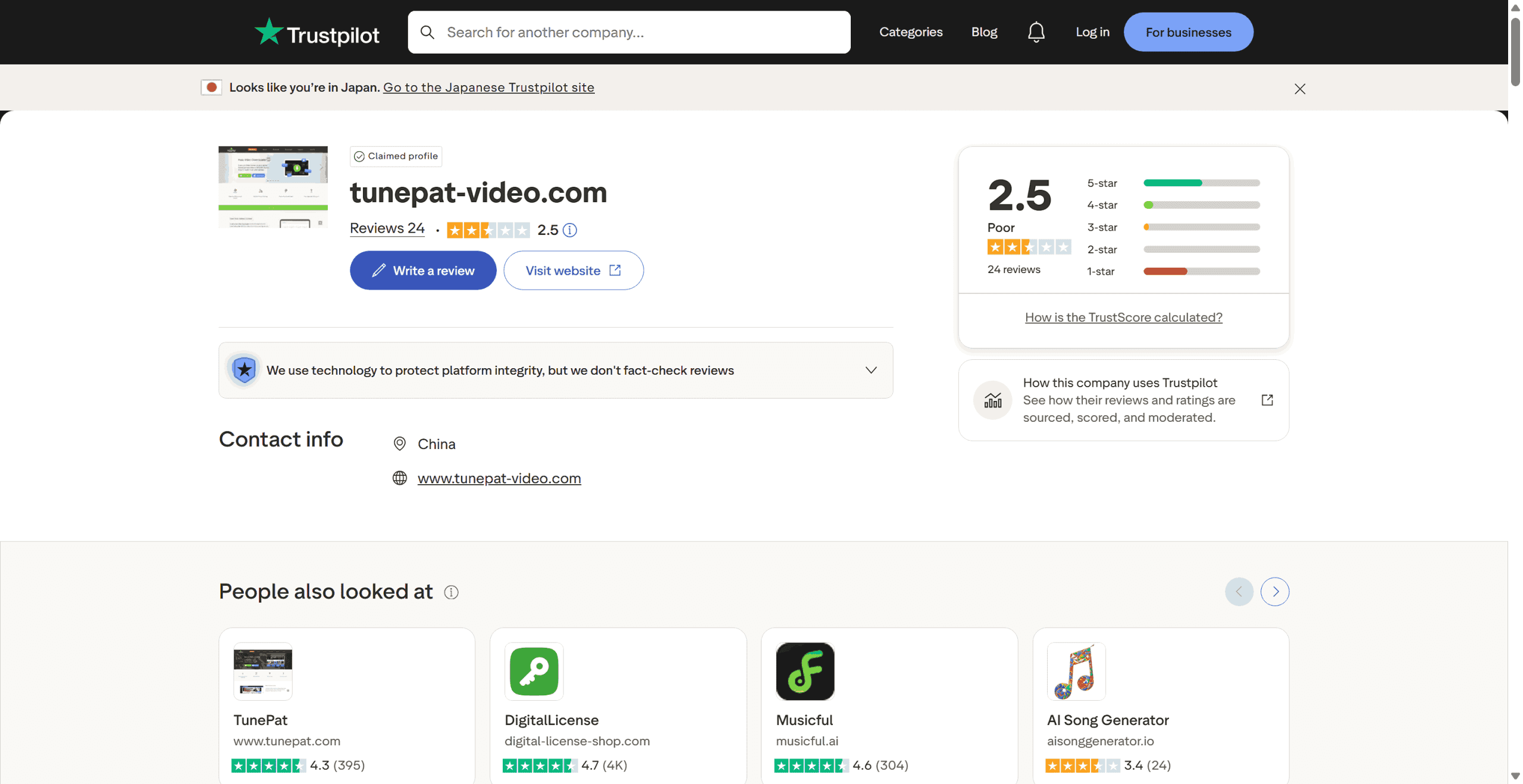
If you checked out on Trustpilot, the rate on tunepat-video.com is only 2.5, which is quite a red flag for software at this price.
Software is unstable. Sometimes it crashes, especially when downloading from Netflix.
Several users report that its customer support is slow. When problems arise, the company doesn’t reply to the email, and need a long time to solve them.
Inconsistent quality is also a problem. Sometimes, even if it says 1080p, the actual file quality may not meet expectations.
Too expensive without monthly plans for light users.
Is TunePat VideoGo All-in-One Safe & Legal to Use?
TunePat is safe to use. It’s just essentially a browser that’s been modified to download video, and they claim they don’t mess with your login credentials or anything. However, I have to be honest with you that a 2.5-star rating on Trustpilot is hard to ignore. While the software is not going to give your computer a virus, the situations about people who paid a ton of money for the software only to have it crash or stop working really bother. So, yeah, it’s safe, but maybe not the most reliable software out there.
As for the legal issues, TunePat is strictly for personal use only, and it’s designed to help you save videos so that you can watch them offline. As long as you’re not trying to sell these videos or distribute them online, no one is going to come knocking on your door. But note, in some countries, the act of circumventing DRM is technically illegal, no matter what your reason for doing it is, so you’d better check out the law before downloading them.
TunePat VideoGo All-in-One Alternative
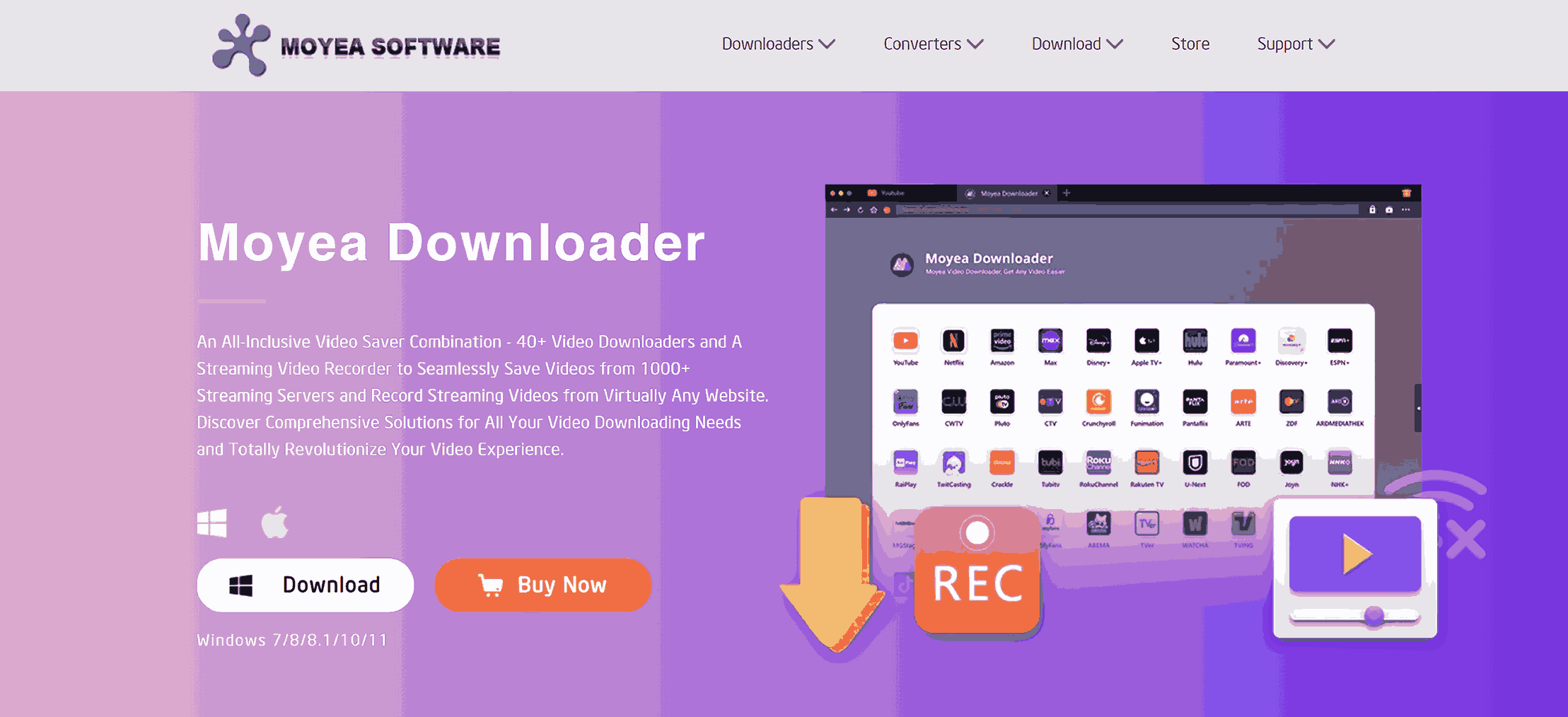
If you don’t want any frequent parsing failures and annoying crashes, it is time to know a better alternative: Moyea Downloader. While TunePat video gets only 2.5 stars on Trustpilot, Leawo gets 4.0 stars, which is praised for having more stability and giving you equivalent features.
Moyea stands out for its stronger sheer scale and flexibility. Compared with TunePat, which only offers a few main streaming services’ separate purchases and a bundle for only 25 modules, Moyea allows you to buy 40+ modules, no matter whether you are looking for a Moyea Paramount Plus Downloader, Moyea Disney Plus Downloader, other main streaming platforms, or niche ones like U-Next, BiliBili, or Dailymotion, you get it with affordable prices. Or, if you are a serious collector, the $249.95 Lifetime All-in-One plan lets you have all the platforms unlocked, which is unparalleled good value for money.
The most important thing is that Moyea gives a stable, lossless quality compared with TunePat’s final video, which doesn’t live up to expectations. You can download from 1080p to up to 8k videos without any "quality lottery" feel.
Conclusion
After testing TunePat VideoGo All-in-One, I can honestly say it is a helpful tool for those who want a simple solution. But since it may be a bit unstable and focus on a few main streaming sites, for those who want more than this, I personally recommend Moyea Downloader. Moyea’s 40+ modules individual purchase is comprehensive for all the user needs, and its stability is a huge plus. If you still hesitate to choose, you may just download both to have a trial to decide which one to use.
 Terms of Use: Moyea is intended solely for personal, educational, and non-commercial archival purposes use. It allows users to save a local copy of videos that they have legally subscribed or purchased. Any commercial utilization, unauthorized redistribution, or online sharing is prohibited. Users assume full responsibility for complying with copyright laws.
Moyea Downloader

 Try for Free
 Try for Free
 Download online videos in up to 8K resolution
Save streaming videos as MP4 or MKV files
Download videos from multiple popular streaming platforms
Batch download multiple videos at once
Support fast and stable video downloading with high compatibility
Related






 English
 日本語
日本語