Last updated on 2026-03-17, by
Download PBS Videos Easily: From Public Clips to Passport Shows
Summary:
In this article, we shared different methods to download PBS videos. From easy apps and web tools to powerful desktop and command-line solutions, you have multiple options. We will compare each method’s ease, cost, and limitations to help you pick the best option.
If you are an avid fan of watching PBS content, you are probably aware of how amazing their content is. The only problem is that sometimes you want to watch your favorite episode, either offline or want to share it with others, and that’s where things get complicated. There is no download button and this is the problem many users face daily.
In this article, we are going to share straightforward ways on how you can download your favorite PBS video, whether it’s available for public viewing or even available on their “Passport.” So, by reading this article, you will be able to enjoy watching your favorite PBS content anywhere, anytime, even without an internet connection. Lets begin;
OutlineCLOSE
1. Can You Download PBS Videos Normally?
If you go to the PBS website or open the PBS App, you’ll notice something right away: there isn’t a simple “Download” button for most videos. Unlike some streaming platforms, PBS mainly lets you watch videos online while connected to the internet. So, yes, you can stream PBS shows, but you can not download them. You can only watch videos inside the browser or the app, you can not save as files on your computer or phone.
However, that doesn’t mean you have no options at all. Some PBS content can still be saved for offline viewing inside the app, and in other cases, there are tools people use to download publicly available clips. The exact method often depends on the type of video you’re trying to watch. We will share some reliable download methods next.
2. Best Ways to Download PBS Videos
As there is no Download button normally, we recommend that you use one of the below methods to download PBS videos.
2.1 Method 1: Using A Third-party Downloader (Recommended)
Sometimes you may not get a download option from the official website. For this reason, a third-party video downloader is used to download a video that you are allowed to view online. A third-party video downloader that you can use is Moyea Video Downloader. It’s a very reliable video downloader that can help you download a video from PBS to MP4 or MKV format, so that you can view it even without an online connection. This is how it works: you are allowed to view a video online, or you can paste the link in Moyea Downloader to download the video. This downloader works on both Mac and Windows computers. Not only can you download videos from PBS, but also from 1000+ online video streaming websites, such as YouTube, Facebook, Instagram, TikTok, and many more. Lets see how to use this tool to download PBS videos.
Steps to Download PBS Videos with Moyea Video Downloader
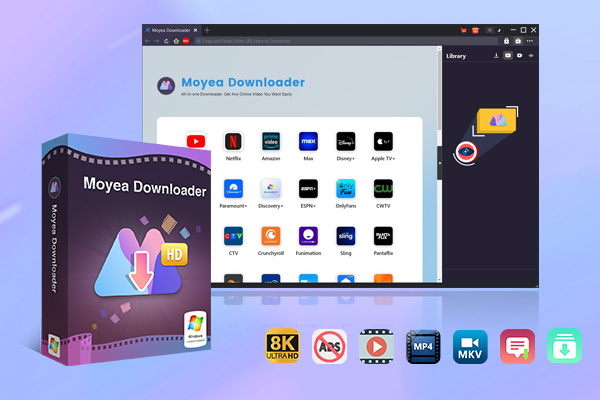
Step 1: First, you need to go to the Moyea Video Downloader official website and download the software.

-
– Download videos from 1000+ websites.
– Support to download videos in batches at up to 8K resolution without ads.
– Pack captions into output video file, or save captions as independent SRT/SUP files.
– Record any online video as high-quality 1080P MP4 or MKV files.
– user-friendly and multilingual settings.
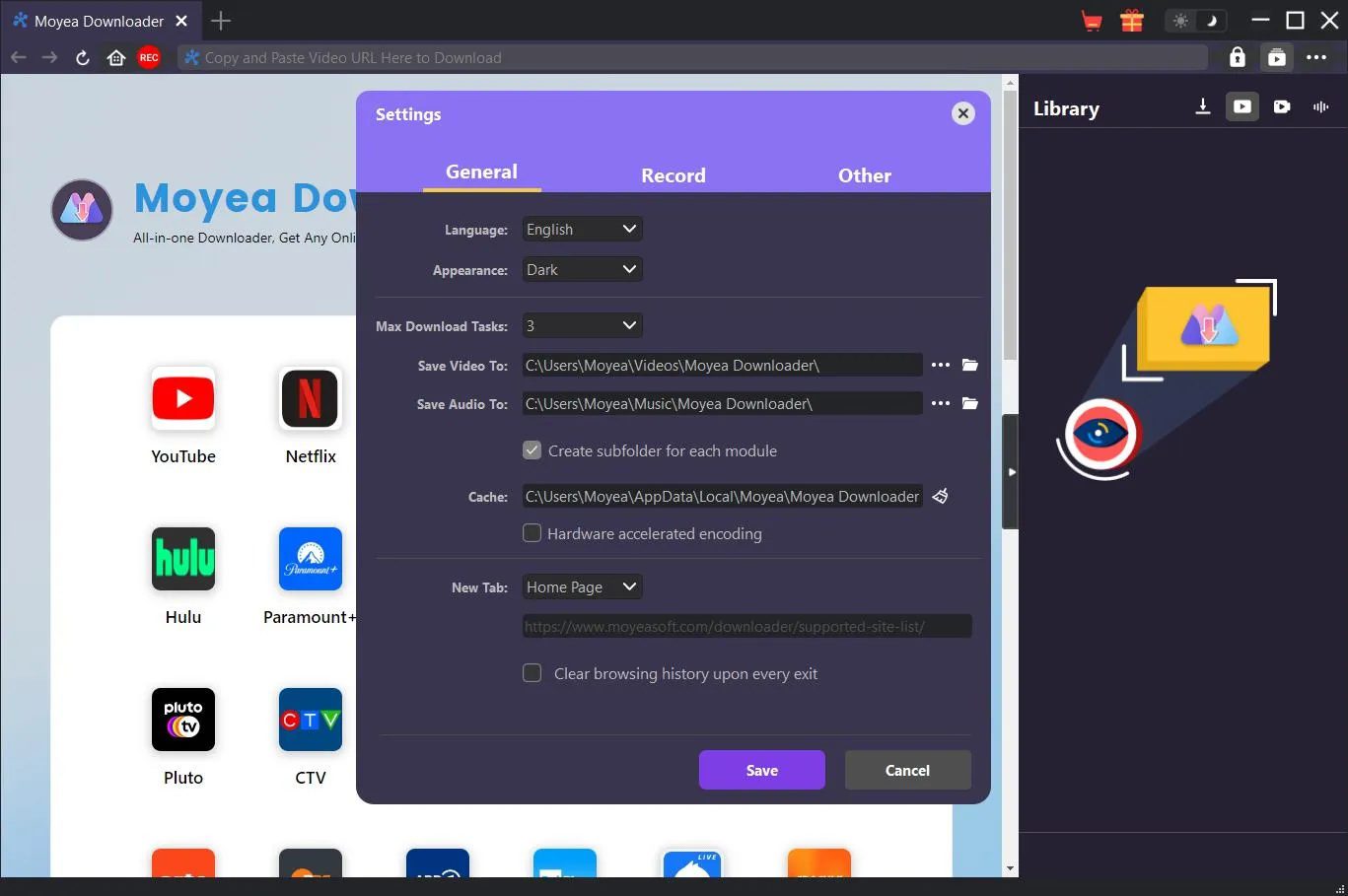
Step 2: Next, choose a location where the video is downloaded. Do this by clicking on the three dots () button inside the software, and choose settings. In the General settings area, you can then choose your downloading folder. After choosing it, press Ok.
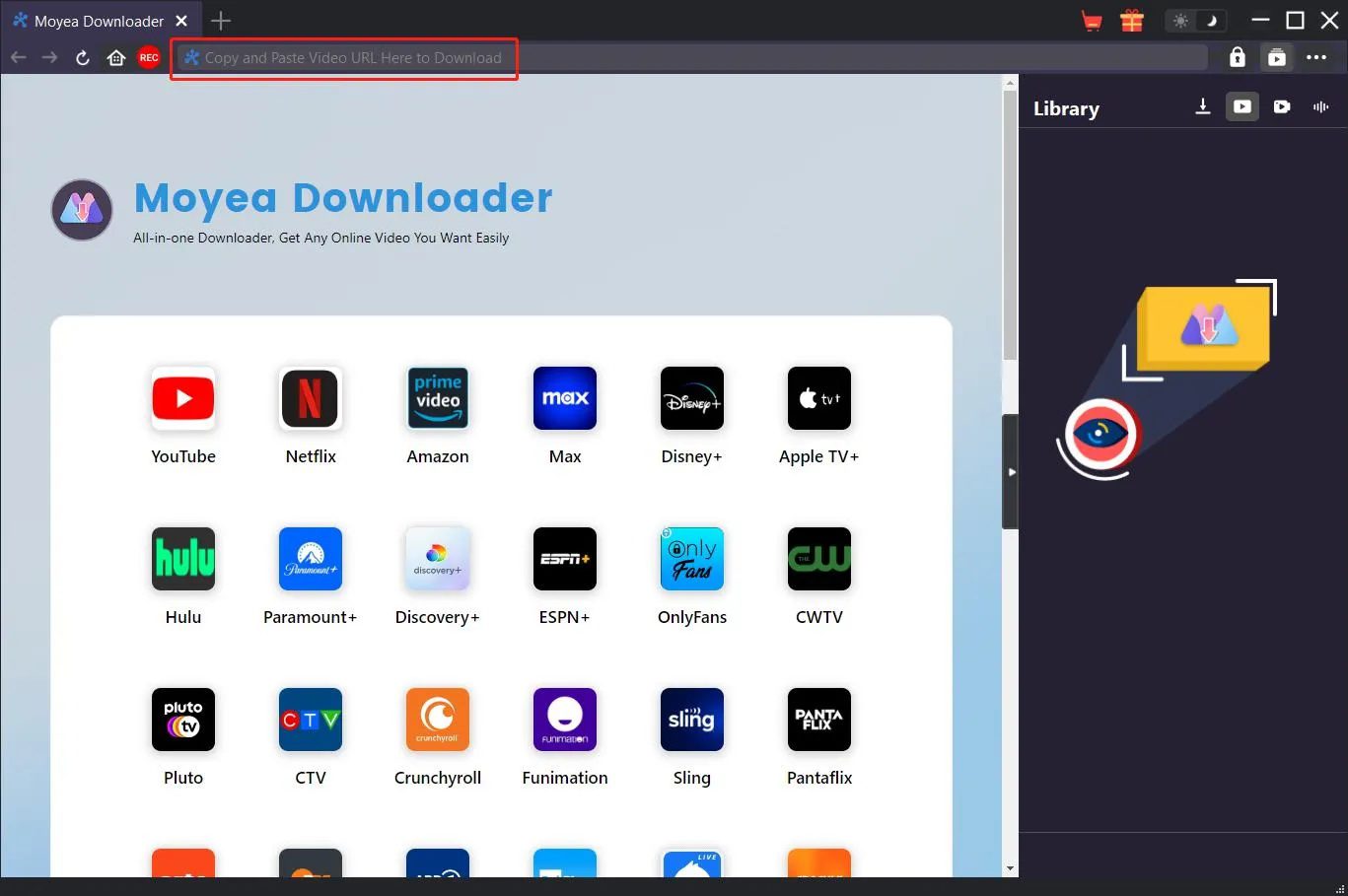
Step 3: After everything has been done, have the PBS video opened up in a Web browser and then copy its URL, or you can just have the PBS page loaded inside of Moyea and find the video from within the program. Then start playing the video.
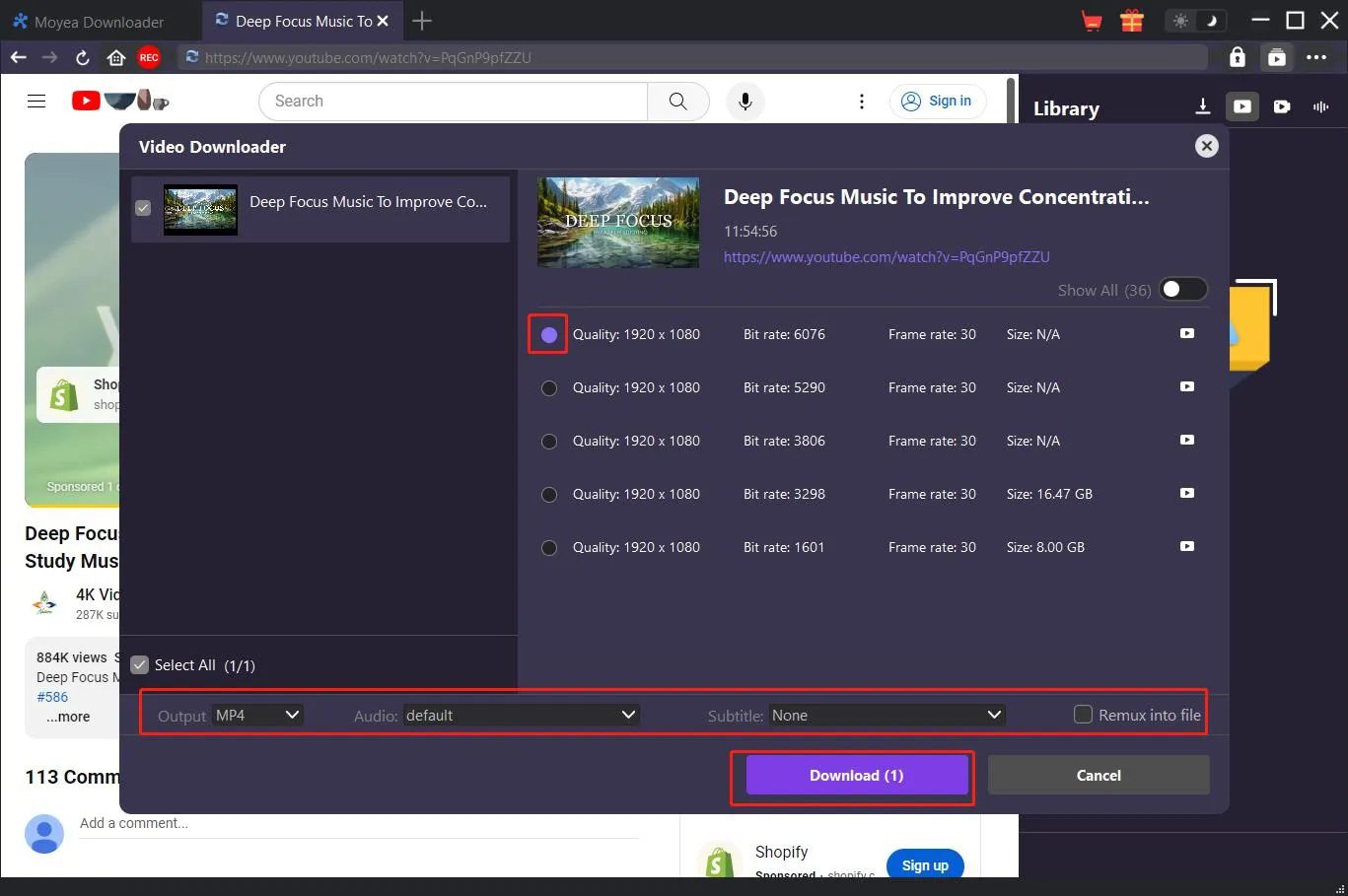
Step 4: After a couple of seconds, the tool will detect the video and will show you a variety of downloading choices like quality, format, and size. Choose your favorite one and press download.
Tip: If subtitles are available, you can download them as a separate file or include them inside the video.
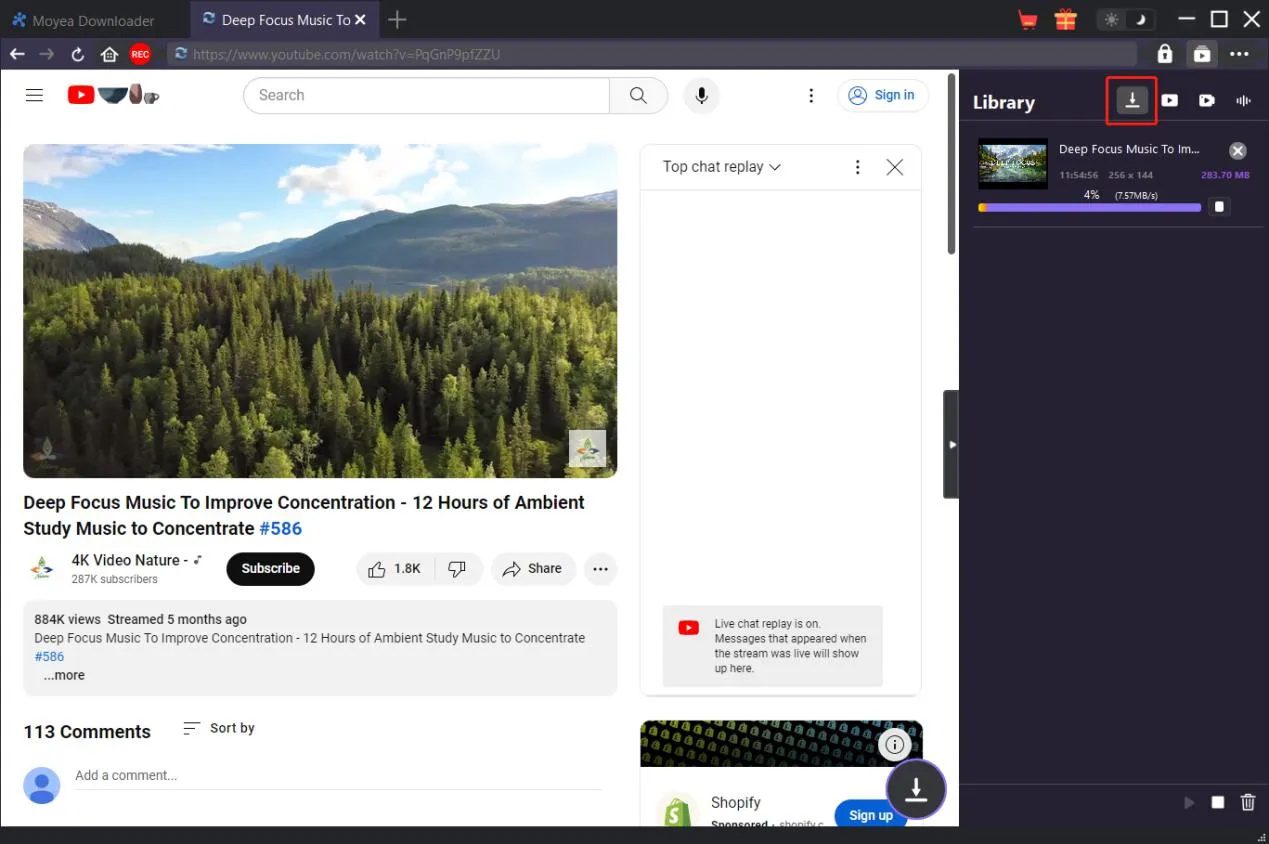
Step 5: You can see the progress in the Downloading section on the right side of the program. You can also pause, stop, or manage your download tasks if needed.
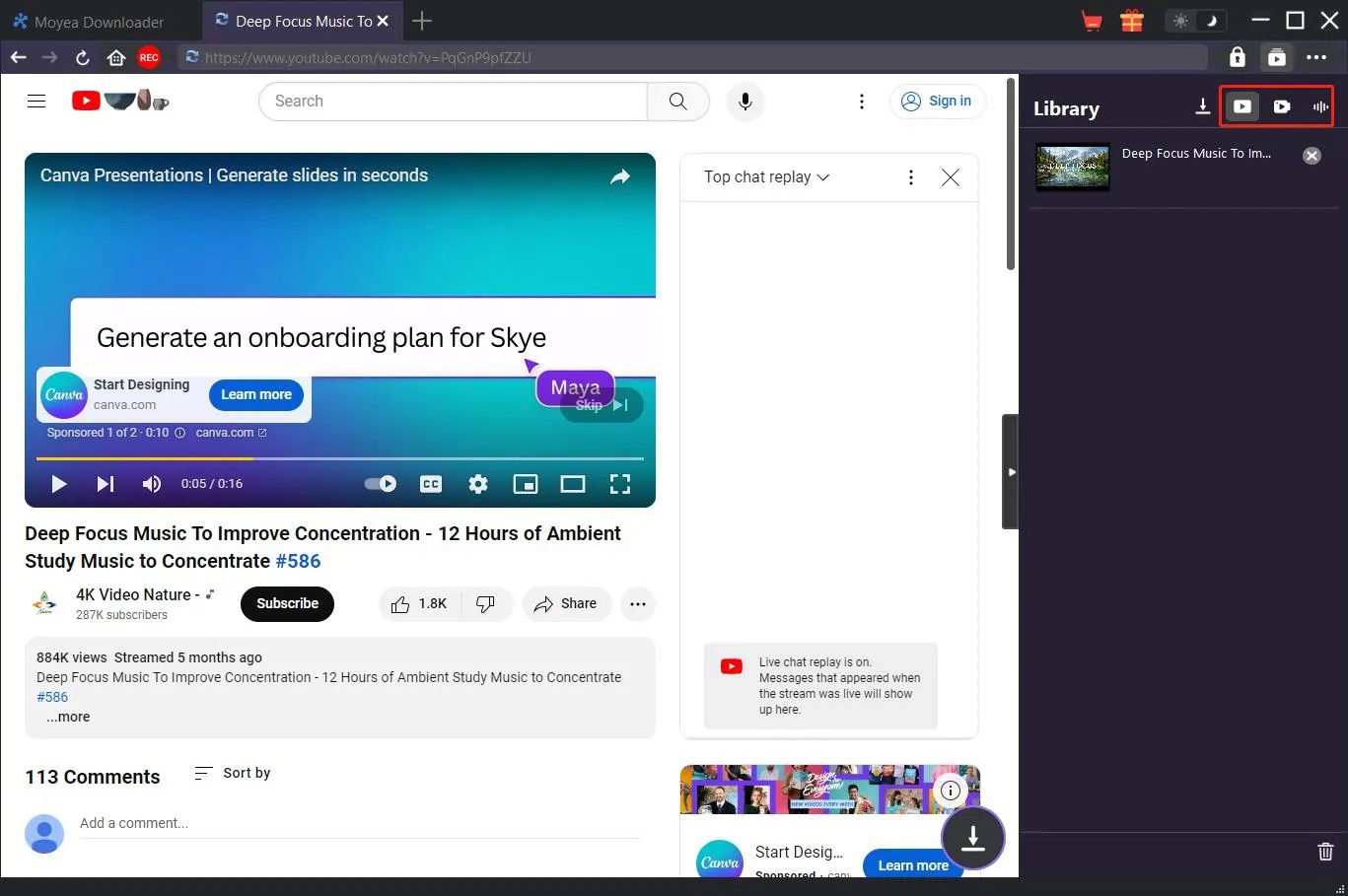
Step 6: After the download finishes, you can see the video in the Downloaded section.
2.2 Method 2: Free but Technical — Using yt-dlp
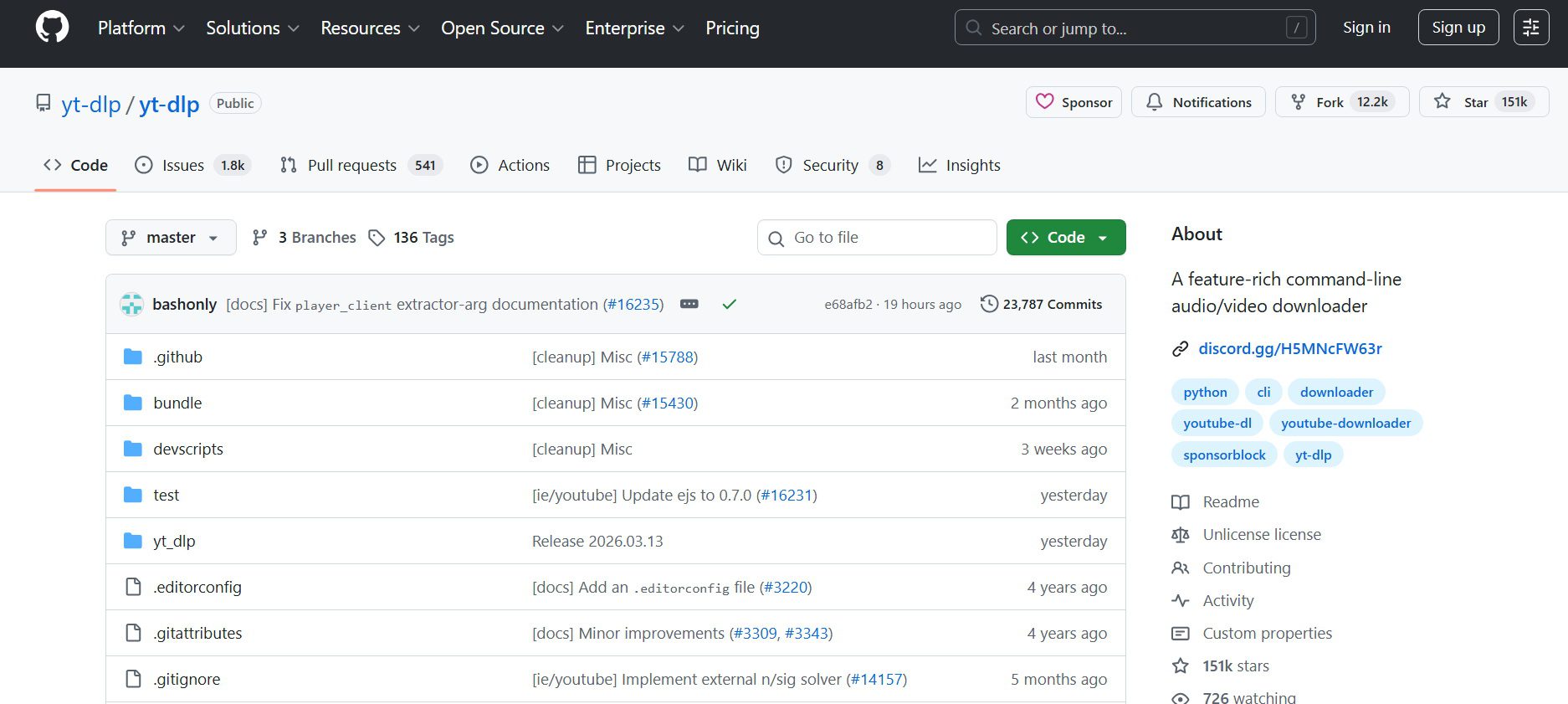
If you are comfortable with basic tech and want a free solution, the next option for downloading PBS videos is the "yt-dlp" program. It’s a command-line program that’s very popular with video archivers to download video content from almost any website, including PBS. Here’s how to use it:
- Step 1: Install yt-dlp. If you have Python installed, go to the command line and enter pip install yt-dlp
- Step 2: Now, copy the link of the video from the PBS website.
- Step 3: Run the command. At the command line, enter yt-dlp [PASTEYOURURL_HERE]
- Step 4: After taking some time, it will compile and download the audio as well as the video.
For any videos that require you to log in (Passport), yt-dlp will require you to collect your cookies from the browser and then pass those over in the command, such as-cookies-from-browser chrome. This is often where people will have difficulty.
2.3 Method 3: Official PBS KIDS Video App
If your main goal is to let kids watch PBS shows offline, like during a car ride or on a trip, the official PBS KIDS Video app is the simplest and safest way. Here is how this works.
Steps to Download Videos in the App Via the Official PBS kids Video APP
- Step 1: Open the PBS KIDS Video app on your phone.
- Step 2: Find the show you want to download.
- Step 3: Look for the download icon (a downward arrow) next to specific episodes. Once found, click that to download the PBS video.
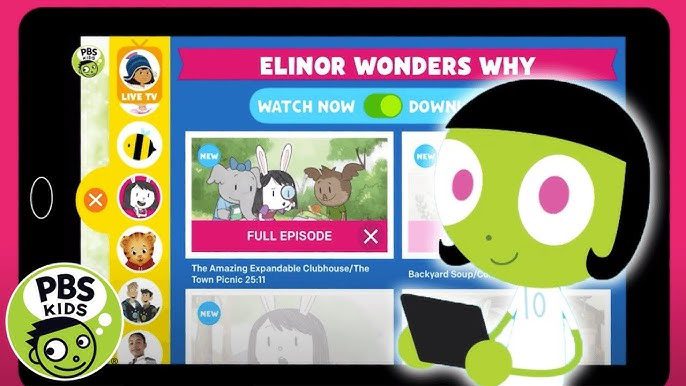
Remember, with this method Only kids’ programs can be downloaded. Also, videos are downloaded to be watched on the app for a limited time.
2.4 Method 4: Web-Based Online Downloaders
Another thing you might find if you look up “how to download PBS videos" on the internet is a web-based downloader. One good option is YouTube4KDownloader. This approach is handy if you prefer not to install anything, but be aware that most of these sites fund themselves through ads and you might see pop ups or redirects.
Step 1: First, go to the PBS site in your browser and log in.
Step 2: Find the video you want to download and copy its URL.
Step 3: Now paste the PBS video link that you copied.
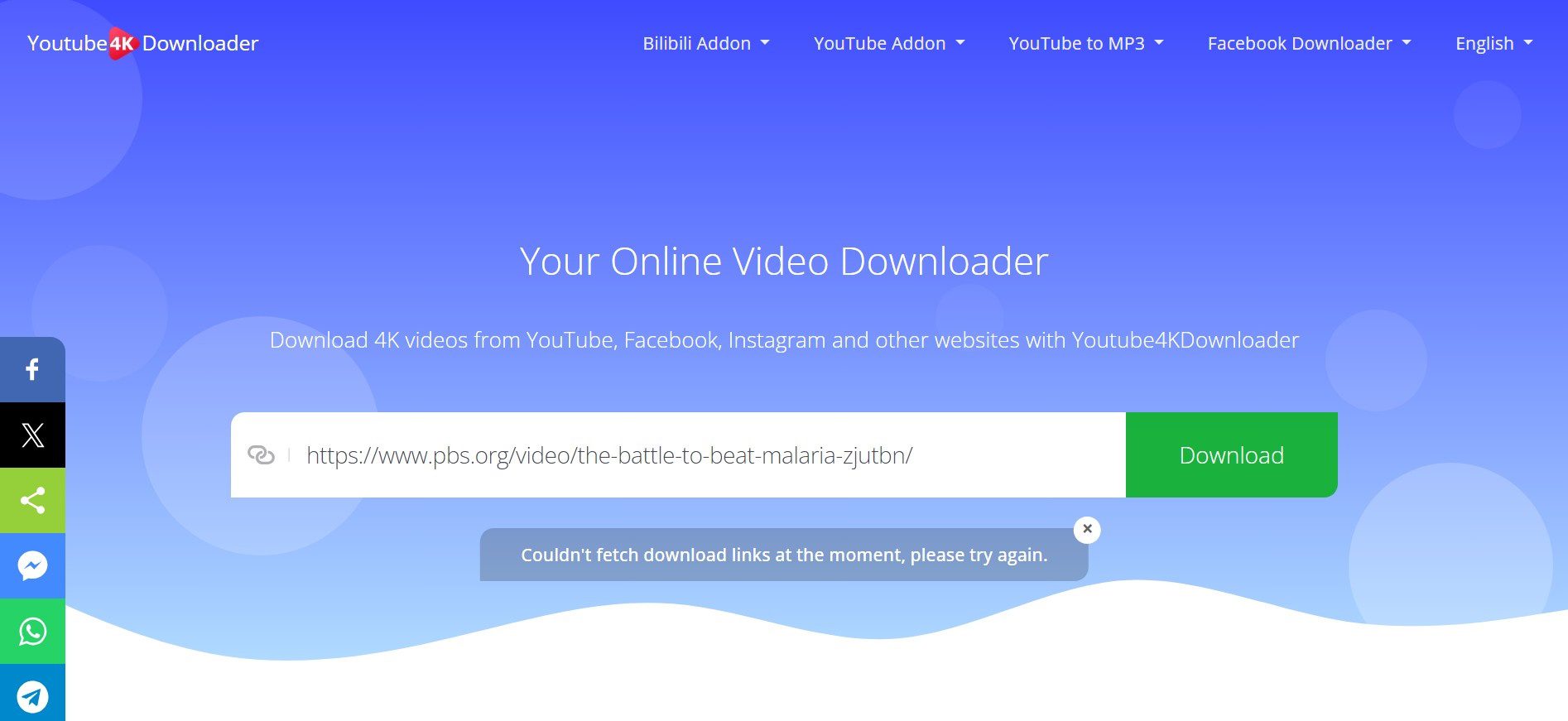
Step 4: Wait for the site to process the link for several seconds. If it doesn’t fetch the video the first time, click on the Download button again.
Step 5: Next, choose the format in which you want to download.
Step 6: Click Download, and you land on a player page. The three-dot menu in the player lets you download the file.
2.5 Method 5: Browser Extensions
Browser extensions can easily download videos for you. You can think of these as small add-ons that get installed in your Web browser, like Google Chrome, Mozilla Firefox, etc. One good option is the Cococut extension.
Step 1: First, add the CocoCut extension to your Chrome or Firefox browser.
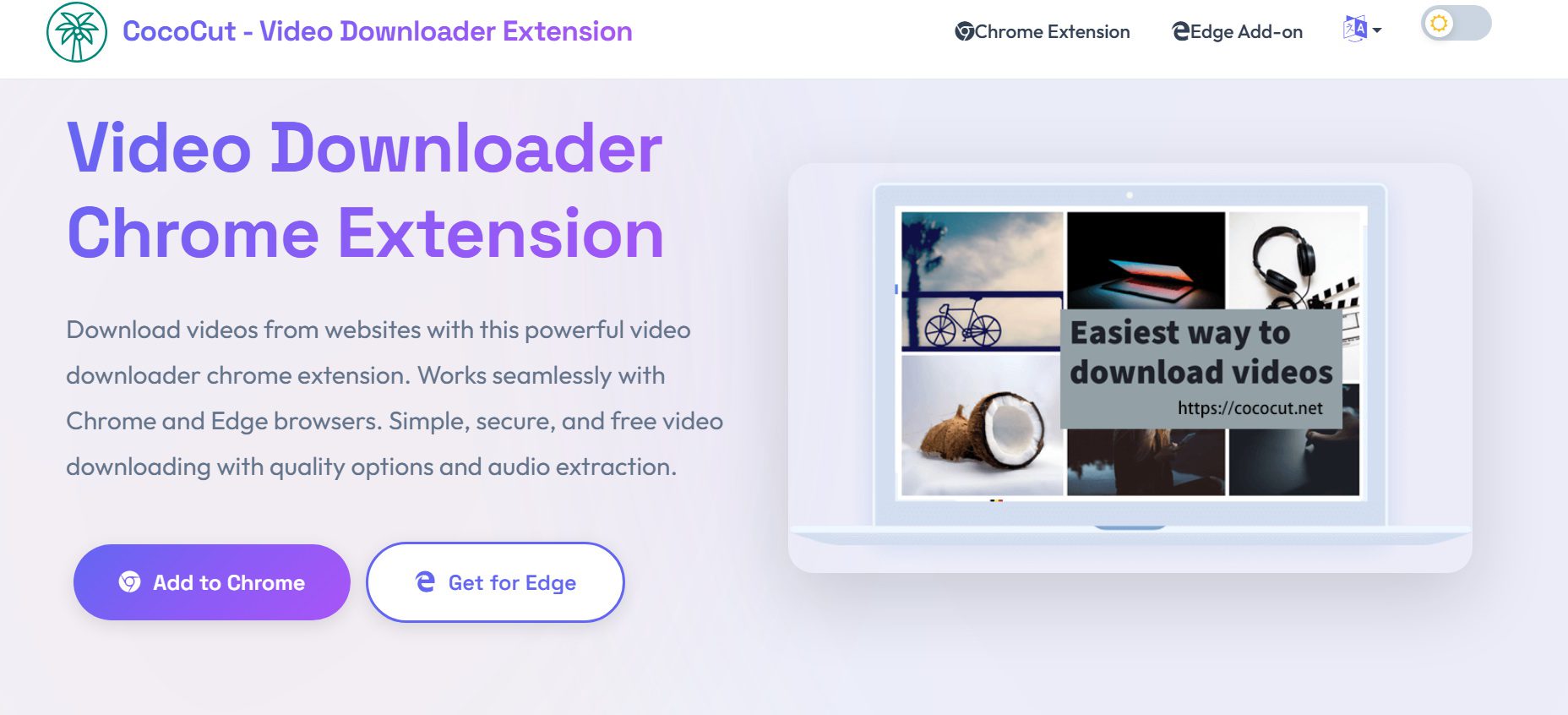
Step 2: Next, go to the PBS website and start playing the video that you wish to download.
Step 3: After that, when the video is in playing mode, simply click on the extension icon in your browser. The extension will show you the available download options shortly after it detects the video.
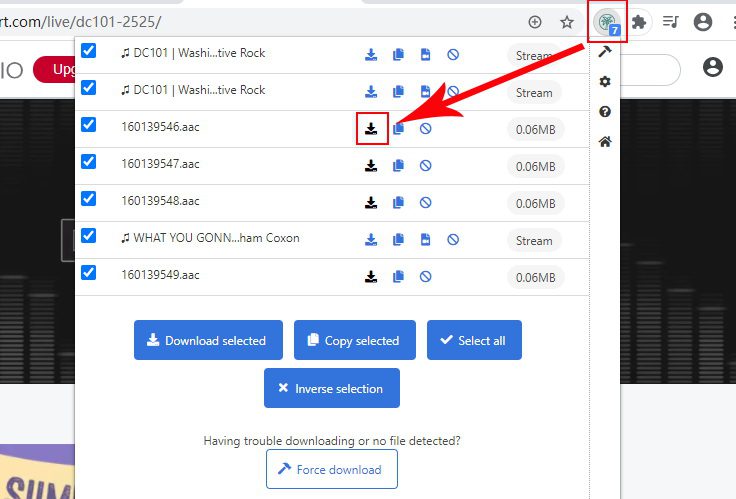
Step 4: Choose the desired video quality or type, and then click Download to save it on your PC.
3. Comparing the Best PBS Download Methods
A quick comparison of methods helps before making a choice. Some are more beginner-friendly, while others give you a bit of control or are totally free. Here’s a comparison table of the best PBS downloaders, so be able to choose which suits your needs.
|
Method |
Ease of Use |
Cost |
Works with Passport Videos |
Reliability |
Best For |
|
Moyea Video Downloader |
Very Easy |
Paid (Free trial) |
Yes |
High |
Beginners who want a simple desktop tool |
|
yt-dlp |
Hard (Command line) |
Free |
Yes (with cookies) |
Very High |
Techsavvy users who want a powerful free solution |
|
PBS KIDS Video App |
Very Easy |
Free |
No |
High (for kids content) |
Parents wanting offline kids shows |
|
Youtube4KDownloader |
Easy |
Free |
Rarely |
Medium |
Quick downloads without installing software |
|
Browser Extensions |
Easy |
Free |
Rarely |
Low–Medium |
Casual users trying quick downloads |
4. Frequently Asked Questions
4.1 Can I download PBS episodes with a Passport membership?
No, you can not. With a PBS Passport membership, you can watch more shows on PBS, like whole seasons and older episodes. But Passport doesn’t actually let you download anything directly.
4.2 Do all PBS videos allow downloading?
No. Numerous videos from PBS are available only for streaming. While you can likely use some tools to download various clips and public videos, others come with DRM or streaming protections that stop you from doing so. As a result, whether or not you can download a PBS video often depends on what show it is.
4.3 Can I save PBS videos to a USB drive or external storage?
Yeah, but you’ll need to download it as a regular file using a downloader like Moyea Video Downloader on your computer first. Once the video is on your computer, you can easily put it on a USB drive or an external hard drive.
-
How to Use Hulu Picture-in-Picture Mode on Any Supported Device?Patrick Murray/2026-04-29
-
How to Watch Deleted YouTube Videos?Patrick Murray/2026-04-29
-
Twitch VOD: What It Is and How It WorksSunny Wen/2026-04-24
-
Full Review of Savethevideo: Is Savethevideo Safe?Patrick Murray/2026-04-21
-
Fix Guide: Prime Video Download Not WorkingPatrick Murray/2026-04-21
-
Is Crunchyroll Free? How to Watch Anime Without PayingSunny Wen/2026-04-20
-
StreamFab Netflix Downloader Review: Features, Pros & ConsCassie J./2026-03-31
-
5 Hulu Family Sharing Tips for Smooth ViewingCassie J./2026-03-30
-
Netflix Not Working on Roku? Solve It NowCassie J./2026-03-27
-
3 Proven Ways to Watch Netflix Without AdsCassie J./2026-03-25








-
Top 5 Udemy Downloaders to Download Udemy Courses on PCPatrick Murray/2025-07-03
-
Best 9 Anime Download Sites to Download Anime [Free & Paid]Patrick Murray/2024-07-12
-
4 Best DRM MPD Downloaders in 2026Leia Liu/2025-05-29
-
HBO Max with Ads VS. No Ads: What Are the DifferencesLumi/2025-05-13
-
6 Best M3U8 Downloaders to Download M3U8 PlaylistsLumi/2025-05-22
-
[2024] How to Download DRM-Protected M3U8 VideosLumi/2024-10-29
-
How to Stream Prime Video on Nintendo Switch?Patrick Murray/2024-09-14
-
How to Activate Tubi on Different Devices? [LG, FireStick, Roku, PS5…]Cassie J./2024-09-24
-
[2026 Latest Review] Best Amazon Prime Video DownloadersPatrick Murray/2025-05-16
-
How to Download an MPD Video with DRMLeia Liu/2024-09-20











 English
 日本語
日本語