Last updated on 2025-12-19, by
RecordFab Review: Is It Really Worth The Price?
Summary:
RecordFab is one of the reliable streaming recorders that easily and quickly record high-quality videos. It works across various platforms. But you can enjoy the same features with free alternatives such as CleverGe Recorder completely for free.
If you enjoy saving videos or clips from streaming platforms, chances are you’ve come across RecordFab. This tool grabs footage in sharp resolution, making it stand out among others. With tons of similar apps floating around, picking one that truly delivers – feature-wise and value-wise – isn’t always easy. Here’s a no-fluff breakdown of what RecordFab brings to the table – its tools, how well they work day-to-day. That way, you’ll know whether it fits what you’re really after.
OutlineCLOSE
1. Key Features of RecordFab
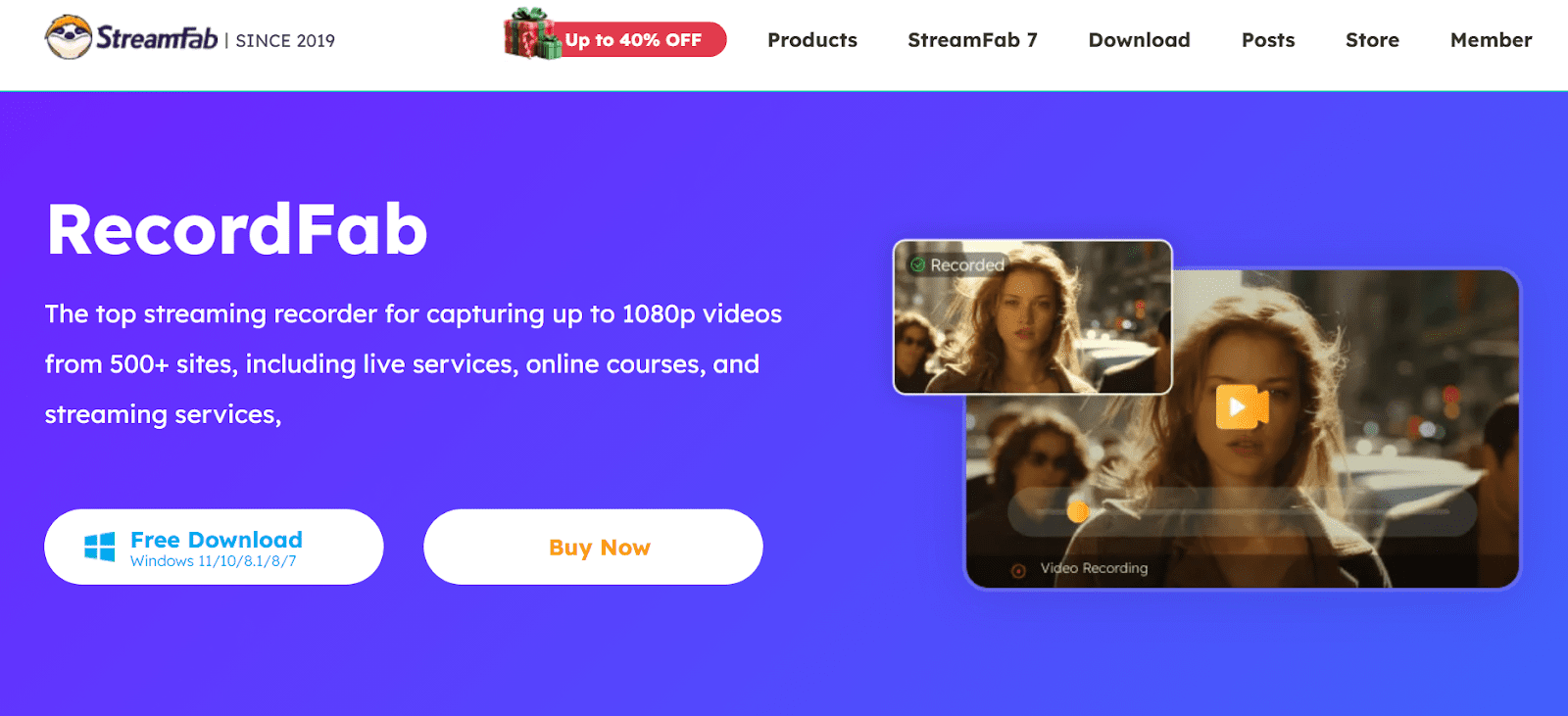
RecordFab grabs videos from almost any stream without hassle. This tool works well when you want to keep movies, series, lessons, or broadcasts on file. It holds up under different uses thanks to solid performance. Key functions show why folks pick this recorder over others.
1.1 Wide Platform Support
RecordFab helps to record content across more than 500 streaming platforms. You can record from all different platforms, such as OTT platforms such as Max, Disney Plus, Hulu, and Netflix. Other than that, you can record from social media sites and online learning portals. Unlike classical screen recorders, it is also compatible with most video sources, because it can record VOD and live video streams.
1.2 Video Output Quality
With RecordFab, you can record videos up to 1080p without quality distortion. The tool retains original audio and video fidelity so that movies, episodes, or online courses look and sound just like the original stream.
1.3 Recording Speed Options
RecordFab also provides you with different speed options. You can adjust the speed settings. For instance, you can record your videos up to 5 times faster than usual. It is perfect when one has to save time on capturing long content that include full length movies or long lectures without loss of quality.
1.4 Stable and Reliable Performance
RecordFab is highly efficient for recording sessions. It automatically detects videos and manages the high-resolution content smoothly, even during long recording periods. It reduces the risk of crashes or dropped frames.
1.5 Background or Minimized Recording
The software also allows you to record in the background or while minimized. This feature will allow you to continue your work or other tasks without being interrupted. There is no need to have the video player running on the foreground which makes multitasking very smooth.
2. How to Use RecordFab
When it comes to how to use RecordFab, It is very easy and simple to record videos with RecordFab. Here’s how you can get started:
Step 1: Open RecordFab and go to the site of the video that you wish to record. Choose the particular video or broadcast. It is important to note that some websites can ask you to log in to get content.
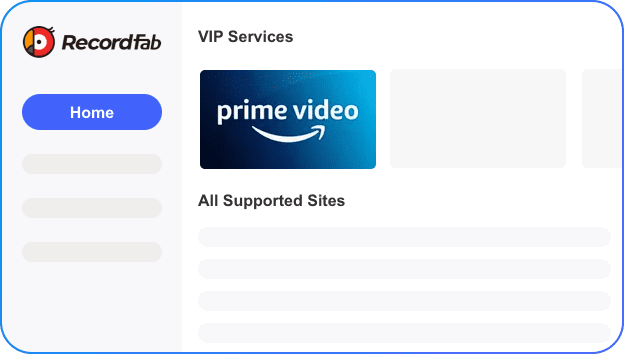
Step 2: Hit the Start button to start recording. You can also change settings like video resolution, audio preferences and recording area to match your requirements before recording. Once it detects the video, RecordFab will then begin recording automatically.
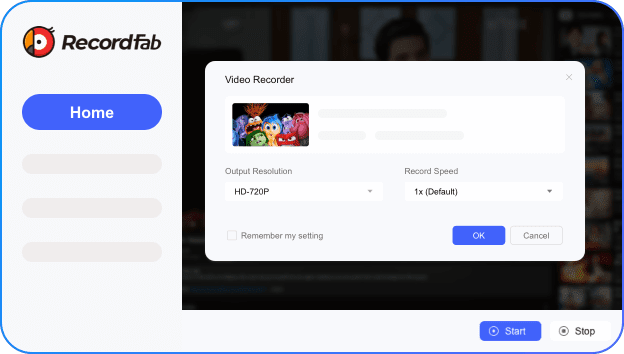
Step 3: Once the video is done, press the “Click to Stop” button. Your recording will be saved in your selected format. Now you can enjoy your video whenever you want.
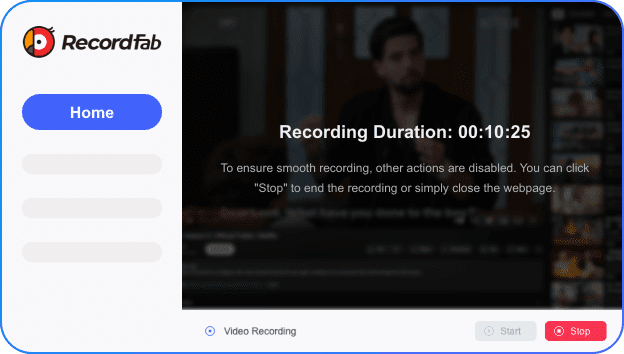
With just a few steps, RecordFab makes capturing streaming content easy, reliable, and high-quality.
3. Quick Verdict: Is RecordFab Worth Trying?
RecordFab’s a solid tool for grabbing videos from the web. This app records in sharp 1080p quality while keeping things quick with rapid capture speed. Instead of juggling apps, you can record across many sites thanks to broad support on different platforms. For quieter workflows, try its silent mode that runs recordings behind the scenes. Whether it’s films, clips from social networks, broadcasts, or digital lessons, this handles them without hassle. Built right into the software? A no-fuss browser plus smart find tech spots playable content automatically. When there are multiple parts to save, group scheduling helps manage extended sessions smoothly.
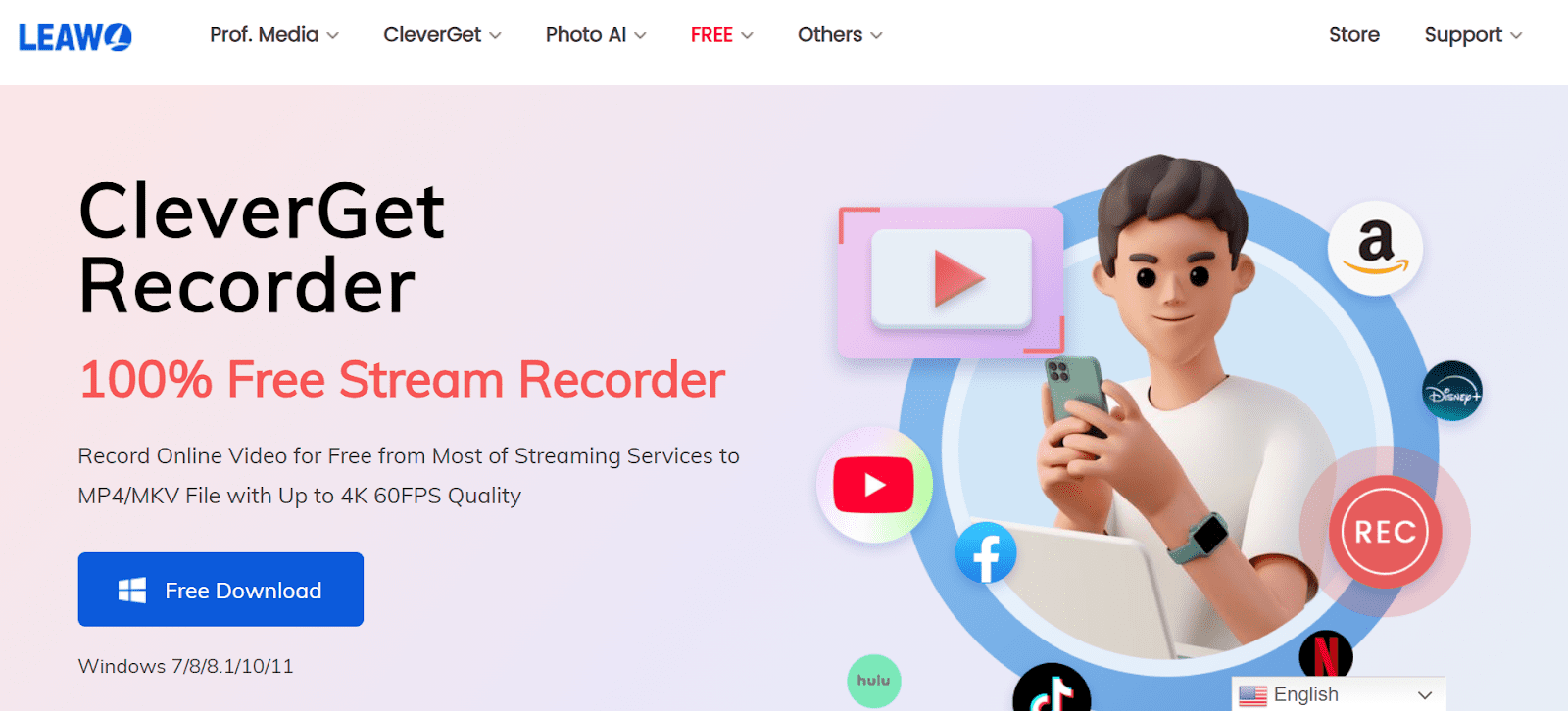
But, if you want a free alternative that can be as good or even better than the one RecordFab, CleverGet Recorder is worth trying. You can capture on-demand videos and live streams from nearly any streaming service, including DRM-protected content, at up to 4K 60FPS. It enables you to download videos in MP4 or MKV, delete advertisements automatically, schedule videos, and provide unlimited offline access. CleverGet Recorder is a great, one-hundred percent free recording option that is versatile and can give high-quality recordings, even without a subscription. However, if you are looking for advanced features like multiple-speed recording and ad removal, I would still recommend you try Moyea Streaming Video Recorder.
Conclusion
The decision on which streaming recorder to pick comes down to what you need. While some enjoy capturing brief clips, others want full-length videos across various sites. If seamless, high-quality output matters to you, RecordFab could be a solid fit. This tool works with numerous platforms and file types, delivering strong results without hassle. If ease and solid performance are key, grabbing a specialized app makes sense. Try premium options such as RecordFab or go with no-cost picks like CleverGet – capture streams, save them, play anytime, however suits you best. Truth is, the right recording tool needs to adapt easily while staying user-friendly.
-

Apowersoft Streaming Video Recorder Review: Features, Pricing, and AlternativesSunny Wen/2026-03-24
-
Best Amazon Prime Video Recorders: Record with the BestPatrick Murray/2026-03-19
-
How to Download Amazon Prime Videos to iPhone/iPadPatrick Murray/2026-03-18
-
YouTube TV DVR: How It Works and How to Record Live TVSunny Wen/2026-03-17
-
How to Record Twitch Streams? All Methods ExplainedPatrick Murray/2026-03-17
-
Download PBS Videos Easily: From Public Clips to Passport ShowsPatrick Murray/2026-03-17
-
How to Mute or Unmute Someone on InstagramLeia Liu/2026-03-11
-
YT Saver Review 2026: Is It Safe, Legit, and Worth Buying?Leia Liu/2026-03-10
-
AnyStream Review After Shutdown & Best AlternativeCassie J./2026-02-28
-
Complete Guide to Watch Hulu on Apple TVCassie J./2026-02-27




-
Top 5 Udemy Downloaders to Download Udemy Courses on PCPatrick Murray/2025-07-03
-
Best 9 Anime Download Sites to Download Anime [Free & Paid]Patrick Murray/2024-07-12
-
4 Best DRM MPD Downloaders in 2026Leia Liu/2025-05-29
-
HBO Max with Ads VS. No Ads: What Are the DifferencesLumi/2025-05-13
-
6 Best M3U8 Downloaders to Download M3U8 PlaylistsLumi/2025-05-22
-
[2024] How to Download DRM-Protected M3U8 VideosLumi/2024-10-29
-
How to Stream Prime Video on Nintendo Switch?Patrick Murray/2024-09-14
-
How to Activate Tubi on Different Devices? [LG, FireStick, Roku, PS5…]Cassie J./2024-09-24
-
[2026 Latest Review] Best Amazon Prime Video DownloadersPatrick Murray/2025-05-16
-
How to Download an MPD Video with DRMLeia Liu/2024-09-20





Related
Apowersoft Streaming Video Recorder Review: Features, Pricing, and Alternatives
YouTube TV DVR: How It Works and How to Record Live TV

Crunchyroll Offline Viewing for Travel: How to Watch Anime Without Internet
What Is Sling FreeStream and What You Get for Free

How to Record Your Favorite Shows on YouTube TV

How to Make YouTube Safe for Kids: Tips Every Parent Should Know


 English
 日本語
日本語