Last updated on 2025-12-22, by
What Are Prime Video Channels? Everything You Need to Know
Summary:
This blog walks through managing Prime Video channels step by step. A handy add-on comes included – use it to enjoy those channels without an internet connection.
I’ve stuck with Amazon Prime Video Channels a long time. Adding extra platforms into my watch list feels smooth – no need to juggle separate logins. Instead of hopping between apps, everything sits under one roof. This post walks through how I handle channel subscriptions, what happens when I back out, tricks for saving shows on-device, plus little hiccups that sometimes pop up along the way.
OutlineCLOSE
Part 1:What Are Prime Video Channels?
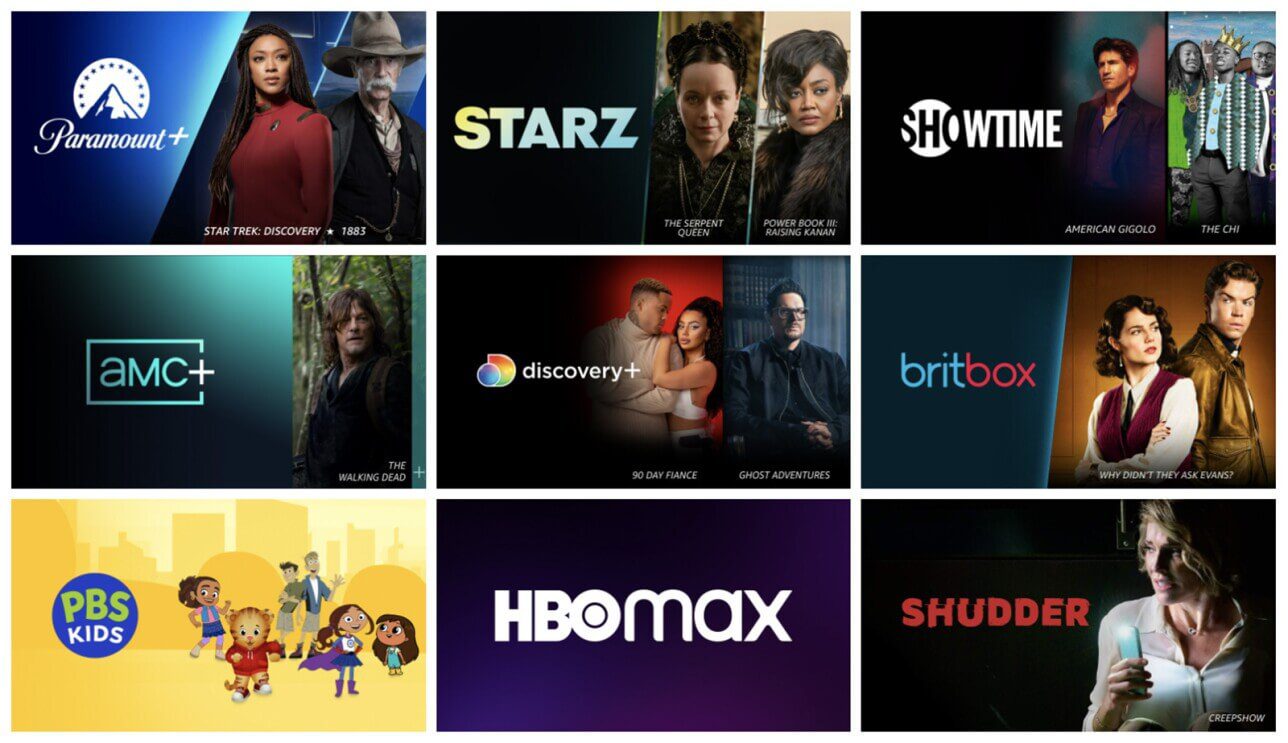
Prime Video Channels let me tap into more than a hundred outside streaming platforms – all tucked neatly inside my Amazon Prime setup. Think of each like a separate pass, linked directly through Amazon. I bring in options like Max or Paramount+ – maybe even Starz – and they slot right into the same interface. No juggling apps. Just open one place, find everything. It pulls scattered picks together without stacking extra logins. A smoother way to wander between shows when I feel like switching lanes.
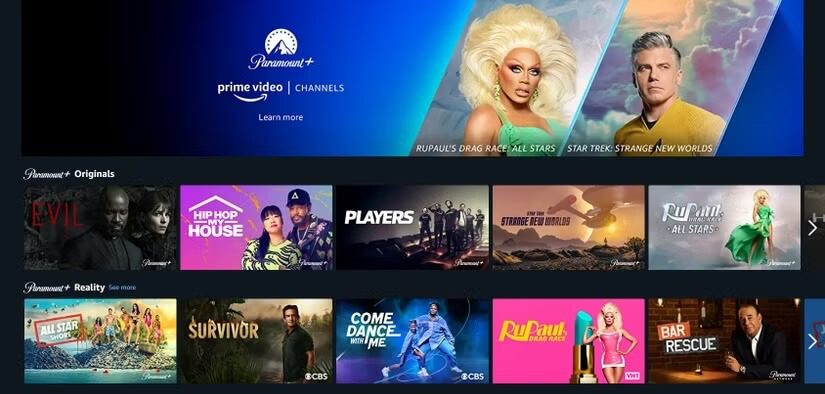
Still, while Prime Video comes with an Amazon Prime membership, Channels aren’t part of that deal – there’s a separate charge each month. Every channel runs on its own plan, so pick just what fits your taste, then drop it whenever you like.
Part 2: Handling your Prime Video channel lineup
Curious about handling those endless Prime Video channels – subscribing, dropping, whatever? Here’s what actually works for me. No fluff. Just clear moves that keep things under control without the confusion piling up.
2.1 Subscribe to channels
- Step 1. I open the Prime Video app on my device or go to the site. Sign in to my Amazon account first.
- Step 2. I go to the "Channels" section. For the site, the path is: Account & Lists > Your Prime Video. In the app, it’s under "My Stuff" or the menu.
- Step 3. Now, feel free to browse or search for channels and check out pricing. There might be promos(like Starz for $1.99/month for the first three months) as well.
- Step 4. Once I pick one, I choose my payment and click the "Subscribe" or start a free trial if offered.
- Step 5. After confirmation, the Prime Video channel will show up instantly across my devices.
2.2 How to Cancel Channel Subscriptions
Like any streaming service, I can cancel a Prime Video channel subscription if I’m not interested anymore. So, how to cancel it? It’s pretty easy as well. Here is my experience.
Method 1: Through the Prime Video site or app
- Step 1. I open the app and log in. Head to Account & Settings or Your Account > select Your subscriptions.
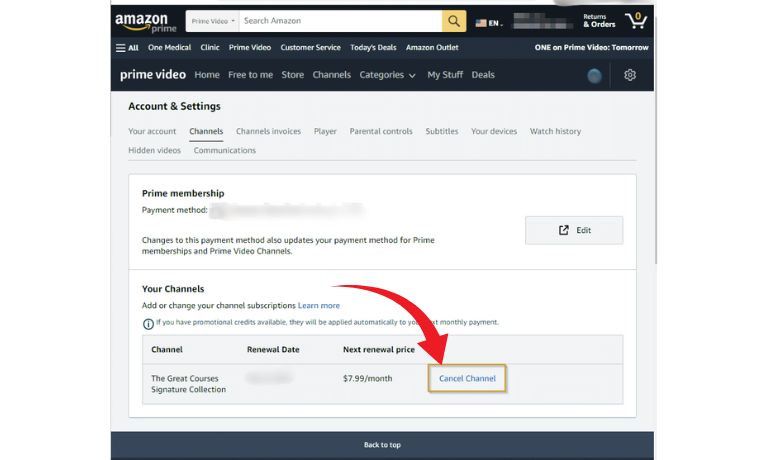
- Step 2. I find the channel in my active list and click on the "Unsubscribe" or "Cancel Channel” for cancellation.
Method 2: Via my Amazon account
- Step 1. Go to Your Account > Memberships & Subscriptions.
- Step 2. Then I found my subscription under the Prime Video Channels section. Select "Cancel Channel" and confirm, and that’s it!
Part 3:Extra Hints: Watching Prime Video Channel Content Without Internet
You’ve got a handle on handling Prime Video channels by now. Pick one you love, start watching back-to-back episodes whenever you feel like it. What’s the deal with saving videos, though? Is downloading an option, similar to regular Prime shows? From what I’ve seen, yes – they do let you save them offline. The only way to access those is via the official app, which is compatible with certain gadgets, including iOS, Android phones, Fire tablets, and even Windows or Mac computers.
Content access varies by platform, tied closely to each channel’s license terms. Take CBS All Access – now Paramount+, or BritBox – they rarely permit downloading shows. Yet platforms such as Starz, EPIX, Acorn TV, even PBS, generally support saving episodes locally. Wondering how to confirm this? Just head into the app settings before traveling. If you spot a download symbol on the video details screen, it means you can watch later without connection. Remember though – saved clips won’t last forever; they fade out after a set time and only play so many times.

-
Batch download Amazon Prime Video movies and full or selected seasons of shows at up to 1080p resolution with preferred subtitles and audio tracks. Download and convert Amazon Prime videos to MP4 or MKV file for offline viewing without expiration, and remove ads for offline ad-free watching.
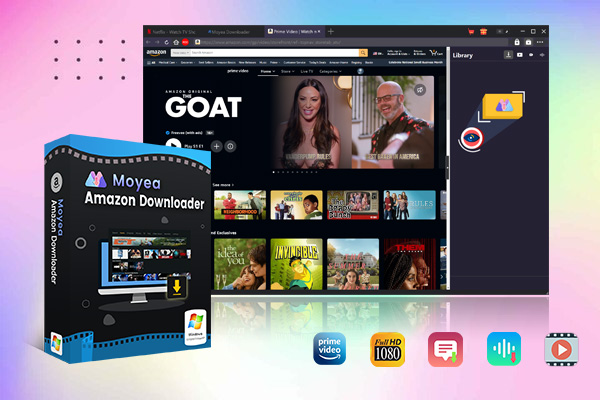
Luckily, there’s this handy tool I stumbled on – Moyea Amazon Downloader. Turns out, it sidesteps those pesky limits pretty well. When I want to keep something from Prime Video Channels, it comes through. Instead of streaming over and over, I grab the files directly. They end up saved as MP4 or MKV, clean copies. Quality stays sharp, up to 1080p. Watching later, without Wi-Fi? No problem at all.
Part 4:FAQs
1. How to cancel subscriptions on the Prime Video app?
To stop a subscription through the Prime Video app, open it and head to My Stuff. From there, tap into Prime Video Channels – or jump to Account & Settings instead. Navigate to Your Subscriptions within that menu. Pick the specific channel you’re looking at. Move down until you hit the option labeled Cancel Channel Subscription. Press it, then agree to finalize the change.
2. What devices support Prime Video Channels?
Tried it across several without a hitch. Like Amazon Fire TV or Stick – smooth experience there. PlayStation, also Xbox – they handle it fine. Roku, plus Chromecast dongles run it clean. iPhones, iPads, Android handsets and slates – all keep up well. Computers running Windows, alongside Macs, play along easily. Even smart screens made by Samsung, Sony, LG manage the load. Apple TV? That one flows just right.
3. Do you have access restrictions when traveling abroad?
True. Licensing rules tend to get in the way. Access to most Prime Video titles shrinks outside your home region. Channel add-ons – Starz, for instance, or Paramount+ and Showtime – usually don’t travel with you across borders.
-
StreamFab Netflix Downloader Review: Features, Pros & ConsCassie J./2026-03-31
-
5 Hulu Family Sharing Tips for Smooth ViewingCassie J./2026-03-30
-
Netflix Not Working on Roku? Solve It NowCassie J./2026-03-27
-
3 Proven Ways to Watch Netflix Without AdsCassie J./2026-03-25
-
Apowersoft Streaming Video Recorder Review: Features, Pricing, and AlternativesSunny Wen/2026-03-24
-
Best Amazon Prime Video Recorders: Record with the BestPatrick Murray/2026-03-19
-
How to Download Amazon Prime Videos to iPhone/iPadPatrick Murray/2026-03-18
-
YouTube TV DVR: How It Works and How to Record Live TVSunny Wen/2026-03-17
-
How to Record Twitch Streams? All Methods ExplainedPatrick Murray/2026-03-17
-
Download PBS Videos Easily: From Public Clips to Passport ShowsPatrick Murray/2026-03-17






-
Top 5 Udemy Downloaders to Download Udemy Courses on PCPatrick Murray/2025-07-03
-
Best 9 Anime Download Sites to Download Anime [Free & Paid]Patrick Murray/2024-07-12
-
4 Best DRM MPD Downloaders in 2026Leia Liu/2025-05-29
-
HBO Max with Ads VS. No Ads: What Are the DifferencesLumi/2025-05-13
-
6 Best M3U8 Downloaders to Download M3U8 PlaylistsLumi/2025-05-22
-
[2024] How to Download DRM-Protected M3U8 VideosLumi/2024-10-29
-
How to Stream Prime Video on Nintendo Switch?Patrick Murray/2024-09-14
-
How to Activate Tubi on Different Devices? [LG, FireStick, Roku, PS5…]Cassie J./2024-09-24
-
[2026 Latest Review] Best Amazon Prime Video DownloadersPatrick Murray/2025-05-16
-
How to Download an MPD Video with DRMLeia Liu/2024-09-20




Related
Best Amazon Prime Video Recorders: Record with the Best
How to Download Amazon Prime Videos to iPhone/iPad
Where Are Prime Video Downloads Stored on PC/Mobile?

How to Contact Amazon Prime Video Customer Service for Help/Support?
Quick Guide: How Long Do Prime Video Downloads Last?

Easy Guide: How to Burn Amazon Videos to DVDs?


 English
 日本語
日本語