Last updated on 2026-01-22, by
How to Save Amazon Prime Videos as MKV Files?
Summary:
How to download Amazon Prime Video files to MKV? Discover the third-party downloaders and streaming recorders with first-hand experience, tested by us.
Today, we rely heavily on platforms like Amazon Prime Video for entertainment. However, Amazon’s built-in download restrictions can be frustrating, which limits the playback to the official Prime Video app only. Luckily, after testing, we found several solutions that can save Amazon videos for offline viewing. Just read on to find the best ways to download Amazon Prime Video files for future playback!
OutlineCLOSE
1. Why Should You Convert Amazon Prime Videos to MKV Files?
How to download Amazon Prime Video files? First off, let’s discuss the reasons why you need to do so. Today, it’s recommended to convert Amazon Prime videos to MKV, an open-source format that preserves high video and audio quality. The video format also supports subtitles, audio tracks, and chapters, all the features we don’t want to lose.
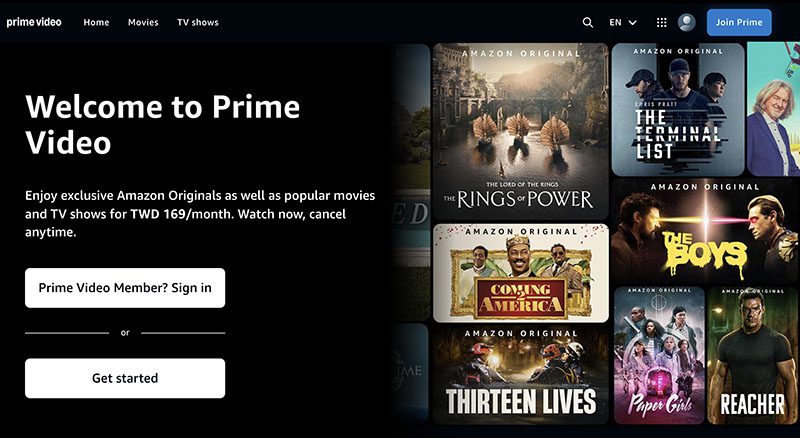
Another good reason is that we prefer the MKV is its portability. Amazon’s official downloads expire and only work inside the Prime Video app, but MKV files play smoothly on almost any device. That means you can enjoy Amazon Prime videos on smart TVs, laptops, and media players seamlessly.
We also noticed better quality retention. MKV allows us to keep higher resolutions and richer audio compared to regular formats like MP4. It also works better than the app downloads, which are restricted in video quality.
2. Can You Convert Prime Video to MKV?
Now you know the benefits of MKV, so how to download Amazon Prime video files to the MKV format? Unfortunately, you can not directly convert Prime Video to MKV. This is because Amazon uses strong protections like DRM (Digital Rights Management) and HDCP to prevent copying.
What are these technical terms exactly? While DRM encrypts the files, HDCP blocks external capture attempts. Specifically, when we attempt to export official Prime Video downloads, we will find files are completely encrypted and tied to the app and device. Even transferring them to another folder is impossible.
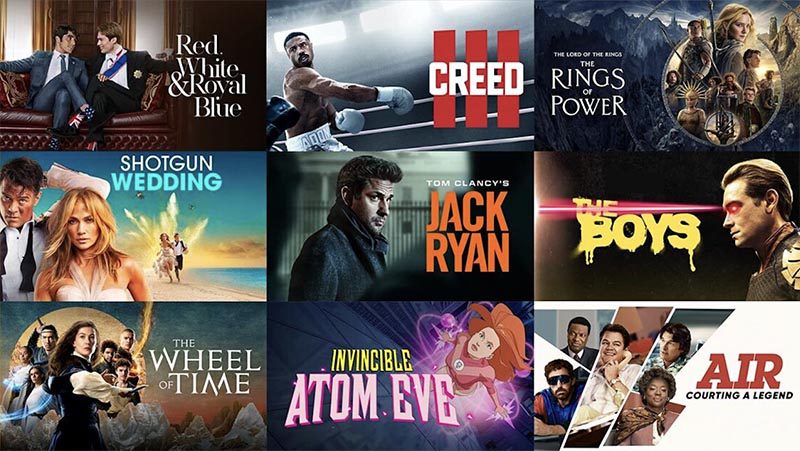
So what about recording? We’ve tried that as well, and the results were disappointing. We used tools like OBS Studio or Windows Game Bar, and they just produced black screens due to HDCP restrictions. There might be some tools that work occasionally, but we don’t think they are reliable enough for full movie and TV episode recording.
3. Ways to Get Prime Video in MKV Format
While DRM and HDCP protect copyrights, they limit personal offline use. So, can we bypass these limitations? The answer is YES. After testing different approaches, we found two practical ways to get Prime Video content in MKV format. Let’s check them out.
Method 1. Third-party downloaders
Of all the tools and methods, we have been trying, third-party downloaders are the most effective ones that truly work for us. We used multiple Amazon video downloaders, and Moyea is the one that we strongly recommend. This downloader can successfully analyze Prime Video streams and save them directly as MKV files with up to 1080p resolution—pretty high quality, isn’t it?

-
Batch download Amazon Prime Video movies and full or selected seasons of shows at up to 1080p resolution with preferred subtitles and audio tracks. Download and convert Amazon Prime videos to MP4 or MKV file for offline viewing without expiration, and remove ads for offline ad-free watching.
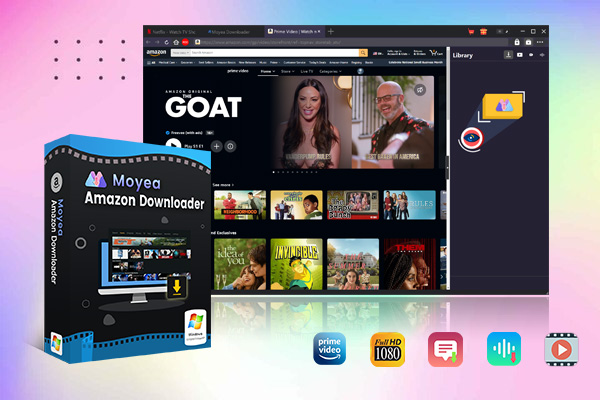
Unlike Amazon Prime’s in-app downloads, the videos we saved are real local media files, so they never expire, and they are not tied to the Prime Video app. This means we can watch them anytime, transfer them to other devices, and even keep our favorite content for future playback even after our Prime membership expires.
Method 2. Screen recording
Screen recording is our second option, and honestly speaking, we would not recommend it as your No.1 solution. Why so? This is because DRM often causes black screens, missing audio, or poor video quality. And during our testing, we found large file sizes and frame drops were quite common, and there are no good solutions to fix these issues.
That said, we found specialized tools like CleverGet Recorder performed better than basic screen capture software. This recorder is designed for streaming platforms, which means it can record/download from Amazon Prime to MKV/MP4 with up to 60 FPS and 4K output.
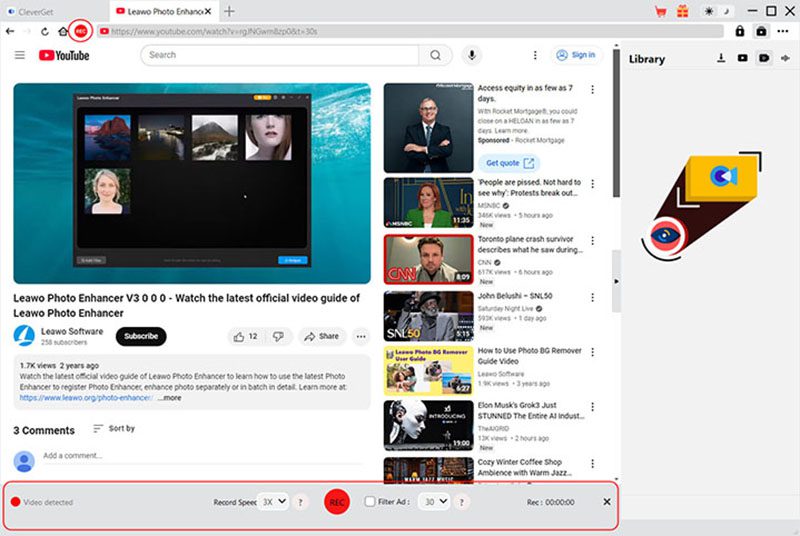
Unlike traditional screen recording, CleverGet does not record what’s on the screen. Instead, it uses sophisticated capture technology to record videos and save them in better video quality without black screens.
However, recording is still slower than direct downloading. We have to play the entire video from beginning to end, which makes it time-consuming for long movies or full TV series. For this reason, we only recommend this method when an Amazon video downloader fails to work.
4. Using Moyea Amazon Downloader to Download Prime Video in MKV
Essentially, an ISO file is a virtual copy of an optical disc. By saving disc files to ISO files on your computer, you not only make disc backups to save them permanently but also enjoy convenient playback anytime, anywhere.
To digitize your precious disc collections, Leawo Blu-ray Copy provides a reliable solution. This software allows you to copy Blu-rays and DVDs in 1:1 quality, preserving all details in the source files. With its user-friendly interface and 1:1 disc-to-ISO conversion capability, Leawo Blu-ray Copy makes the digitization process more straightforward than ever for your media library.
- Step 1: We installed Moyea Amazon Downloader and set our output folder in the Settings menu first. This is to ensure we can find the downloads later.
- Step 2: Open the built-in browser and log in to our Amazon account. Naturally, we then searched for the Prime Video we wanted, or pasted the video link directly to locate the video.
- Step 3: After opening the actual playback page, we clicked Play to let Moyea parse the video sources. After a while, we can select our preferred resolution and format for downloads.
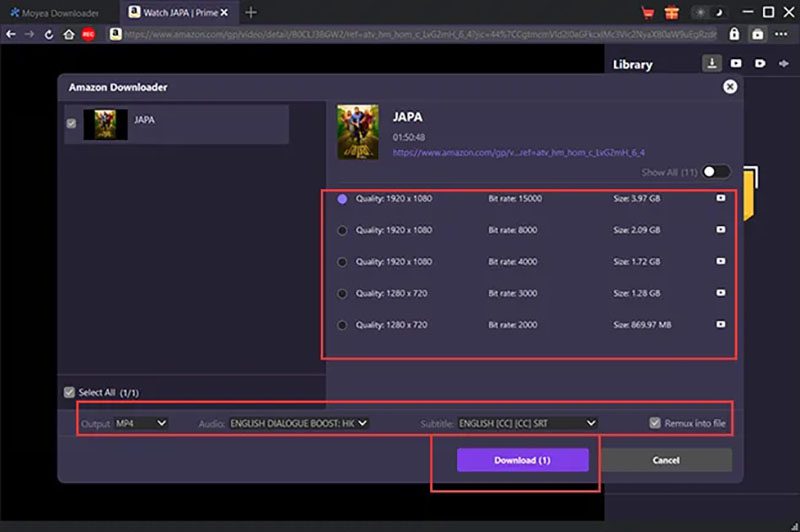
That’s it! We can monitor the progress in the right-hand sidebar and find all completed MKV files there. And eventually, the playback is rather smooth with high quality ensured!
Conclusion
How to download Amazon Prime video files to MKV? From our experience, third-party video downloaders are the only practical solution since Amazon doesn’t allow direct conversion. If downloaders don’t work. We think CleverGet Recorder is a feasible solution, but it’s much slower than downloading. Overall, we prefer Moyea Amazon Downloader for sure! It preserves high quality, supports multiple audio tracks and subtitles. You can have permanent local MKV files for archives!
-
How to Use Hulu Picture-in-Picture Mode on Any Supported Device?Patrick Murray/2026-04-29
-
How to Watch Deleted YouTube Videos?Patrick Murray/2026-04-29
-
Twitch VOD: What It Is and How It WorksSunny Wen/2026-04-24
-
Full Review of Savethevideo: Is Savethevideo Safe?Patrick Murray/2026-04-21
-
Fix Guide: Prime Video Download Not WorkingPatrick Murray/2026-04-21
-
Is Crunchyroll Free? How to Watch Anime Without PayingSunny Wen/2026-04-20
-
StreamFab Netflix Downloader Review: Features, Pros & ConsCassie J./2026-03-31
-
5 Hulu Family Sharing Tips for Smooth ViewingCassie J./2026-03-30
-
Netflix Not Working on Roku? Solve It NowCassie J./2026-03-27
-
3 Proven Ways to Watch Netflix Without AdsCassie J./2026-03-25








-
Top 5 Udemy Downloaders to Download Udemy Courses on PCPatrick Murray/2025-07-03
-
Best 9 Anime Download Sites to Download Anime [Free & Paid]Patrick Murray/2024-07-12
-
4 Best DRM MPD Downloaders in 2026Leia Liu/2025-05-29
-
HBO Max with Ads VS. No Ads: What Are the DifferencesLumi/2025-05-13
-
6 Best M3U8 Downloaders to Download M3U8 PlaylistsLumi/2025-05-22
-
[2024] How to Download DRM-Protected M3U8 VideosLumi/2024-10-29
-
How to Stream Prime Video on Nintendo Switch?Patrick Murray/2024-09-14
-
How to Activate Tubi on Different Devices? [LG, FireStick, Roku, PS5…]Cassie J./2024-09-24
-
[2026 Latest Review] Best Amazon Prime Video DownloadersPatrick Murray/2025-05-16
-
How to Download an MPD Video with DRMLeia Liu/2024-09-20






Related
Fix Guide: Prime Video Download Not Working
Best Amazon Prime Video Recorders: Record with the Best
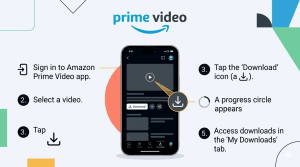
How to Download Amazon Prime Videos to iPhone/iPad
Where Are Prime Video Downloads Stored on PC/Mobile?

How to Contact Amazon Prime Video Customer Service for Help/Support?
Quick Guide: How Long Do Prime Video Downloads Last?


 English
 日本語
日本語