Last updated on 2026-04-21, by
Full Review of Savethevideo: Is Savethevideo Safe?
Summary:
Region 1 DVDs are designed for specific regions and may not work on regular DVD players due to region restrictions. You can play or convert them using region-free players or DVD ripping tools to remove these limits and watch them anywhere.
You’ve probably come across Savethevideo while trying to download a video quickly without installing anything. It looks simple: paste a link, click a button, and simply download your file. However, for us as users, it’s normal to wonder if it’s actually safe to use or if there are any associated risks we should be aware of.
Some users will find tools like this to be very useful when they only want to download a single video quickly. However, other people using sites such as Savethevideo may have concerns about how secure the site is, how reliable the service is, and whether or not there will be ads included in the file they are downloading. Each online downloader is different; some have more consistency than others, some feel more unreliable than others. In this article, we will share how Savethevideo works, its security status, and whether it is safe to use or not.
MenuCLOSE
1. What is Savethevideo.com & How to Use?
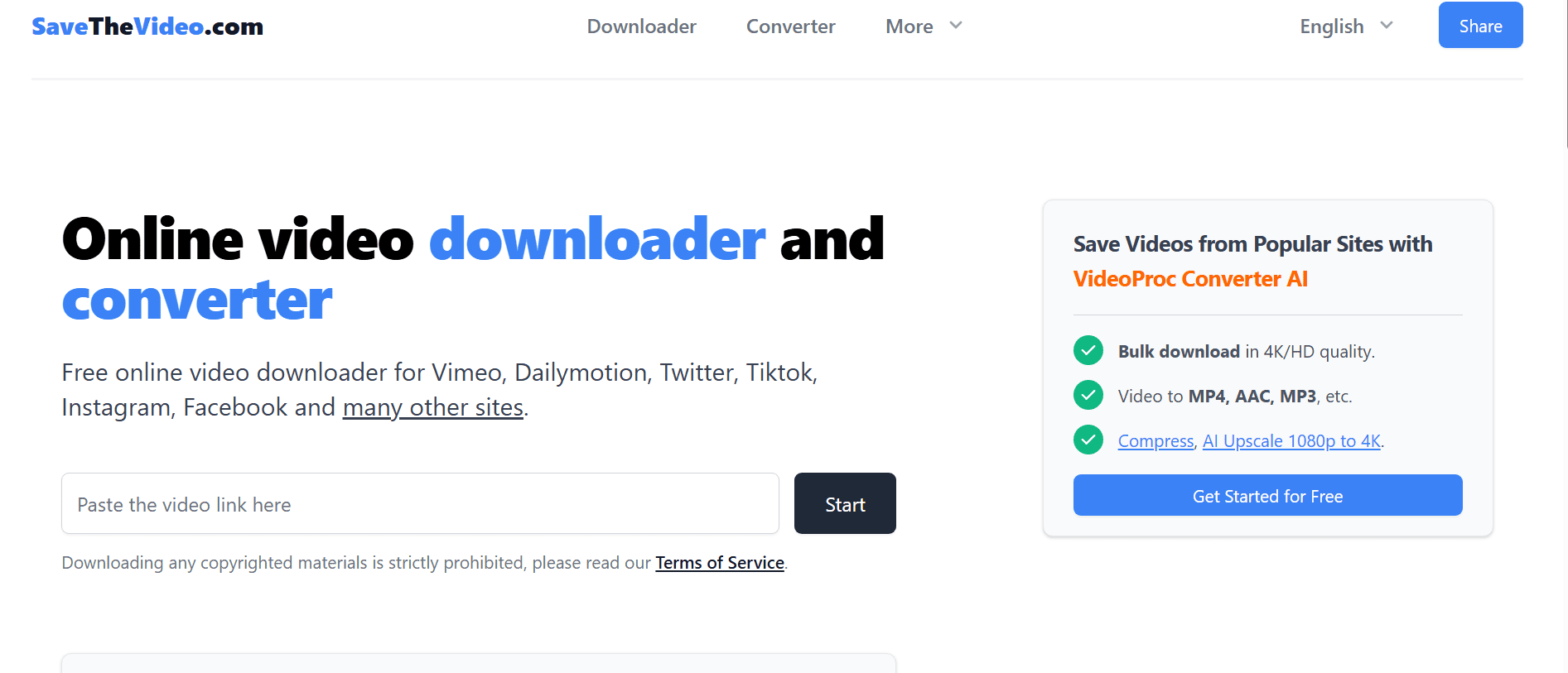
Savethevideo.com has developed a simple online video downloader and converter that allows you to convert videos from many different websites (Vimeo, DailyMotion, TikTok, Facebook, Twitter, Instagram, etc.) to your preferred format and store them directly onto your device. The website requires no installation. All you need to do is input the URL of the video (by clicking “Copy” on a website like TikTok), select a downloadable output format (e.g., mp4, avi), and click “Download”.
Features
Savethevideo offers a few useful features in one place. Below are some main features;
- A complete web-based solution, requiring no software installation.
- Work on both macOS and Windows devices.
- Support multiple formats like MP3, WebM, AAC, etc.
- It allows you to merge audio and video files, saving them in up to 1080p high quality.
- You can download available subtitles and closed captions.
How to Use Savethevideo?
Step 1: First, open Savethevideo.com in your browser.
Step 2: Next, you need to copy the video link from the site you want (like TikTok or Facebook).
Step 3: Paste the link into the input box on SaveTheVideo.
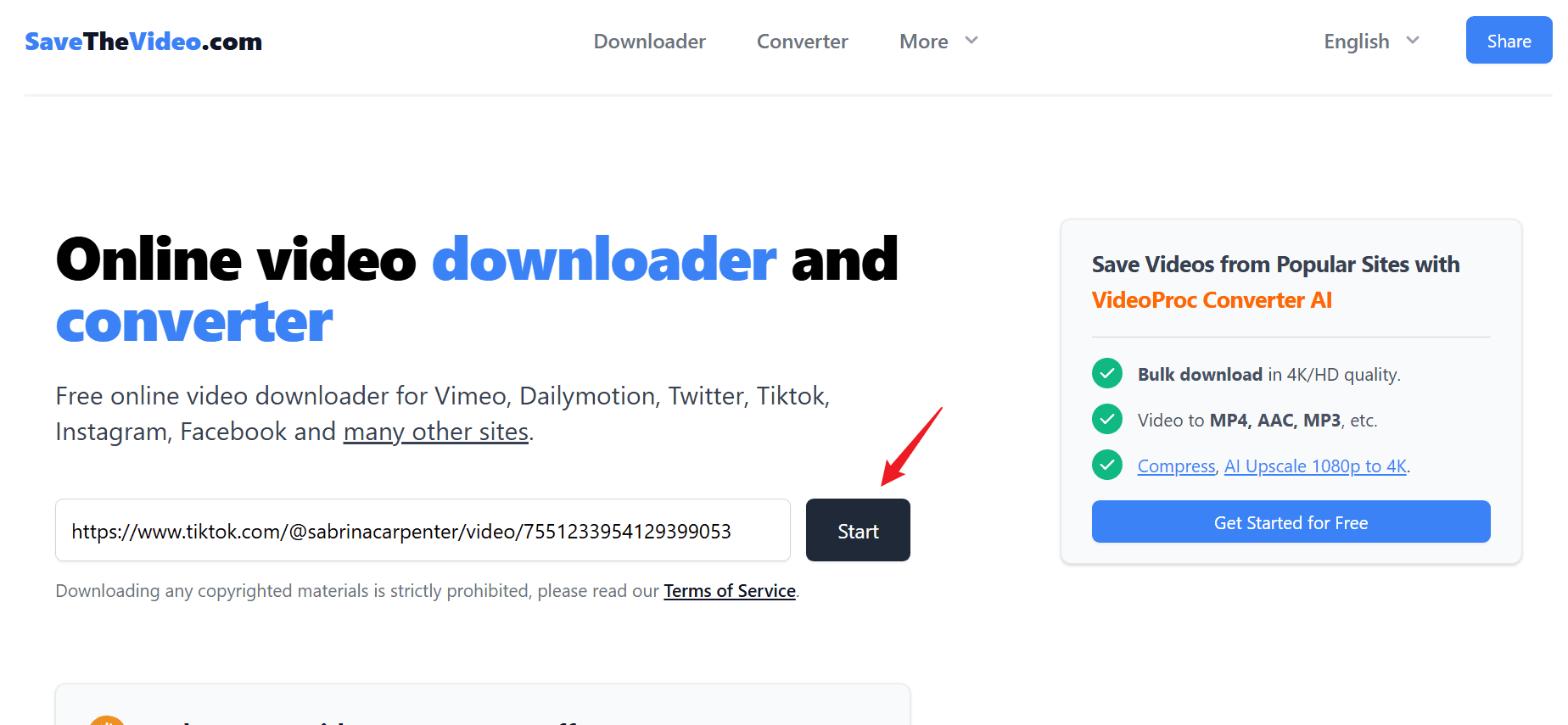
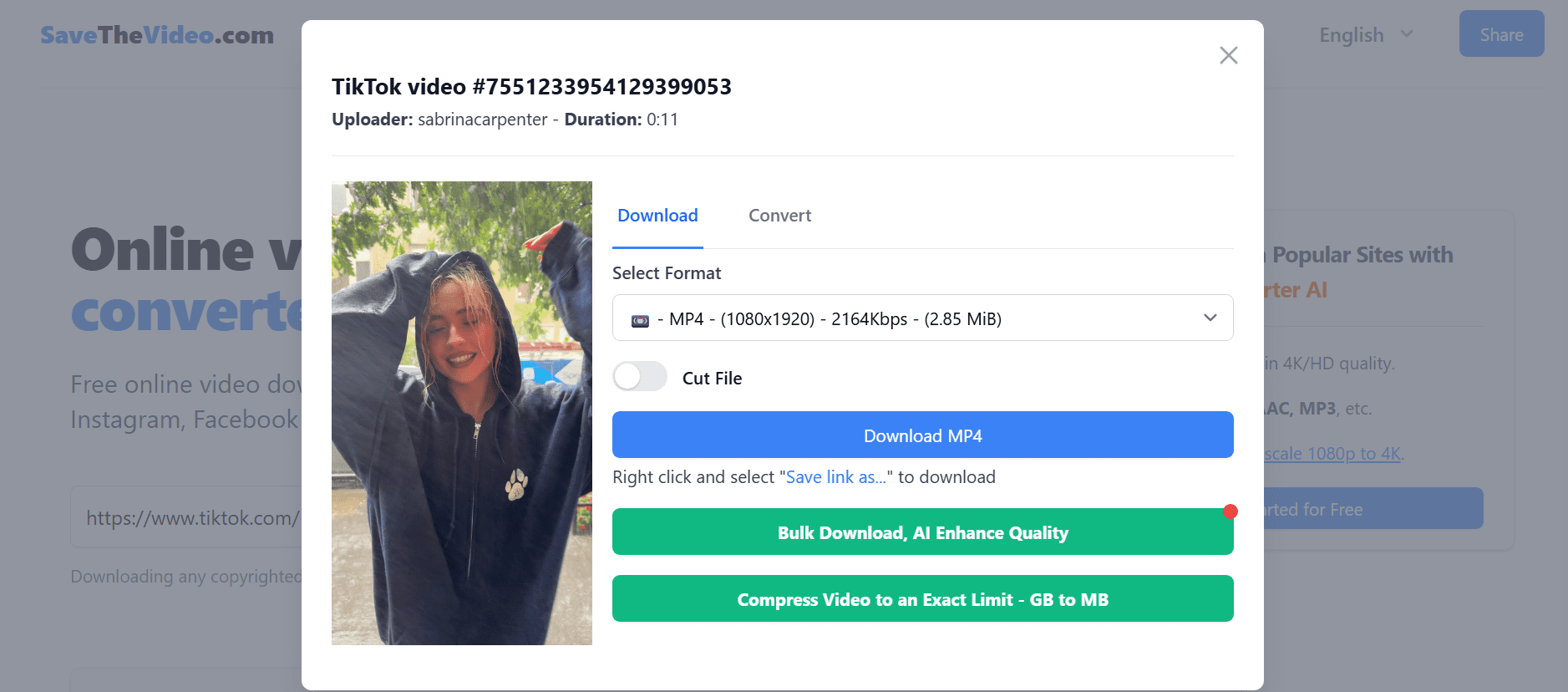
Step 4: Next, choose your format (MP4, MP3, etc.) and quality.
Step 5: Click Download and wait for the file to process and save.
Is Savethevideo Really Safe to Use?
You can use Savethevideo with minimal hassle and effort. However, as is the case with most free web-based services, there may be ads or pop-ups, which are bearable when using this service for quick video downloads. But while using this downloader, you need to be careful around extra buttons/redirects on this site. Also, make sure to run a secure browser and avoid tapping on unknown links.
2. Real Performance of Savethevideo
We already walked through how to use Savethevideo, and on the surface, it feels quick and simple. You paste a video URL into the box; you select a video format; you click the Download button, and the download process occurs successfully. Generally speaking, this happens almost all of the time without any problems; however, as you begin downloading videos more frequently, some potential problems become apparent.
Real Issues You Might Run Into
While the process looks simple, the experience can be a bit inconsistent. For example, when you try to download videos from Fox News, you can see pop-up windows. Also, in some cases, these pop-ups can even trigger automatic downloads of unrelated software, which is a very serious issue.
Another limitation associated with this website is the list of supported sites for downloading from. For example, Savethevideo claims to support France TV; however, through our testing of this website, we found that on multiple occasions, we were unable to successfully download videos from France TV; in some cases, switching formats and/or reattempting to download the video did not provide any downloads from the site.
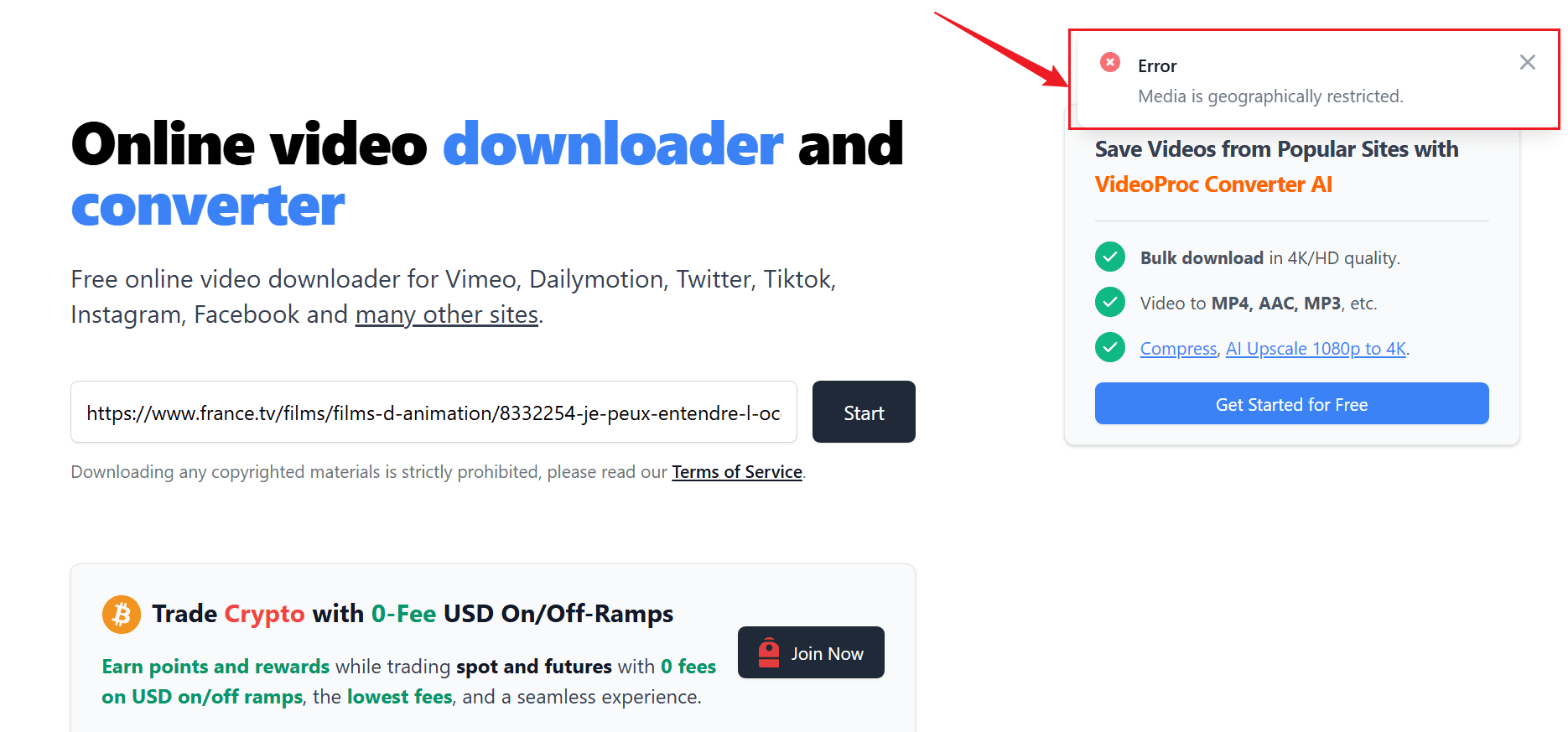
These kinds of problems make the tool feel a bit unreliable, especially if you’re trying to download content regularly.
3. Best Alternative to SaveTheVideo to Download Video from Everywhere
If you’re frustrated by the issues encountered while using Savethevideo, you should consider switching to a desktop application instead. A great solution for those who would like to have more dependable and stable downloads without the annoyance of pop-ups and broken links is to use the Moyea Video Downloader application.

-
– Download videos from 1000+ websites.
– Support to download videos in batches at up to 8K resolution without ads.
– Pack captions into output video file, or save captions as independent SRT/SUP files.
– Record any online video as high-quality 1080P MP4 or MKV files.
– user-friendly and multilingual settings.
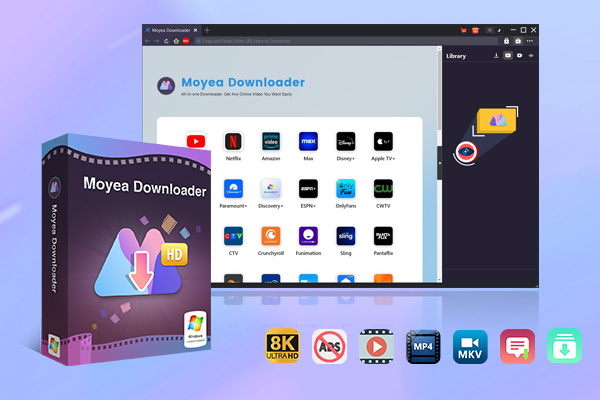
Moyea works across 1000+ websites, including popular platforms like YouTube, TikTok, Facebook, and Instagram. Instead of just handling simple downloads, it gives you more control. You can download full videos, playlists, or even live streams, all in one place. It also supports high-quality downloads up to 8K, which is a big step up if you care about video clarity.
Moyea stands out in that it can download all extra media with the video; it downloads all the music tracks as well as subtitle/audio tracks from within its interface, so you won’t miss out on any media during the download process. Also, by using batch download, you can download several (or all) of the video media from the same service in one download instead of having to go through the same procedure multiple times.
4. FAQs
Is Savethevideo free to use?
Yes, Savethevideo is free to use. You don’t need to sign up or install anything. However, it may show ads or pop-ups since it’s a free online tool.
Why does Savethevideo fail to download some videos?
This usually happens because not all websites are fully supported, even if they’re listed. Some videos may also have restrictions or technical issues that prevent downloading, which can lead to failed attempts.
What is a better alternative to SaveTheVideo?
If you want something more stable, desktop tools like Moyea Video Downloader are a better choice. They offer more reliable downloads, better quality options, and fewer interruptions compared to online tools.
-
Full Review of Savethevideo: Is Savethevideo Safe?Patrick Murray/2026-04-21
-
Fix Guide: Prime Video Download Not WorkingPatrick Murray/2026-04-21
-
Is Crunchyroll Free? How to Watch Anime Without PayingSunny Wen/2026-04-20
-
StreamFab Netflix Downloader Review: Features, Pros & ConsCassie J./2026-03-31
-
5 Hulu Family Sharing Tips for Smooth ViewingCassie J./2026-03-30
-
Netflix Not Working on Roku? Solve It NowCassie J./2026-03-27
-
3 Proven Ways to Watch Netflix Without AdsCassie J./2026-03-25
-
Apowersoft Streaming Video Recorder Review: Features, Pricing, and AlternativesSunny Wen/2026-03-24
-
Best Amazon Prime Video Recorders: Record with the BestPatrick Murray/2026-03-19
-
How to Download Amazon Prime Videos to iPhone/iPadPatrick Murray/2026-03-18








-
Top 5 Udemy Downloaders to Download Udemy Courses on PCPatrick Murray/2025-07-03
-
Best 9 Anime Download Sites to Download Anime [Free & Paid]Patrick Murray/2024-07-12
-
4 Best DRM MPD Downloaders in 2026Leia Liu/2025-05-29
-
HBO Max with Ads VS. No Ads: What Are the DifferencesLumi/2025-05-13
-
6 Best M3U8 Downloaders to Download M3U8 PlaylistsLumi/2025-05-22
-
[2024] How to Download DRM-Protected M3U8 VideosLumi/2024-10-29
-
How to Stream Prime Video on Nintendo Switch?Patrick Murray/2024-09-14
-
How to Activate Tubi on Different Devices? [LG, FireStick, Roku, PS5…]Cassie J./2024-09-24
-
[2026 Latest Review] Best Amazon Prime Video DownloadersPatrick Murray/2025-05-16
-
How to Download an MPD Video with DRMLeia Liu/2024-09-20









Related

Is Crunchyroll Free? How to Watch Anime Without Paying

YouTube TV DVR: How It Works and How to Record Live TV
Download PBS Videos Easily: From Public Clips to Passport Shows

How to Mute or Unmute Someone on Instagram

How to Update Instagram App to Get the Latest Features

Crunchyroll Offline Viewing for Travel: How to Watch Anime Without Internet


 English
 日本語
日本語