Last updated on 2026-02-11, by
What Is Sling FreeStream and What You Get for Free
Summary:
How much do you know about Sling Freestream? Do you know what you can get for free from Sling Freestream? This article will tell you whether it meets your needs, so don’t miss it.
MenuCLOSE
What is Sling Freestream? Don’t worry, after reading this article, you’ll understand! Sling TV is a live TV service that offers over 1,000 channels from today’s most popular networks and can be watched on all major streaming devices, smart TVs, tablets, gaming consoles, computers, and smartphones. Sling TV provides two main streaming services in the market, Sling Orange and Sling Blue, offering customers free content through Sling Freestream, single channels, and services, as well as pay-per-view events and movies. This article focuses on Sling Freestream, a revolutionary free service launched by Sling TV in 2023. This service is not a temporary promotion but a permanent option to watch for free, designed to allow users to enjoy a vast amount of live and on-demand content without any subscription or credit card information.
Part 1: What Is Sling Freestream?
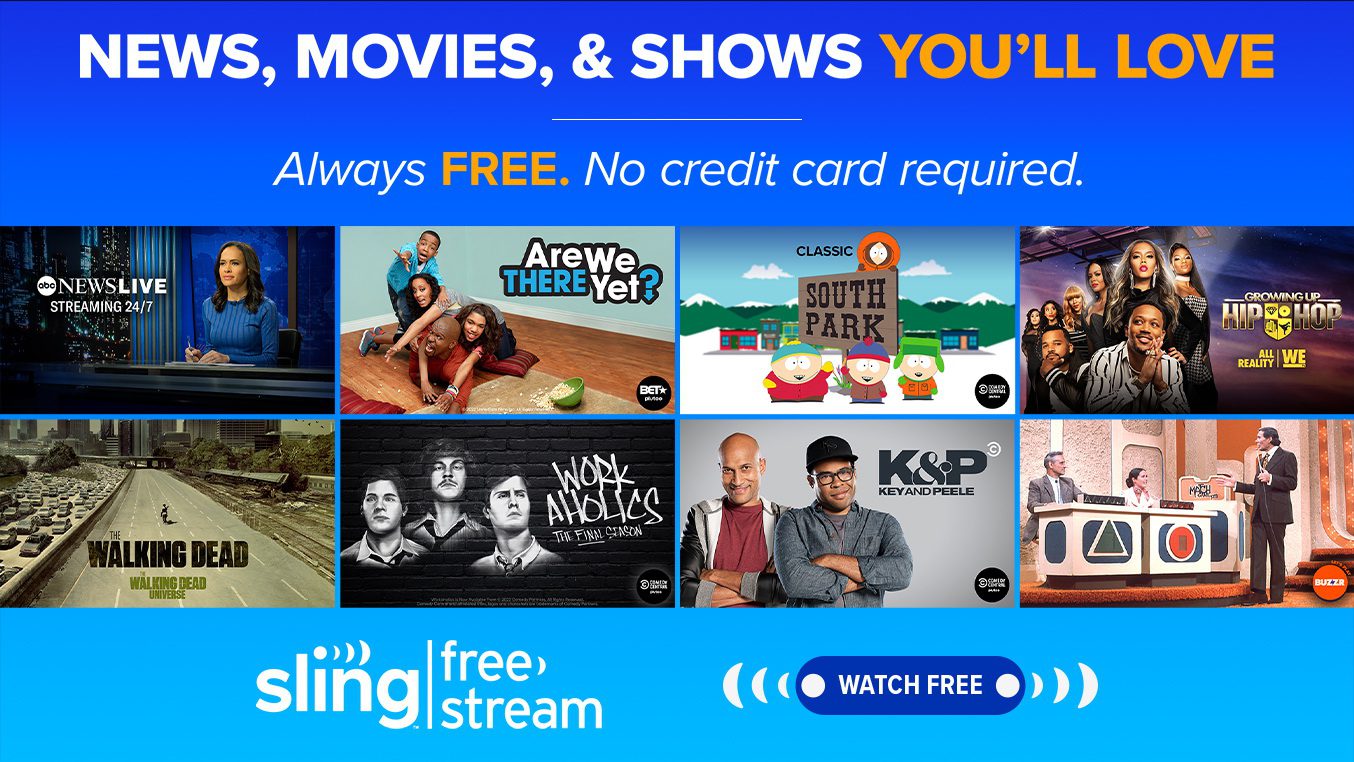
Sling Freestream is a completely free streaming service supported by advertisements, provided by Sling TV. It can be regarded as a free alternative to Sling TV. It offers over 650 live channels and 40,000 various on-demand TV programs and movies, covering news, sports, entertainment and international programs. Whether you prefer classic TV, lifestyle content, or specific interests, it can meet your needs without the need for registration or subscription. It is completely different from the short-term free trial that Sling TV provided, which required binding a payment method. It is equivalent to allowing you to experience the Sling platform and enjoy a large amount of content. After using Freestream, if you find that you need more mainstream cable TV channels, live sports events or more advanced functions, you can seamlessly upgrade to paid packages such as Sling Orange or Sling Blue at any time. Of course, if you are looking for a more comprehensive bundle of live channels (such as including local broadcasting networks and specific on-demand libraries), there are also paid live TV streaming services like “Hulu + live TV” available as alternative options in the market. So in summary, Freestream is both an independent free service and is connected to the paid Sling.
Part 2: What Services Are Included in Sling FreeStream?
The content provided by Freestream is quite extensive. Below, I will list some of the most important services offered by it.
Free Live TV Channel
It offers over 500 free live channels, which are categorized by news, life, real crimes, children, etc. The content includes news channels such as ABC News Live, CBSN, and numerous entertainment-themed channels like AMC Thriller, Food Network, BBC Earth, etc. What’s worth mentioning is that it also provides over 110 international channels covering more than 15 languages.
Massive On-Demand Content
Sling TV Freestream also offers free on-demand movies and TV shows, and has already surpassed 40,000 on-demand games and TV programs.
Free Cloud DVR
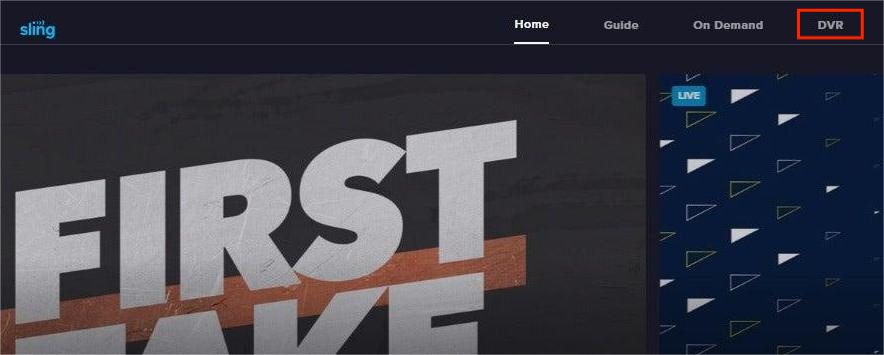
All you need to do is create a free account, and you will get 10 hours of cloud DVR storage space. You can use it to record your favorite programs. What’s more, when playing back, you can fast-forward to skip the advertisements. This feature supports single-episode recording or series recording settings.
Advertising Support
As a free service, the operation of Freestream relies on advertising revenue. Advertisements will be inserted during the streaming playback.
Part 3: What’s NOT Included for Free?
Precisely because Sling FreeStream is completely free, there are some services it actually does not include:
Paid live channels
The free version only provides FAST (Free Ad-Supported Streaming TV) channels – essentially curated playlists of older shows, movies, and online content. You cannot access major networks included in the paid packages, such as ESPN, CNN, Bravo, FX, or Disney channels.
Local channels
Unlike the Blue package, which includes ABC, NBC, and Fox in certain areas, the free version does not include any local broadcast channels.
Premium DVR
Sling FreeStream accounts only offer 10 hours of cloud storage and cannot be upgraded to the 200-hour premium DVR option.
Live Sports
Sling FreeStream has sports-themed channels that play replays or analysis programs, but you cannot watch live sports events, nor access ESPN, which is exclusive to the Orange package.
Other Premium Features
It does not provide the ability to watch on multiple devices simultaneously, integrated premium add-ons, or seamless package upgrades.
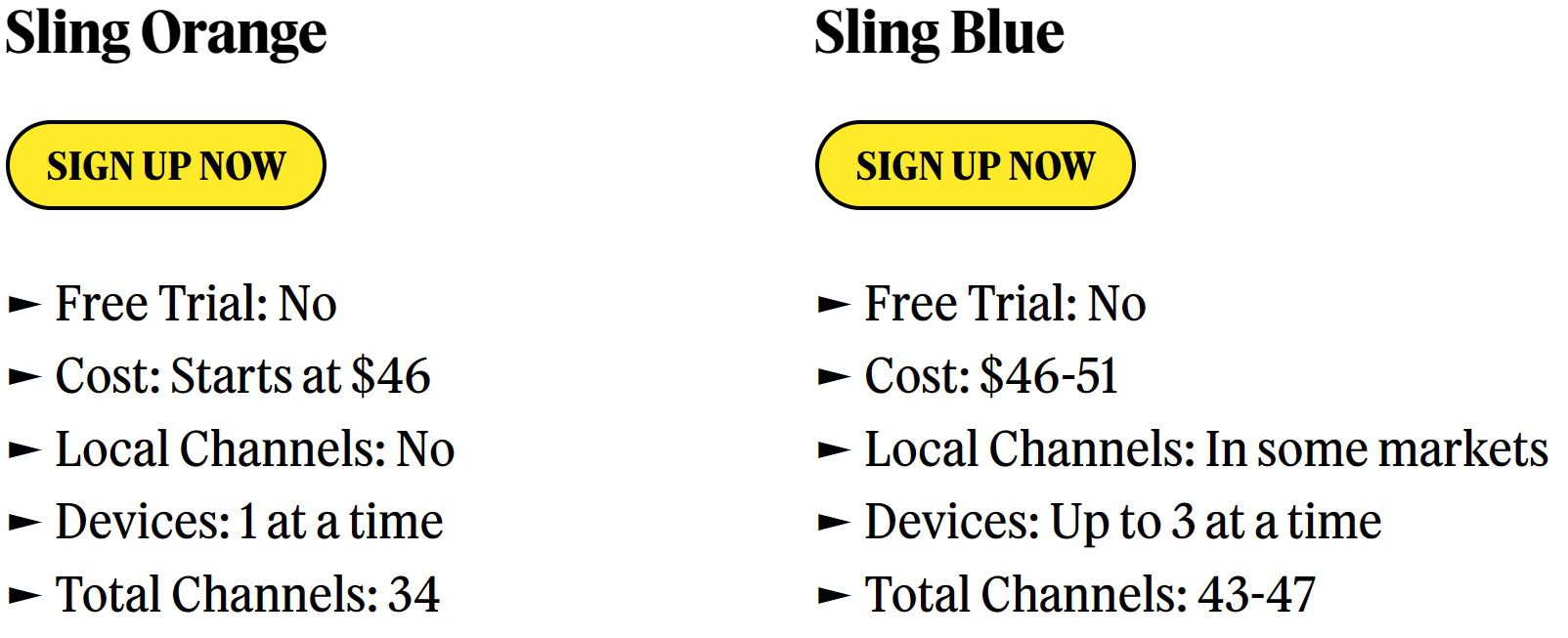
Below is a table introducing the paid packages:
|
|
Sling FreeStream |
Sling Orange |
Sling Blue |
|
Paid Channels |
Not included |
ESPN, Disney Channel, Freeform… |
Fox News, NFL Network, NBC FX, USA… |
|
Sports Live |
Not included |
ESPN, ESPN2, ESPN3… |
NFL Network, FS1 local FOX, NBC.. |
|
Advanced DVR |
10-Hour Free Cloud DVR |
50 hours |
50 hours |
|
Watch Simultaneously |
1 |
1 |
3 |
In short, Freestream is more suitable for casual viewing, background audio, or exploring a large library of free movies and shows, but it is not suitable for watching live ESPN games, real-time CNN news, or currently popular cable series.
Part 4: How to Access Sling Freestream?
Accessing Freestream is very simple. You can use Freestream on mainstream devices through all Sling TV applications, including smart TVs (such as Roku, Amazon Fire TV), mobile phones, tablets, web browsers, etc. And since this is a free service, you can access Sling Freestream without the need to create an account. You simply need to go to the official website or the app, open it, and usually you can find the “Freestream” entry on the main screen. Just click on it to start watching, and no login is required. However, if you want to enable DVR, personalized recommendations, user profiles, and parental control features, you will need to create a free account. The same process can be followed by visiting the official website or clicking the corresponding option within the app. Then, provide your email address, password, and postal code to complete the registration. The entire process does not require a credit card.
FAQs
1. Do you need a Sling account to use Freestream?
Not necessary. You can start watching immediately as a guest without logging in. However, creating a free account is required to unlock some useful features, such as 10 hours of cloud DVR. Logging into an account also enhances the user experience, such as saving favorites and setting viewing preferences.
2. Can you watch Freestream outside the US?
No. Sling Freestream is officially available only within the United States. The terms of service typically restrict access to the U.S. geographic region.
3. Is Sling Freestream completely free?
Yes, it’s completely free. There are no hidden fees, and it will never ask you for credit card information. Its operating costs are covered by displaying ads, so users need to agree to watch ads.
4. Can I record shows on Sling Freestream?
Sure, you can use the 10-hour free cloud DVR it provides to record programs. However, a 10-hour DVR may not be enough to meet your recording needs, so I suggest you use other more professional recording tools, such as Moyea Streaming Video Recorder, which can perfectly overcome the limitations of the 10-hour DVR. If you prefer downloading, I recommend using Moyea Video Downloader.
-

StreamFab Netflix Downloader Review: Features, Pros & ConsCassie J./2026-03-31
-
5 Hulu Family Sharing Tips for Smooth ViewingCassie J./2026-03-30
-
Netflix Not Working on Roku? Solve It NowCassie J./2026-03-27
-
3 Proven Ways to Watch Netflix Without AdsCassie J./2026-03-25
-
Apowersoft Streaming Video Recorder Review: Features, Pricing, and AlternativesSunny Wen/2026-03-24
-
Best Amazon Prime Video Recorders: Record with the BestPatrick Murray/2026-03-19
-
How to Download Amazon Prime Videos to iPhone/iPadPatrick Murray/2026-03-18
-
YouTube TV DVR: How It Works and How to Record Live TVSunny Wen/2026-03-17
-
How to Record Twitch Streams? All Methods ExplainedPatrick Murray/2026-03-17
-
Download PBS Videos Easily: From Public Clips to Passport ShowsPatrick Murray/2026-03-17


-
Top 5 Udemy Downloaders to Download Udemy Courses on PCPatrick Murray/2025-07-03
-
Best 9 Anime Download Sites to Download Anime [Free & Paid]Patrick Murray/2024-07-12
-
4 Best DRM MPD Downloaders in 2026Leia Liu/2025-05-29
-
HBO Max with Ads VS. No Ads: What Are the DifferencesLumi/2025-05-13
-
6 Best M3U8 Downloaders to Download M3U8 PlaylistsLumi/2025-05-22
-
[2024] How to Download DRM-Protected M3U8 VideosLumi/2024-10-29
-
How to Stream Prime Video on Nintendo Switch?Patrick Murray/2024-09-14
-
How to Activate Tubi on Different Devices? [LG, FireStick, Roku, PS5…]Cassie J./2024-09-24
-
[2026 Latest Review] Best Amazon Prime Video DownloadersPatrick Murray/2025-05-16
-
How to Download an MPD Video with DRMLeia Liu/2024-09-20




Related
YouTube TV DVR: How It Works and How to Record Live TV
Download PBS Videos Easily: From Public Clips to Passport Shows
How to Mute or Unmute Someone on Instagram
How to Update Instagram App to Get the Latest Features
Crunchyroll Offline Viewing for Travel: How to Watch Anime Without Internet
How to Delete a Facebook Group on Desktop and Mobile


 English
 日本語
日本語